


Participant
February 13, 2025
Answered

STOP with the AI user prompts in Acrobat. It's getting ridiculous!

  • February 13, 2025
  • 8 replies
  • 1405 views

This is the 4th time now I've wasted time searching for ways to stop the constant attempts from Adobe to push this Acrobat AI Assistant down my throat, what seems like every time I open the app. Yes, I've turned it off in preferences, twice in 2 different places! 


Today I get hit with another invasive prompt window popping up "Ask AI Assistant to summarize" or some nonsense. (Failed to screenshot it unfortunately). So into the preferences I go again, to find another 'ticked box' under "Generative AI features in Acrobat", which I'm positive wasn't there before as I can't find the previous options that I deselected, leaving me to believe this has been turned back on by Adobe during an update.
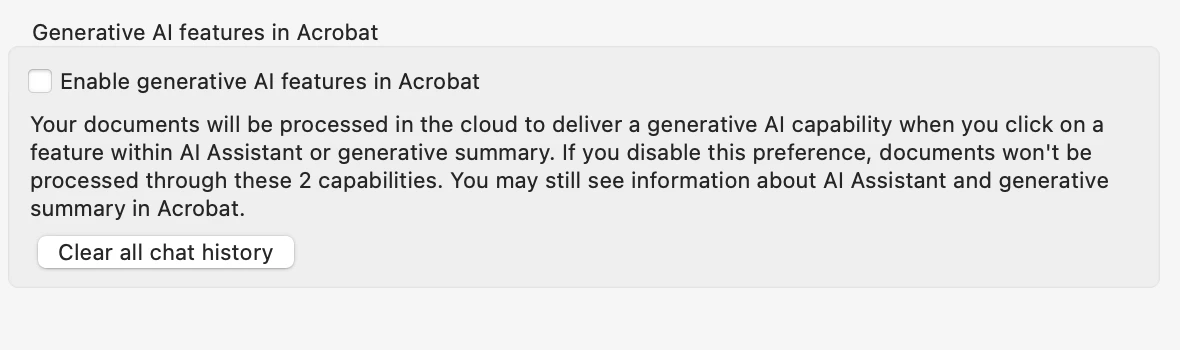
 

Surely that must be the end of it?

WRONG!

Not 20 minutes later...
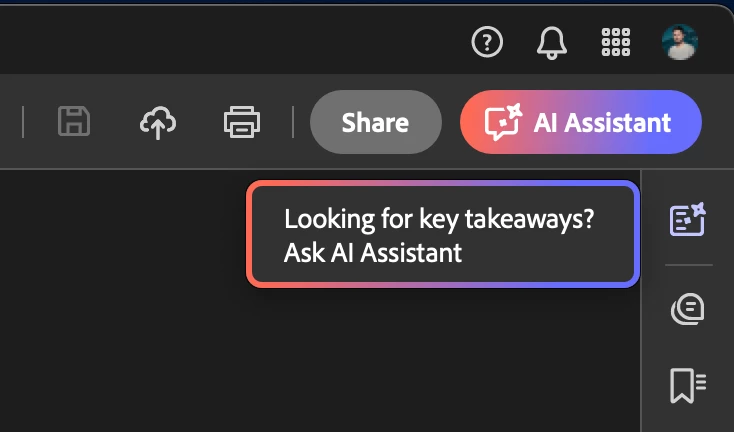


This is definitely one of the options I turned off previously (that I now can't find), so why is this type of thing popping up again? 


It should be simple...

AI Assistant on: 

AI Assistant off:


So, three questions:

  1. How do I turn off the AI assistant completely, never to "automatically" turn itself back on again in some way?
  2. How do I stop these annoying colourful advertising prompts constantly jibing me? (Which I already disabled previously). 
  3. Are the first two questions even possible or has Skynet finally taken over and keeps turning itself back on? 


Many thanks for ruining my day again. 

Iain


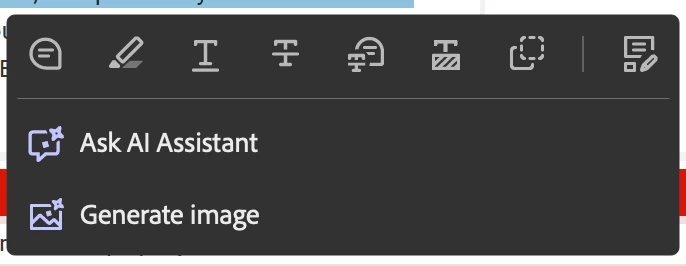
Oh, and this is annoying too...
8 replies

Participant
August 13, 2026

Did we ever figure out an actual resolution to this issue? 

It is every. single. time. I open up a PDF that it lags incredibly because of the AI feature. I have a $2000+ laptop that overheats because of it. Only when Adobe is acting this way, I hear my laptop fan fighting for its life.

I have disabled new Acrobat more times than I can count. I have disabled the AI feature and unchecked the associated boxes more times than I can count. It always comes back when I open the application again.

Then, after some amount of time that I shouldn’t have to wait in the first place, when I think the application is open, has calmed down and is ready for me to start filling in a form or whatever, I get more AI-related interference that causes me to lose my edits or causes whatever I have typed in to lag in appearing on the form. Then so I have to wait for it to catch up unless Adobe freezes altogether and I have to CTL+ALT+DEL


Get it the fk together, Adobe. 

Amal Jaiswal
Community Manager
Community Manager
August 13, 2026

Hi ​@master_Giggles5FA6 

Hope you are doing well and thanks for reaching out. We are sorry for the trouble you are experiencing. 

Is this occurring with all the PDFs or with a particular PDF file? Please try with a different PDF file and check. Also make sure the application is updated to the latest version  26.001.21789 Out of cycle update, Aug 11, 2026 once done, reboot the computer and check. 

If it still doesn’t work, please share a small video recording of the steps you are taking and the issue as it occurs along with the diagnostic logs as described here https://helpx.adobe.com/acrobat/kb/acrobat-diagnostics.html and share the log ID with us so we can get it reviewed by our development team.
~Amal 

Participating Frequently
April 23, 2026

Excellent post. I heartily agree.

Adobe please take note that foisting unwanted features upon your long suffering users is eroding the last remaining skerricks of good will.

Participant
August 30, 2025
quote

This is the 4th time now I've wasted time searching for ways to stop the constant attempts from Adobe to push this Acrobat AI Assistant down my throat, what seems like every time I open the app. Yes, I've turned it off in preferences, twice in 2 different places!  ChoiceAdvantage


Today I get hit with another invasive prompt window popping up "Ask AI Assistant to summarize" or some nonsense. (Failed to screenshot it unfortunately). So into the preferences I go again, to find another 'ticked box' under "Generative AI features in Acrobat", which I'm positive wasn't there before as I can't find the previous options that I deselected, leaving me to believe this has been turned back on by Adobe during an update.


Surely that must be the end of it?

WRONG!

Not 20 minutes later...


This is definitely one of the options I turned off previously (that I now can't find), so why is this type of thing popping up again? 


It should be simple...

AI Assistant on: 

AI Assistant off:


So, three questions:

  1. How do I turn off the AI assistant completely, never to "automatically" turn itself back on again in some way?
  2. How do I stop these annoying colourful advertising prompts constantly jibing me? (Which I already disabled previously). 
  3. Are the first two questions even possible or has Skynet finally taken over and keeps turning itself back on? 


Many thanks for ruining my day again. 

Iain


Oh, and this is annoying too...


By @milliain

Based on the provided images and your description, the "Ask AI Assistant" and "Summarize this document" prompts are part of Adobe's new Generative AI features that often get re-enabled with updates, even after being turned off. To completely disable them, you must go to **Edit > Preferences** and uncheck multiple boxes under sections like **General** (for "Generative AI features in Acrobat") and **Documents** (for "Show AI Assistant banners"). Additionally, to prevent the intrusive pop-ups, you can uncheck "Show Welcome Screen" under **General** settings, which will stop most promotional content from appearing upon opening a document.

Participant
August 29, 2025

Great post. This feature is so annoying! trying to complete work and keep having to click away these prompts that have no way of helping me whatsoever!

JR Boulay
Community Expert
JR BoulayCommunity ExpertCorrect answer
Community Expert
February 14, 2025
Acrobate du PDF, InDesigner et Photoshopographe
try67
Community Expert
Community Expert
February 14, 2025

True, but it should not be happening. If you disable AI then it should be, well, disabled...

Randy Hagan
Community Expert
Community Expert
August 13, 2026

Sometimes, if you’re talking about no ifs, ands or buts, killing something Graveyard Dead in a program, you have to apply the ruder cure.


FWIW, I’ve found that using the View>Disable New Acrobat menu command to go back to the “old Acrobat” interface saves me lots of little miseries. I only switch back to the “new Acrobat” interface to get a tool I wouldn’t have to use otherwise, and only long enough to use that tool until I switch back.


It makes my life a lot easier. Jus’ sayin’ …


Randy