

RoxannDOC
Participant
February 2, 2024
Question

Submit a Completed Form using JavaScript

  • February 2, 2024
  • 2 replies
  • 3023 views

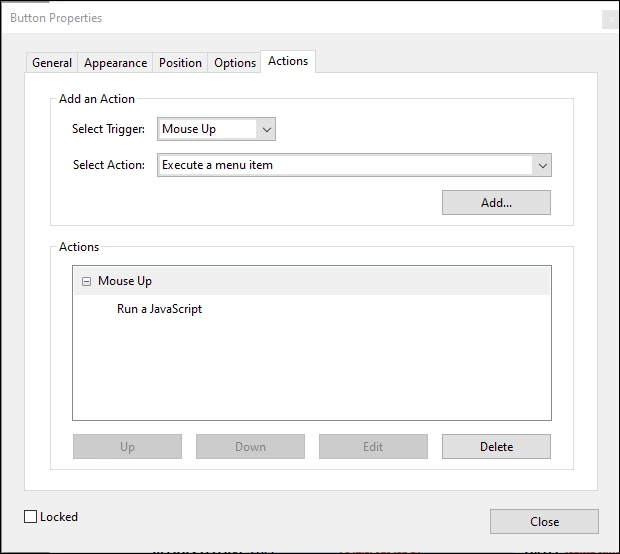
I created a Submit button using a JavaScript to attach the form to the email so I can have a custom Subject Line and Body to the email. I just can't figure out how to get the pdf attachment as the "completed form", as it attaches the fillable form. 

So basically I want to combine the "submit a form" Action but being able to still have the custom subject line and email body. 

Is this even possible? Thank you in advance.


Here is the script I am using:


var targetEmail = "customemail@email.com";
var subjectLine = this.getField("Full Name").valueAsString + " " + this.getField("Acct#").valueAsString + " - " + this.documentFileName;
var body = "Funds Request\nNEEDED BY: " + this.getField("Needed By_af_date").valueAsString;
this.mailDoc({cTo: targetEmail, cSubject: subjectLine, cMsg: body});
 

This topic has been closed for replies.

2 replies

Thom Parker
Community Expert
Community Expert
February 2, 2024

The code looks fine.  What exactly is not working?  Have you check the console window for errors?  In fact, you should probably run this code from the console window before using it on a form, to check for errors. 


Thom Parker - Software Developer at PDFScriptingUse the Acrobat JavaScript Reference early and often
try67
Community Expert
Community Expert
February 2, 2024

What do you mean? Does it not attach the full PDF to the generated email with this code? It should...

RoxannDOC
RoxannDOCAuthor
Participant
February 2, 2024

It does. With the script, the form is still fillable. But when I do the "create link" with an email or something and have "submit a form" Action, it attaches it as completed (no longer fillable). 

try67
Community Expert
Community Expert
February 2, 2024

Ah OK, now I understand. You can set all the fields as read-only before submitting the file, but that is not secure at all. Another option is to digitally sign the file before sending it, which can be used to lock the fields.

I'm surprised that sending the file as a link would "lock" it. It should not do that. Maybe it's the result of viewing the file in a browser window, but if you open it in Acrobat or Reader the fields in it should be the same as in the original.