
Submit a form - output as xlsx or csv instead as a full PDF?
Hi all,
I have created a fillable form (effectively a 13 page ordering catalogue for staff) with 'reset' and 'submit' buttons, and with drop-down fields where staff can change the default number (zero) to a number depending on quantity required.
This form works well, but with sometimes up to 30 items per page, and with staff only maybe selecting one item as 'quanity required' (i.e. 29 items may be still at QTY=0, and one item may be at QTY=1), this may cause issues at the 'supplier-end' when it comes to processing an order. That is to say that they may end up printing 13 pages, or scanning through 13 pages on-screen, and manually processing an order which is laborious and an environmentally poor process (not to mention the possible errors made when trying to process these orders).
Is it possible to have an output as a '.xlsx' or '.csv' where line items throughout the form are ANYTHING OTHER THAN zero (default)?
In other words, it is possible that only 6 items are ordered throughout the available 13 pages, and rather than having 13 pages submitted by email as a PDF file that may be around 2MB... could one table be the output where only those 6 items are listed using the standard table headers that I have kept as a constant;
Column 1 = QTY
Column 2 = DESCRIPTION
Column 3 = CODE
Column 4 = ITEM
So that what the staff see's on page 2 of our 14 page form (for example) is as below;
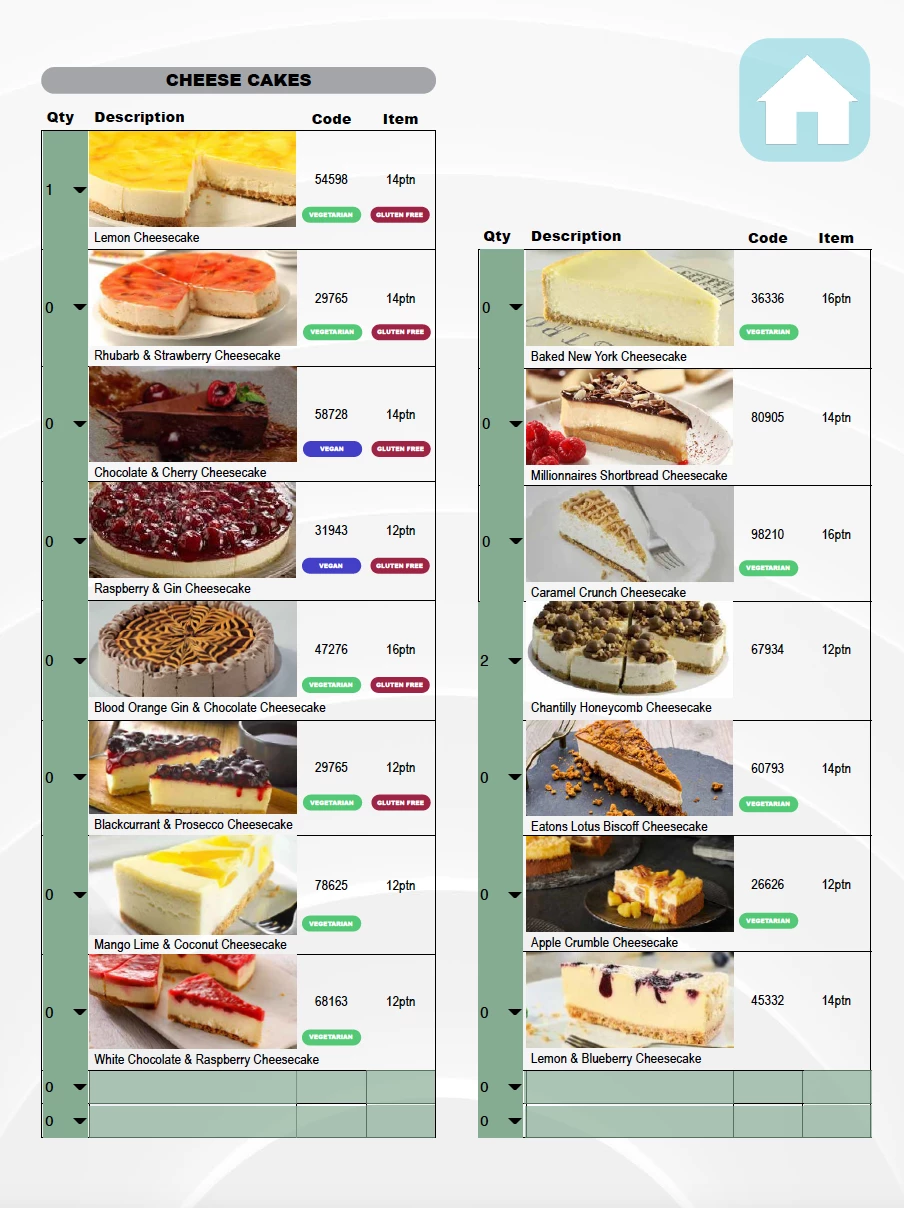
We can see that only two items have had their default QTY fields changed from 0 (default) to a number other than 0.
The output would be ideally seen when the form is submitted for this page as;

Which is far easier to read and print if necessary...
I understand I may be asking a lot of this program to do this?
Thanks for any help
Simon
 AdChoices