Inspiring
June 12, 2023
Question

Submit form button issues

  • June 12, 2023
  • 1 reply
  • 666 views

Hello


I created a PDF form using InDesign with a submit button. 

The button doesn't work when uploaded onto the website. Link is below.

 https://madinaacademy.org.uk/images/downloads/document1.pdf


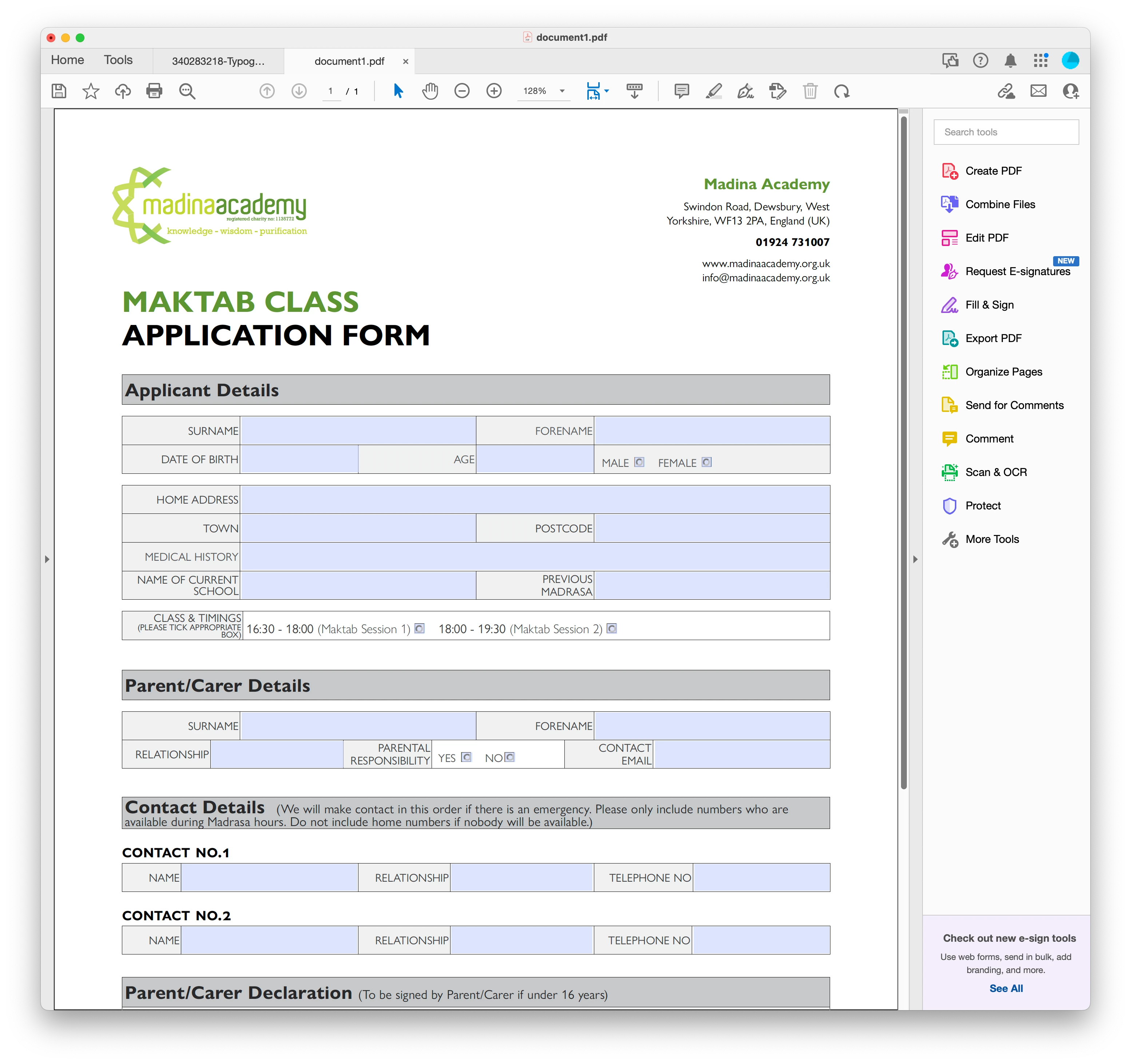
Also, when the form is downloaded, the submit button disappears. If you hover over the area where the button is, the pointer changes to a hand but still the button doesn't work. 


See image below.
This topic has been closed for replies.

1 reply

Legend
June 12, 2023

Support for forms in web browsers is not good. It's entirely at the whim of the browser maker. None of them do a great job; some are worse than others. You probably need to tell your client base to download the file and open it in Reader.

But - digressing - you have a huge GFPR problem, you use a mailto to submit not an https! So, in the UK and EU, this form is illegal as written, and you could be subject to unlimited fines for sending (or causing to be sent) users' personal info (including medical history) in unrestricted email...  seek advice from your organisation's data protection manager. If there isn't one... just don't use email, the risk to you and your clients is far too great. The fines (up to £17.5 million under the UK GDPR, €20 million under the EU GDPR or 4% of annual global turnover - over £1 billion in fines already issued) and risk of reputational damage are huge. 

Inspiring
June 12, 2023

Thanks for your response
i used mailto: in the submit button.

What about the issue of the button disappearing when downloading the form?

Legend
June 12, 2023

I don't think helping you work with this form with mailto would be doing you a service. 

Some info: https://schoolsweek.co.uk/schools-face-hefty-fines-for-data-breaches-under-new-eu-laws/