


Participating Frequently
July 29, 2026
Answered

Subscription help

  • July 29, 2026
  • 7 replies
  • 85 views

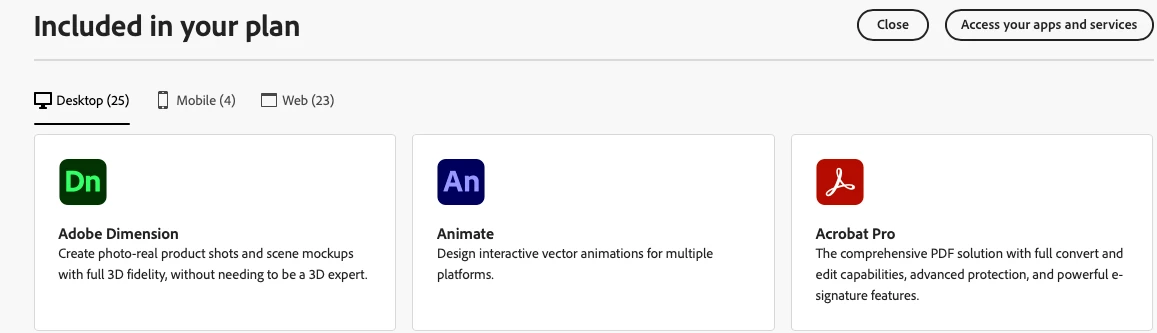
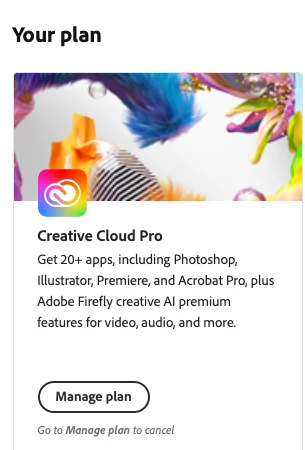
I have had creative cloud pro since 2024. I went into acrobat pro to edit a pdf today and it said I needed to “reactivate my subscription,” but I never deactivated my subscription. It then says I need to upgrade now and when I click upgrade now, it says I need to pay for acrobat pro + AI assistant or acrobat standard. If I click the “reactivate subscription” button, a pop up comes up telling me that I am trying to purchase an incompatible subscription, Acrobat pro is included in my creative cloud pro subscription and I am paying $69.99 a month already. Why did it remove my full access to Acrobat Pro? How do I get my access back?
 

    Correct answer Randy Hagan

    Actually, you can subscribe to Acrobat Pro without adding the AI Assistant. The Acrobat Studio subscription includes AI Assistant and other additional features. 


    Adobe seems to be actively redistributing features and capabilities among its various flavors of its Acrobat products. I would suggest you research exactly what your organization does with Acrobat, then research which Acrobat service(s) provide the features you need. Following this link is a good place to start, then go through some of the follow-on links offered in the questions at the end of this page to get more detailed questions answered. I think, perhaps more than ever, it’s important to research which version of Adobe Acrobat will best do the job you need to do.


    Hope this helps,


    Randy


    7 replies

    Participant
    August 31, 2026

    I already know how to use forms, but Acrobat keeps saying I have to upgrade to use the Forms feature. My subscription is up to date, according to my Adobe account. I have work I need to do and Acrobat won’t let me do it. I’m getting very frustrated!

    Amal Jaiswal
    Community Manager
    Community Manager
    August 31, 2026

    Hi @artspot.wheeler,

    Thanks for the update, and sorry this is still blocking your work. We've checked your account on our end, and can confirm you do have an active Creative Cloud Pro plan, so this isn't a subscription or payment issue. What you're seeing is Acrobat not recognizing that entitlement locally, which points to a sign-in or sync issue in the app itself rather than with your account.

    A couple of things would help narrow it down: what exact message appears when you try to use Forms? Is it the same "reactivate your subscription" prompt from your earlier post, or something different?

    In the meantime, this is worth trying first, since it resolves this kind of mismatch most of the time:

    • Sign out of Acrobat completely

    • Fully close the application (not just the window)

    • Reopen it and sign in again right away

    If it still doesn't work, please remove the application using the Acrobat cleaner tool https://adobe.ly/4qMnMQU, reboot the computer, and reinstall the application using the direct link https://adobe.ly/3Ur7rFy


    Let us know how it goes.

    ~Amal


    Participant
    August 29, 2026

    If I have Acrobat via my Adobe subscription, do I have to pay additionally for the Forms Creater now?

    Meenakshi Negi
    Community Manager
    Community Manager
    August 31, 2026

    Hi artspot.wheeler,


    Thank you for reaching out.


    If you have an Acrobat subscription, you can create PDF forms directly within the application without any additional charges. To learn more about how to create PDF forms in Acrobat, please refer to the following help documents: Create PDF forms from scratch and Convert documents to PDF forms.


    If you have any questions or need assistance, feel free to let us know.


    Thanks,

    Meenakshi

    Amber+Glen
    Participant
    August 3, 2026

    I changed my laptop to Windows 11. I have had the Adobe / Pro plan for over 10 years but Adobe keeps refusing to create a print document and a pop-up says that the trial has expired and refers me to start a new one 

    Randy Hagan
    Community Expert
    Community Expert
    August 4, 2026

    Have you signed into Acrobat DC Pro? That would be the first thing I’d check. If you are signed in, I would sign out, close the application, then open it again and immediately sign in. I know this sounds elementary, but you’d be amazed how many problems like yours can be fixed by simply signing out and signing in again.


    After that, I might use the AcroCleaner utility to completely uninstall Acrobat, then reinstall it and sign in again. This is the ruder, but surer, cure. I’d try the sign out/sign in thing first.


    Hope this helps,


    Randy

    Randy Hagan
    Community Expert
    Randy HaganCommunity ExpertCorrect answer
    Community Expert
    July 29, 2026

    Actually, you can subscribe to Acrobat Pro without adding the AI Assistant. The Acrobat Studio subscription includes AI Assistant and other additional features. 


    Adobe seems to be actively redistributing features and capabilities among its various flavors of its Acrobat products. I would suggest you research exactly what your organization does with Acrobat, then research which Acrobat service(s) provide the features you need. Following this link is a good place to start, then go through some of the follow-on links offered in the questions at the end of this page to get more detailed questions answered. I think, perhaps more than ever, it’s important to research which version of Adobe Acrobat will best do the job you need to do.


    Hope this helps,


    Randy
