Participating Frequently
August 24, 2017
Answered

Subtotal not calculating

  • August 24, 2017
  • 2 replies
  • 1993 views

Hello,

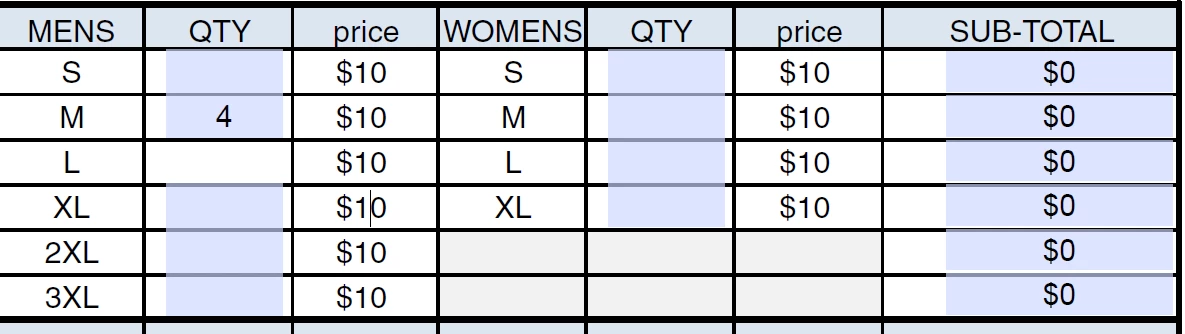
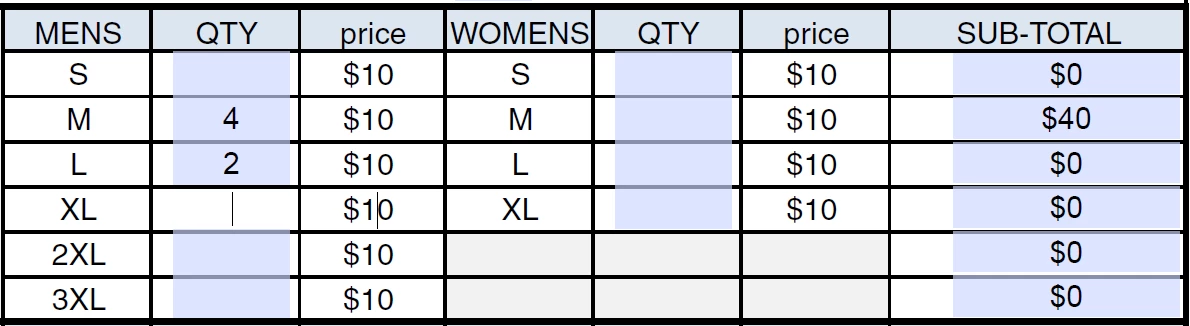
The subtotal category is not working properly and I was wondering if someone could please help me with this. When I put in a quantity of something, it does not calculate the subtotal until I enter another quantity in another field. For example, If I am trying to put in a quantity for medium t-shirts @ $10 piece, it should subtotal to $40 but it will not subtotal unless I put in a quantity in another field (such as 2 quantity of large t-shirts), after I input the quantity of another field, it subtotals the field before. So in order to calculate my medium t-shirt order, I have to put something in the large t-shirt category as well. But if I don't want any large t-shirts, it will not calculate. I checked the order and calculations and they are all correct. Can someone please help me with this? Please see screenshots below:
This topic has been closed for replies.
Correct answer try67

Thank you. Is there any chance you can do it to the file I sent you and send it back so I may see what you did and what the difference is?


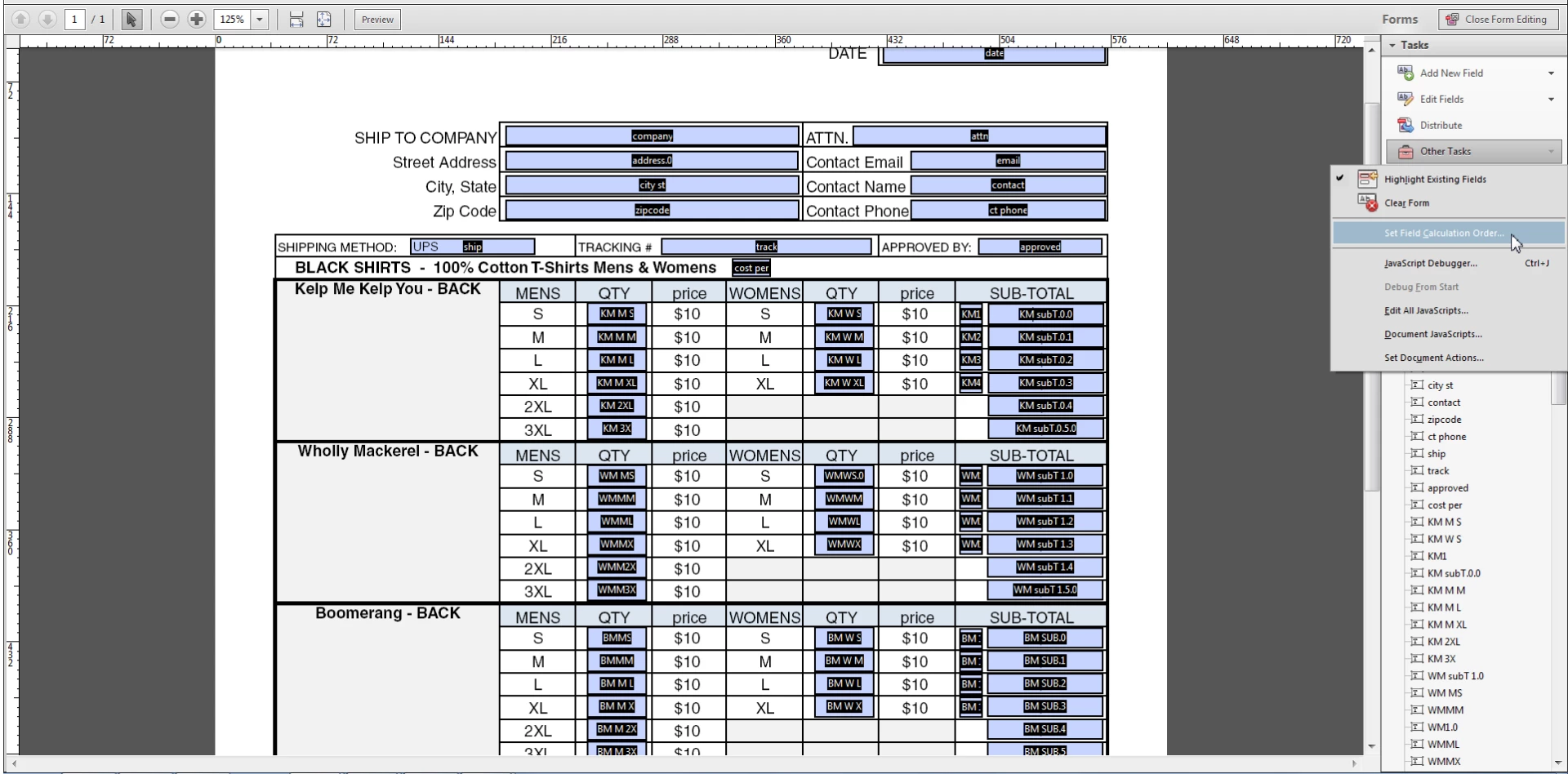
Sorry, it's a lot of work getting it in the right order. Follow my instructions and it will work.

You will find it here (this is in Acrobat XI):

2 replies

try67
Community Expert
Community Expert
August 24, 2017

That is usually indicative of a field calculation order issue. How did you set up the calculation of these fields?

Participating Frequently
August 24, 2017

The row for size small calculated appropriately, meaning I don't need to enter data into size medium in order for it to subtotal. Anything beyond small, does not calculate appropriately, unless I input data into the size below it. Everything is ordered properly. M=men W=Women. Please see screenshots:

try67
Community Expert
Community Expert
August 24, 2017

Do either of these fields ("KM2", "cost per") have a calculated value?

Jon Fritz
Community Expert
Community Expert
August 24, 2017

Moved out of Forum Comments (not for technical support) and over to the PDF Forms forum.

If this isn't for a PDF form, please let us know what Adobe software you are using so we can move your post to the appropriate forum.