September 7, 2017
Answered

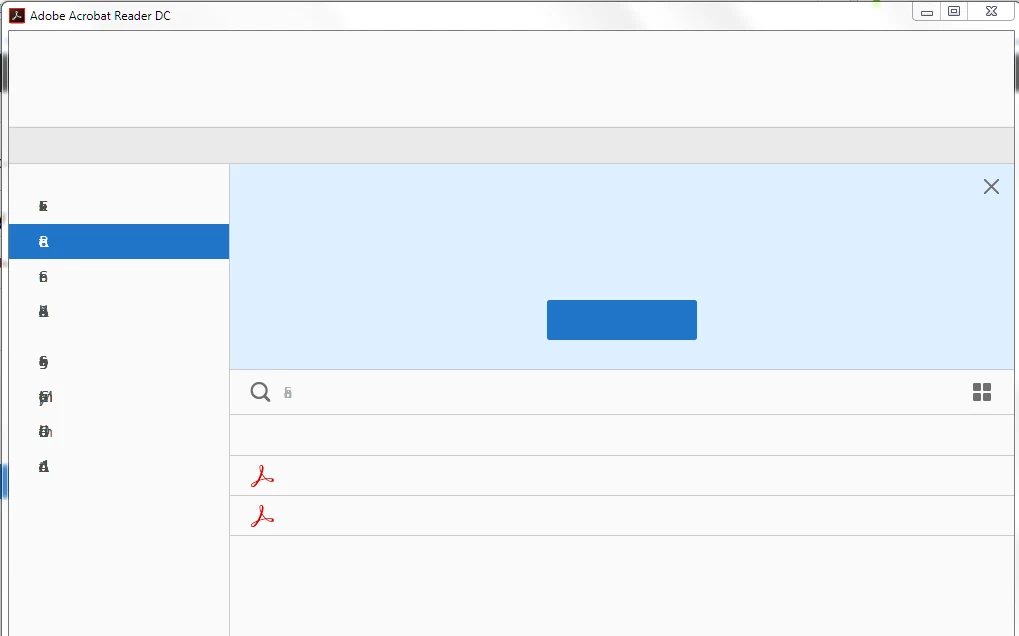
suddenly all texts from the menu and toolbars are missing from the UI

  • September 7, 2017
  • 3 replies
  • 634 views

Suddenly, when i tried to open Acrobat reader DC, the interface looks like the screenshot below: The only thing that happens since last time it was working is the automatic update of windows and I ran Skype update as well.  I followed the steps in this thread Blank dialog boxes and missing text from Acrobat interface  but all is good. reinstalling and restarting didn't help either. I run a windows 7 x64 Dell computer.
This topic has been closed for replies.
Correct answer AnandSri

Hi Khaledl,

As I understand, you are getting a  Blank screen and missing menu and toolbars in Acrobat Reader DC, Is that correct?

Please check the steps in the following thread: https://forums.adobe.com/message/9809803#9809803

And if you have any anti-virus installed, please disable it and then check.

Let us know how it goes.

Regards,

Anand Sri.

3 replies

AnandSri
Legend
September 8, 2017

Thank you Khaledl for sharing the update, good to hear that the issue got fixed.

Feel free to contact us if you face any issue related to Acrobat/Reader.

Regards,

Anand Sri.

September 8, 2017

Yes sir, The problem was the AVG anti-virus. disabling it did not fix the issue, but when I have uninstalled it the issue has been resolved.

Thank you for your help.

AnandSri
AnandSriCorrect answer
Legend
September 7, 2017

Hi Khaledl,

As I understand, you are getting a  Blank screen and missing menu and toolbars in Acrobat Reader DC, Is that correct?

Please check the steps in the following thread: https://forums.adobe.com/message/9809803#9809803

And if you have any anti-virus installed, please disable it and then check.

Let us know how it goes.

Regards,

Anand Sri.