

sv-burn
Participant
March 13, 2024
Question

Свойства текстовых полей в формах (не поддерживают кириллицу)

  • March 13, 2024
  • 3 replies
  • 2920 views

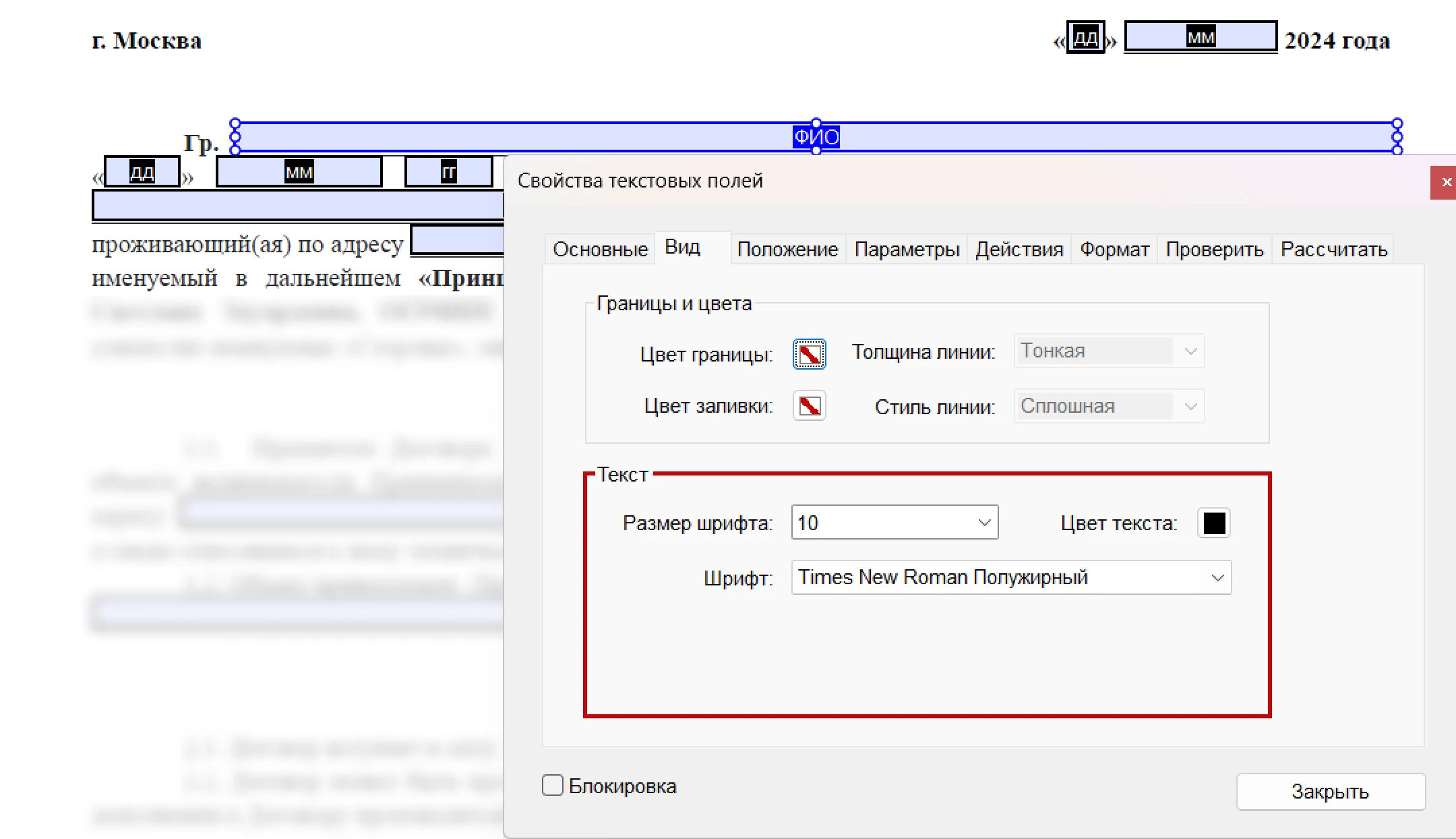
Всем привет. К своему сожалению обнаружила, что не могу задать шрифт полей в заполняемой форме. Точнее, задать-то могу, но кириллицу он не поддерживает после экспорта.

Попробую объяснить подробнее 


1. Вот у меня стандратный договор со стандартными полями для заполнения:
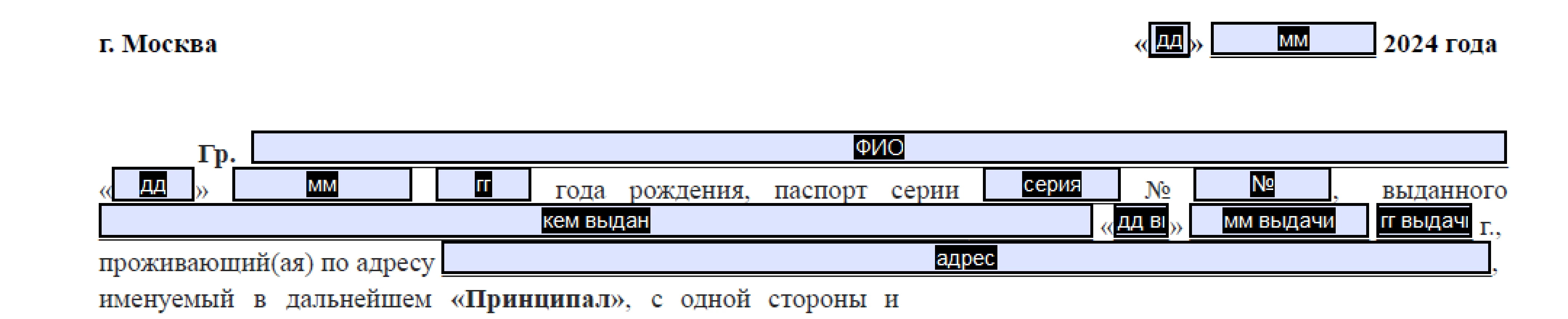
 

2. Шрифт договора Times New Roman, 10 кегль. Мне нужно, чтобы такой же шрифт был и при заполнении формы клиентом. Поэтому в Свойства текстовых полей > Вид я задала нужный шрифт и нужный размер:
 

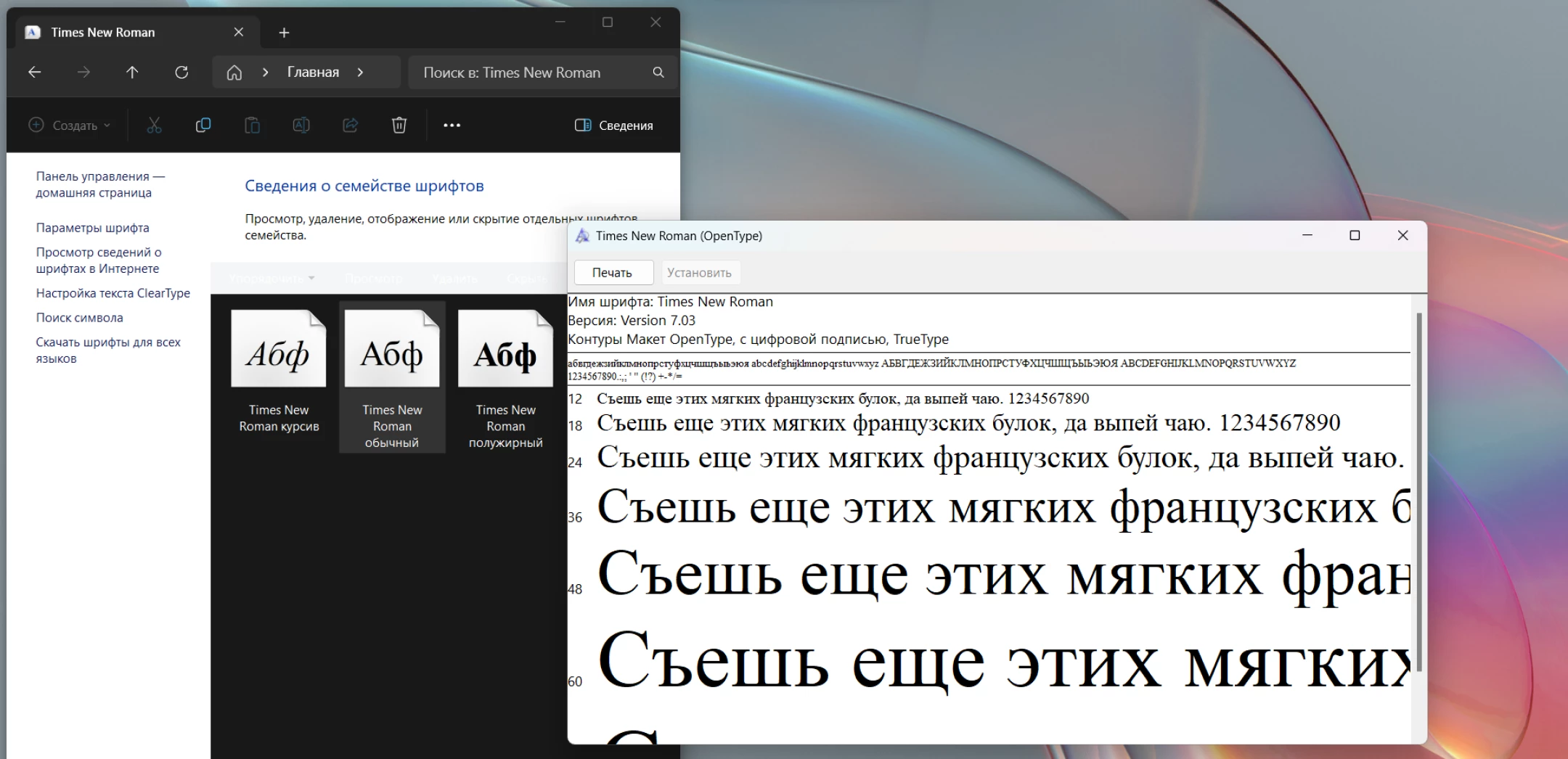
P.S.: это обычный, стандартный, системный шрифт, повсеместно использующийся в делопроизводстве, и входящий в базовую комплектацию ос windows, и, разумеется, он поддерживает кириллицу:
 

3. Заполняя форму в режиме предпросмотра, подвоха не видно, шрифт в инпуте такой, как мне и нужно:
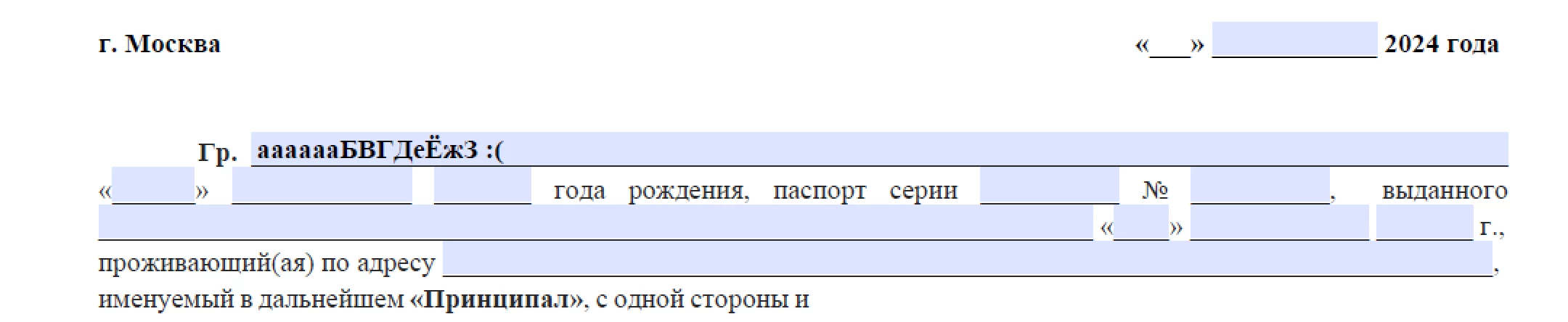
 

Но... Я сохранила pdf, открыла его через браузер, чтобы заполнить, и вот каким шрифтом отображается информация в заполняемых полях (times new roman к кириллице не применился):
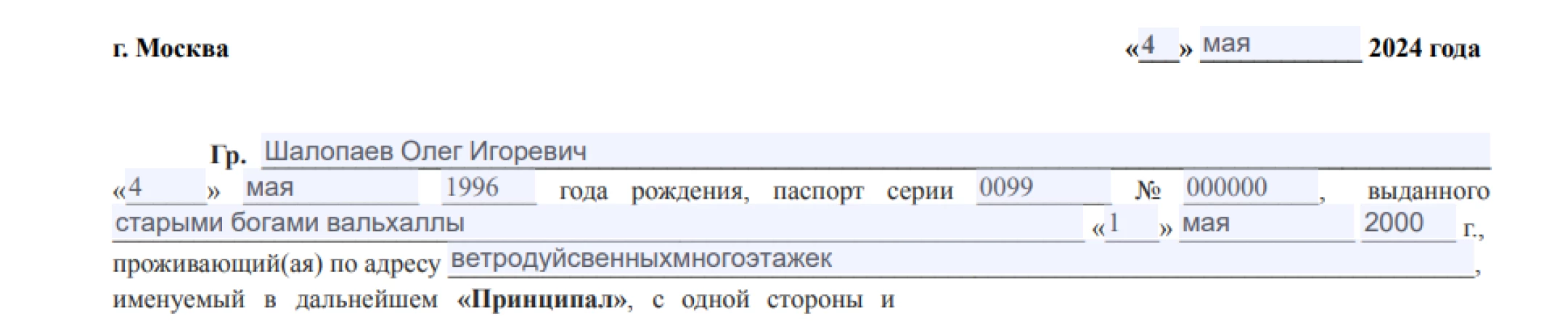
 

При этом, заполняя латиницей, всё ок:
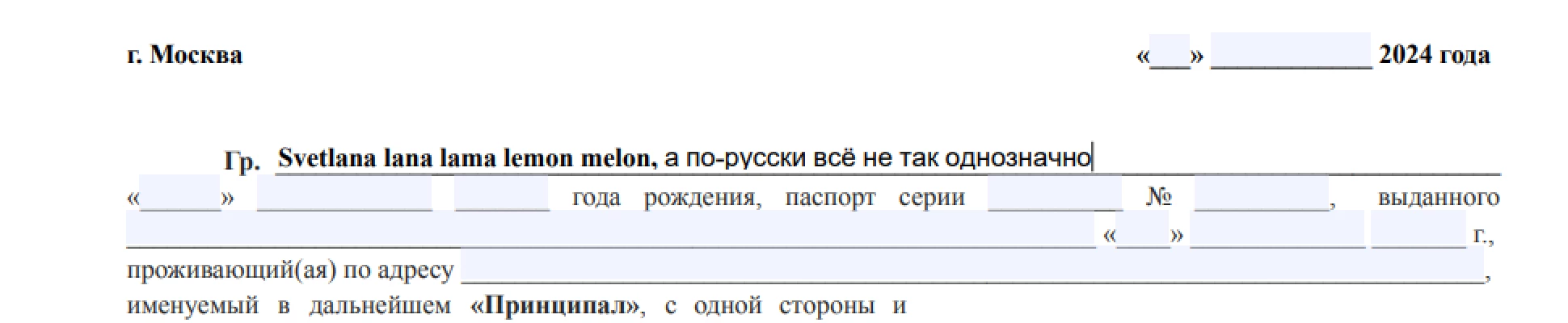
 

Ни в статье о свойствах полей форм, ни в статье про использование кириллицы в документах PDF ответа на мой запрос я не нашла. Если вы знаете, как решить эту проблему, пожалуйста, поделитесь в комментариях, буду очень признательна))

This topic has been closed for replies.

3 replies

try67
Community Expert
Community Expert
March 13, 2024

The issue is with the PDF plugin in the browser. They are usually very bad, especially when it comes to fields and scripts. Stick with Adobe Reader and it should work fine.

sv-burn
sv-burnAuthor
Participant
March 14, 2024

Thanks for the advice, but this doesn't solve the problem. My clients don't have time to fuss with browser plugins or anything else. So far, I have to independently edit the already filled in fields, changing the font in them, before sending them for signature. I would like the font to work in the file properties without any additional action on the part of the person filling out the form.

try67
Community Expert
Community Expert
March 14, 2024

There is no solution to this problem if the plugin is not working properly. You can complain to the plugin developers, but that won't solve the problem. If that's not good enough then maybe PDFs are not your suitable format. Try a web-based form.

Peru Bob
Community Expert
Community Expert
March 13, 2024

I've moved this from the Using the Community forum (which is the forum for issues using the forums) to the Acrobat forum so that proper help can be offered.


Scroll down here to see a list of the forums:
https://community.adobe.com/

sv-burn
sv-burnAuthor
Participant
March 13, 2024

Oh, thanks. Next time I'll choose the appropriate forum.

kglad
Community Expert
Community Expert
March 13, 2024

is this an acrobat pro question?

sv-burn
sv-burnAuthor
Participant
March 13, 2024

Yes, this is a question about acrobat pro. Sorry for not mentioning it right away.