Participant
July 17, 2018
Question

Text Box is Larger Than Text

  • July 17, 2018
  • 1 reply
  • 360 views

Good Morning,

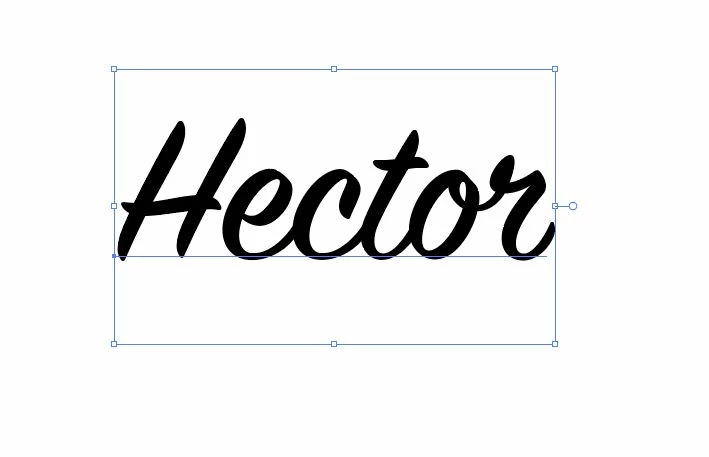
I need help with figuring out how to make the text box the same measurement as the text. When I am designing things I need accurate measurements and the text box is way larger than the text so I have to keep printing out a piece of paper to find out the size of the actual text. I have attached a picture as well.
This topic has been closed for replies.

1 reply

Allta Media
Community Expert
Community Expert
July 17, 2018

You can use the measuring tool to determine the dimensions of the text and/or field. The measuring tool is located in the Tools tab under Measure.

Participant
July 17, 2018

The problem is the empty space below and above the text is counted as the measurement when it isn't the text.