



WendyT3
Participant
June 22, 2026
Answered

Text box will not delete

  • June 22, 2026
  • 3 replies
  • 44 views

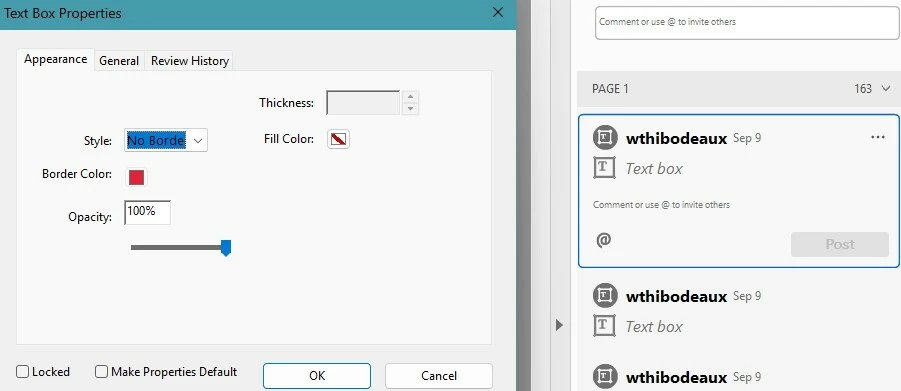
I have several comments (text boxes) that I need to delete.  When I delete them, they go away for a few seconds, but pop back up again.  All the settings look normal.  I don’t understand why these comments will not delete.

I’ve searched the internet, but cannot find a solution.
 

    Correct answer Eric Dumas

    Hi,I tested the following?

    • Open the file in Acrobat desktop
    • Save As a copy of the file on the desktop
    • Open that copy and check if you can delete the comments
    • I even tried with no internet 
    • Did not work

    I still can delete them fusing the browser, I can change the status but the delete (using the keyboard keys, right-click + delete,… ) not luck

    I would recommend to raise a support ticket with https://acrobat.uservoice.com  explaining all the things we tried.

    3 replies

    Eric Dumas
    Community Expert
    Community Expert
    June 23, 2026

    Thanks for sharing the sample file. I had the same issue as you described when deleting comments in Acrobat desktop version. But it seems that it worked ok when I opened the file in the Edge browser after download. I was then able to delete the comments in Edge and they did not come back.

    Eric Dumas
    Community Expert
    Community Expert
    June 23, 2026

    Can you also confirm if your file is stored online, in a synced service (like OneDrive, Dropbox...) or locally on our PC. If it is in a cloud service, and someone else has it opened, there could be ‘confusion’ on which is the latest version. So test deleting the comment on a duplicate of the file, a simple Save As… to duplicate the file.

    Please check the File > Properties to make sure in Security tab, ou have full access to everthing.

    WendyT3
    WendyT3Author
    Participant
    June 23, 2026

    Eric, I appreciate your input!  The document is stored on a jump drive.  I checked the Properties and I have access to everything.  No one else has opened the document.  But I have worked on the document from a different computer.  

    Eric Dumas
    Community Expert
    Eric DumasCommunity ExpertCorrect answer
    Community Expert
    June 23, 2026

    Hi,I tested the following?

    • Open the file in Acrobat desktop
    • Save As a copy of the file on the desktop
    • Open that copy and check if you can delete the comments
    • I even tried with no internet 
    • Did not work

    I still can delete them fusing the browser, I can change the status but the delete (using the keyboard keys, right-click + delete,… ) not luck

    I would recommend to raise a support ticket with https://acrobat.uservoice.com  explaining all the things we tried.

    Meenakshi0101
    Community Manager
    Community Manager
    June 22, 2026

    Hi WendyT3,


    Thank you for reaching out, and sorry for the trouble caused.


    As mentioned earlier, it is not possible to delete comments from the PDF. Could you please confirm if this issue is occurring with a specific PDF? If so, kindly share the PDF with us so we can investigate further. Additionally, please provide the version numbers of Acrobat and your operating system.


    Let us know if you need any help.


    Thanks,

    Meenakshi

    WendyT3
    WendyT3Author
    Participant
    June 22, 2026

    I am able to delete the majority of comments I have made on a PDF.  But for some reason, some comments will not delete.  It is on a large PDF that I use every month and export the comments to a new PDF.  

    I am using Adobe Acrobat Pro 2026.001.21662 and Windows 11.

    I’ve exported the comments to a new blank PDF and attached it for you to investigate. 


    Meenakshi0101
    Community Manager
    Community Manager
    June 22, 2026

    Hi WendyT3,


    Thank you for sharing the file. Please allow us some time to check this behaviour. We will get back with more information.


    Thanks,

    Meenakshi
