Participant
October 22, 2020
Question

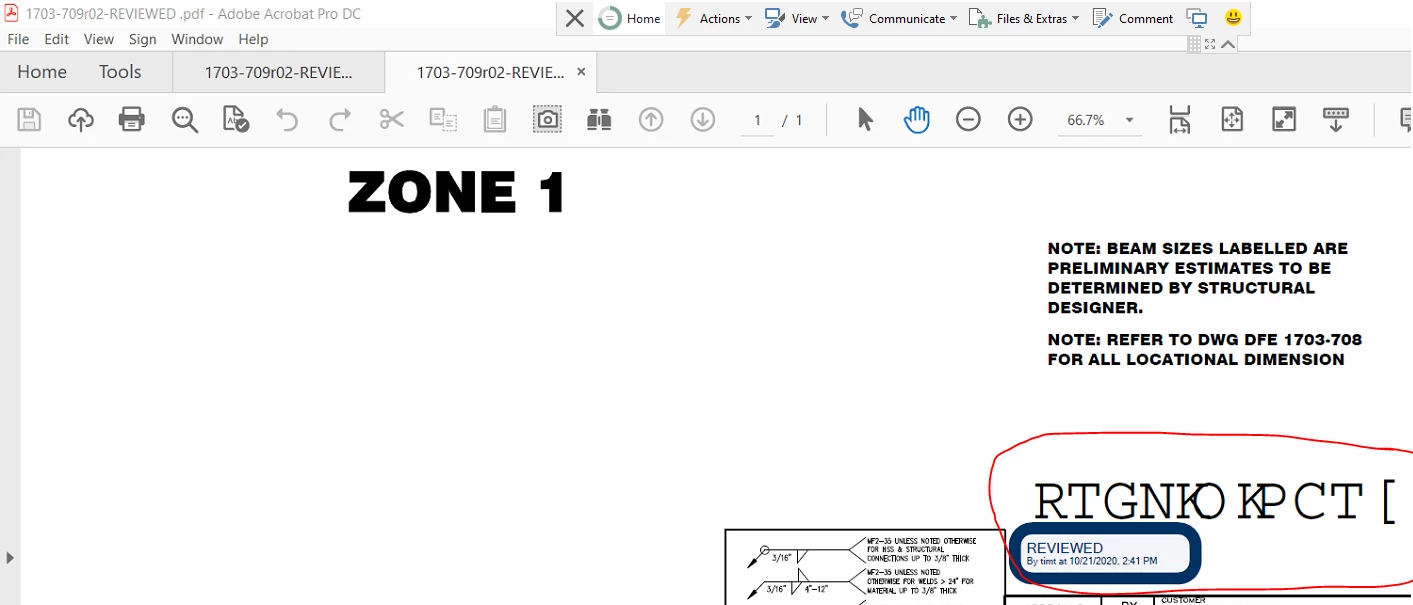
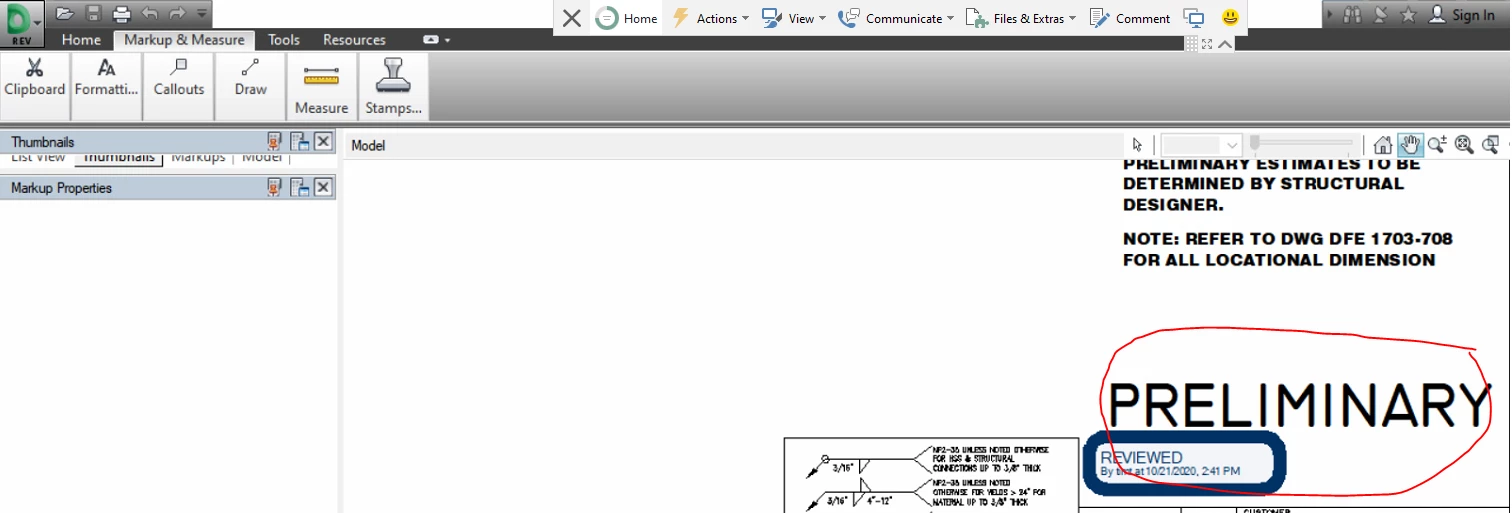
Text changing when printing to Adobe PDF

  • October 22, 2020
  • 2 replies
  • 244 views

Hello,


We have a standard process where an engineering assistant prints drawings from Autodesk Design Review to PDF.

Today in several PDF's we have found text has changed.  We are not sure why we since we have been using this process daily for 6 or 7 months now.  Please see attached images for a better description, I circled the text that changed.


This topic has been closed for replies.

2 replies

Karl Heinz  Kremer
Community Expert
Community Expert
October 22, 2020

This is very likley an issue that can be cured by embedding the relevant font. See here for more information: 

https://community.adobe.com/t5/acrobat/default-font-changing-to-unreadable-characters-in-adobe-2015-006-30417/td-p/9793685?page=1

Luke Jennings3
Community Expert
Community Expert
October 22, 2020

Printing to PDF probably results in fonts not being properly embedded. Try saving as, or exporting to PDF from Autodesk.

Upon re-reading your post, I see I assumed you were printing to PDF, at any rate, check the settings to insure you are embedding the fonts. If necessary, you can run an Acrobat preflight fixup to embed the fonts, that might fix the issue.