
Participating Frequently
May 23, 2024
Question

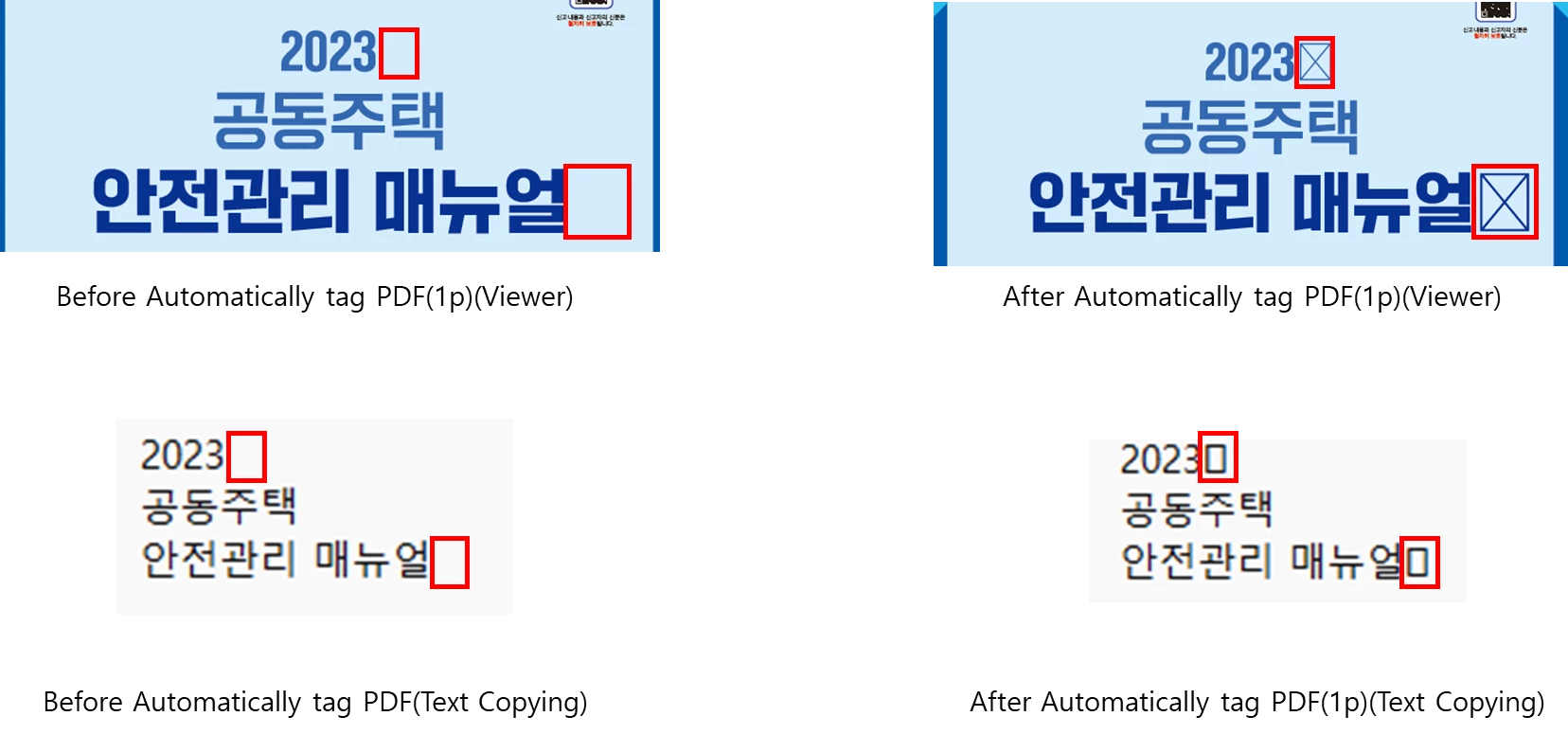
Text Contents is broken when using "Automatically tag PDF" Function in Korean.

  • May 23, 2024
  • 1 reply
  • 3069 views

When I use "Automatically tag PDF" function to tag my PDF file written in Korean, PDF file text is broken in some cases.


Here are two example files. One is before using "Automatically tag PDF", and the other is after using "Automatically tag PDF"


I wonder why this problem occur, what can I do for text broken file, way to prevent this error.


This topic has been closed for replies.

1 reply

Amal.
Legend
June 6, 2024

Hi there 
 
Hope you are doing well and sorry to hear that
 
Is this an issue with a particular PDF file or with all the PDFs? Please try with a different PDF file and check. If the file is stored on a shared network/drive please download it to your computer locally and then try again.
 
What is the version of the OS and the Acrobat DC you are using? To check the version go to Help > About Acrobat and make sure you have the recent version 24.02.20759 installed. Go to Help > Check for updates and reboot the computer once.
 
Also try to repair the installation from the help menu (Win Only) and see if that works.
 
Please try to reset the Acrobat preferences as described here https://adobe.ly/4bO8Rxp and check


~Amal

BoinAuthor
Participating Frequently
June 7, 2024

Thank you for your support.

In the process of viewing and checking your post, I learned about a feature called 'Enable cloud-based auto-tagging for accessibility'. Using that feature, I was able to solve some of the problems. However, there are still issues that remain.

1. Korean language support problem
The 'Enable cloud-based auto-tagging for accessibility' feature cannot be enabled in the Korean version. You must change the language setting to English to enable it. However, if you change the language setting to Korean again, the feature will be disabled. Is the feature only available when Acrobat's language is English? Also, are there any plans to support the feature in Korean?

2. Character encoding failed that still occurs
The 'Enable cloud-based auto-tagging for accessibility' function has fixed the issue of various text-brokered PDFs, but there are still files that are experiencing problems.
Attached is the auto tagging file with the 'Enable cloud-based auto-tagging for accessibility' function and the original file. Can you identify the cause of the problem in that file?

Amal.
Legend
June 7, 2024

Hi there


Thanks for sharing the information and sorry for the trouble you are experiencing.


I would like to get this issue checked with our engineering team, and for that, I need some more information:


1. What is the workflow/steps you are doing? Please share the a small video recording of the same for more clarity.

2. What is the version of the Acrobat Pro and the OS you are using?

3. What is the default application language it is installed in?


~Amal