Participant
January 23, 2024
Question

Text directions

  • January 23, 2024
  • 1 reply
  • 449 views

I am a unviersty student, I don't have time to switch between different expensive pdf editors apps


In the text comment and text box there are no algin to the right or the middle 

it's all left


Come on guys not all languages are written from left to right

There are 900 million people who writes from right to the left (Arabs, Persians, Kurds, Pakistanis and Indians (Urdu), Afghans, Malaysians and Indoniesans (Bahsa Jawi script), Jews(Hebrews) 

They are considered to be a new rich market 

Give them what they want


Support Right to left direction

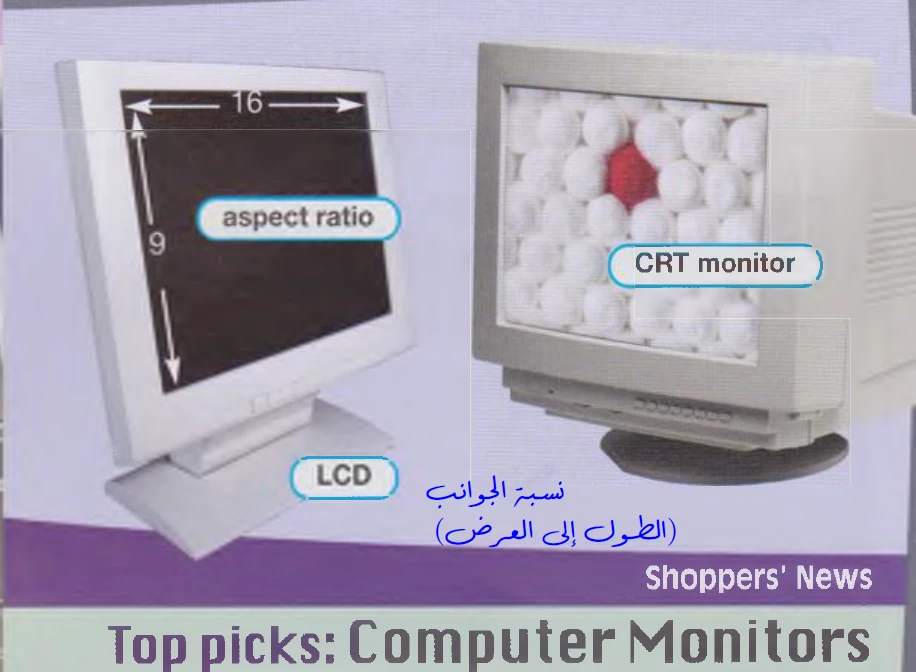
So instead of this stupid look
it will become like this
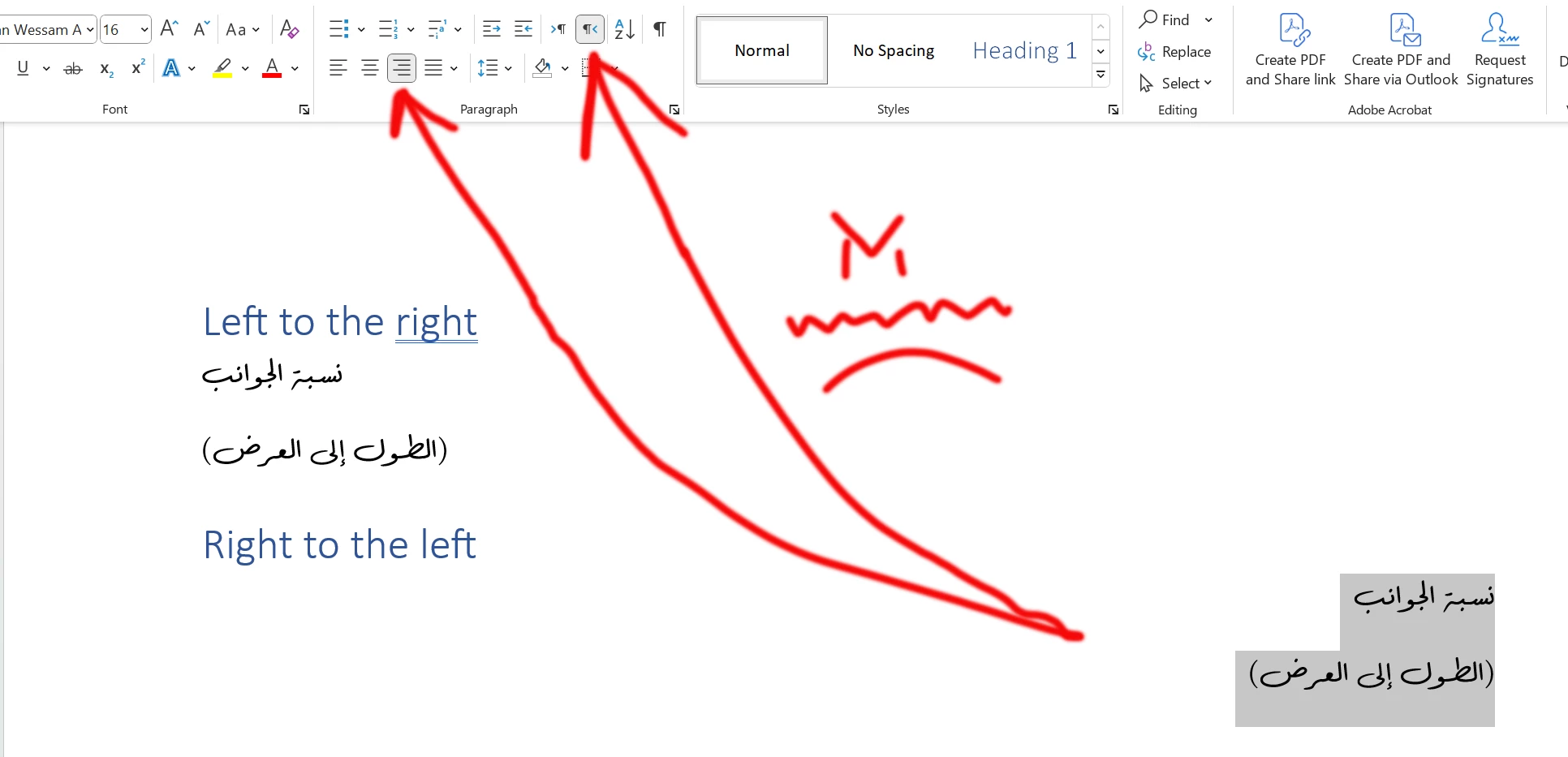
You can borrow these tools from open source apps if you are lazy to do some coding

This topic has been closed for replies.

1 reply

try67
Community Expert
Community Expert
January 23, 2024

You need to understand that Acrobat is NOT a word processing application, like Word or InDesign, which is why many of the basic functions you will find in those apps are missing from it. Changes to the static contents of a file should be made in the original file, not in the PDF.

Participant
January 26, 2024

Oops, My Bad! 🤗
Hey boomer

Chill, man! No need to get all worked up. Turns out, the magical land of PDF editing exists right in the EDIT tab👇 

Maybe next time, before you drop knowledge bombs, make sure to explore the basics 📝

And here's a thought - maybe brush up on your software before claiming the "expert" title.

It's a bit embarrassing when someone has to show you where the features are.

Instead of throwing shade, how about taking some cues from user feedback? It might help your precious Acrobat become less of a headache for us newbies.

By the way, editing a whole book in Word? Seriously? 😒


Cheers ✌️, 


try67
Community Expert
Community Expert
January 26, 2024

OK, I guess I didn't notice that one. Always happy to learn something new.

And good luck with editing your book in Acrobat! You're going to need it...