
Question
Text Edit Box not going away
The text editing box that appears when editing text in Acrobat sometimes does not want to close out, even when selecting another tool (i.e. highlighter or drawing a shape). It doesn't even move with the custom toolbar panel, it stays frozen in place. Even when opening another pdf file, the text edit box appears on that pdf file, in the same location. Here's a snapshot of how it looks:
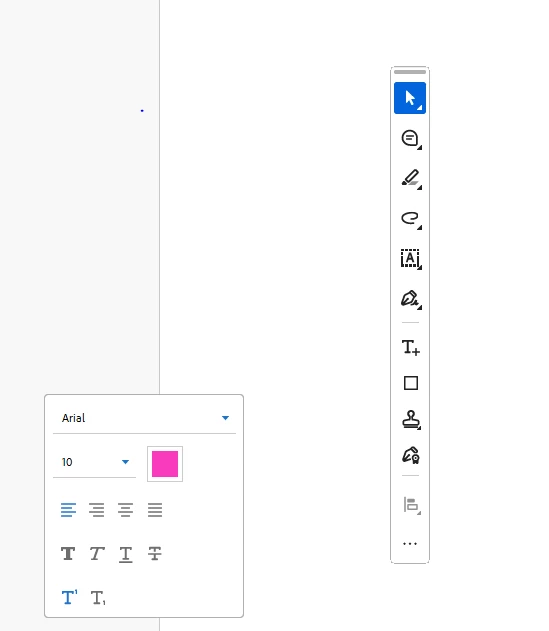
The only solution I've found was to completely close out of Acrobate and start it again, which is very inconvenient for the price of the software subscription.
Any help would be greatly appreciated. JAK.


 AdChoices