
Participant
January 25, 2022
Answered

Text Field Properties No Longer Includes "Format" Option?

  • January 25, 2022
  • 7 replies
  • 2049 views

Used to have an option to change a field's "format" to do handy things like phone numbers and dates.
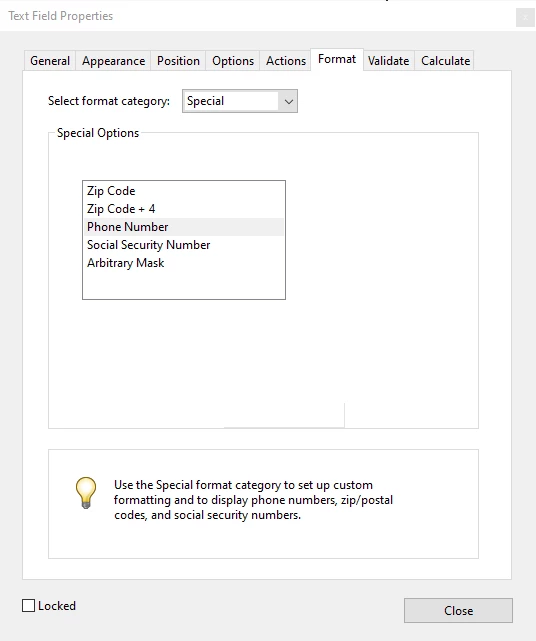
Since most recent update, this seems to be missing, along with a number of tother options.
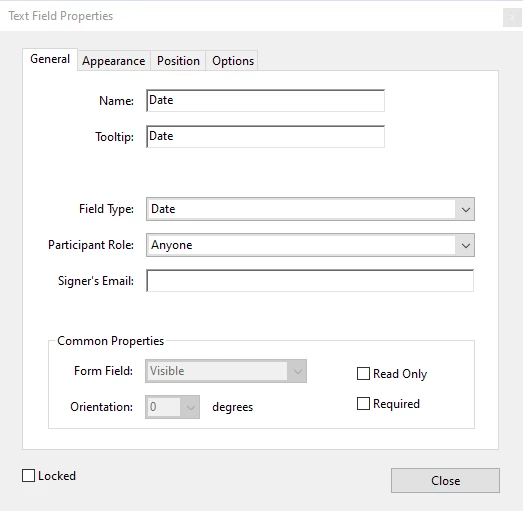
Has this feature been removed? Am I an idiot, not seeing it somewhere / doing something wrong?

Any tips much appreciated.

Correct answer JR Boulay

Open the "Prepare Form" tool pane, click on the "More" menu and select "Revert to Acrobat Form".

7 replies

Participant
September 30, 2026

I don’t have the “more” tab. What else can I do?


Anand Sri Bhattacharya
Community Manager
Community Manager
September 30, 2026

Hello ​@erica_9284 


I hope you are doing well, and thanks for reaching out. Sorry for the trouble you had.


Could you please share more details about the issue?

Are you on a Mac or Windows machine, and what is the version?

Are you using Acrobat or the freeware Reader desktop app?

Is this happening with a specific PDF, or with all the PDFs where you don’t get the ‘more’ tab?

Could you please share a screenshot of the window you are getting?


If you are on a Windows machine, repair the app from Menu > Help > Repair installation, restart the machine, and try again.


Reset the app preferences, and restart the computer: 


Let us know how it goes, and please reach out if you experience any issues or need any assistance.

Regards,

Anand Sri.


JR Boulay
Community Expert
JR BoulayCommunity ExpertCorrect answer
Community Expert
January 25, 2022

Open the "Prepare Form" tool pane, click on the "More" menu and select "Revert to Acrobat Form".

Acrobate du PDF, InDesigner et Photoshopographe
Participant
June 30, 2022

thanks alot, problem solved !!! You're the best.