
Participant
October 21, 2024
Question

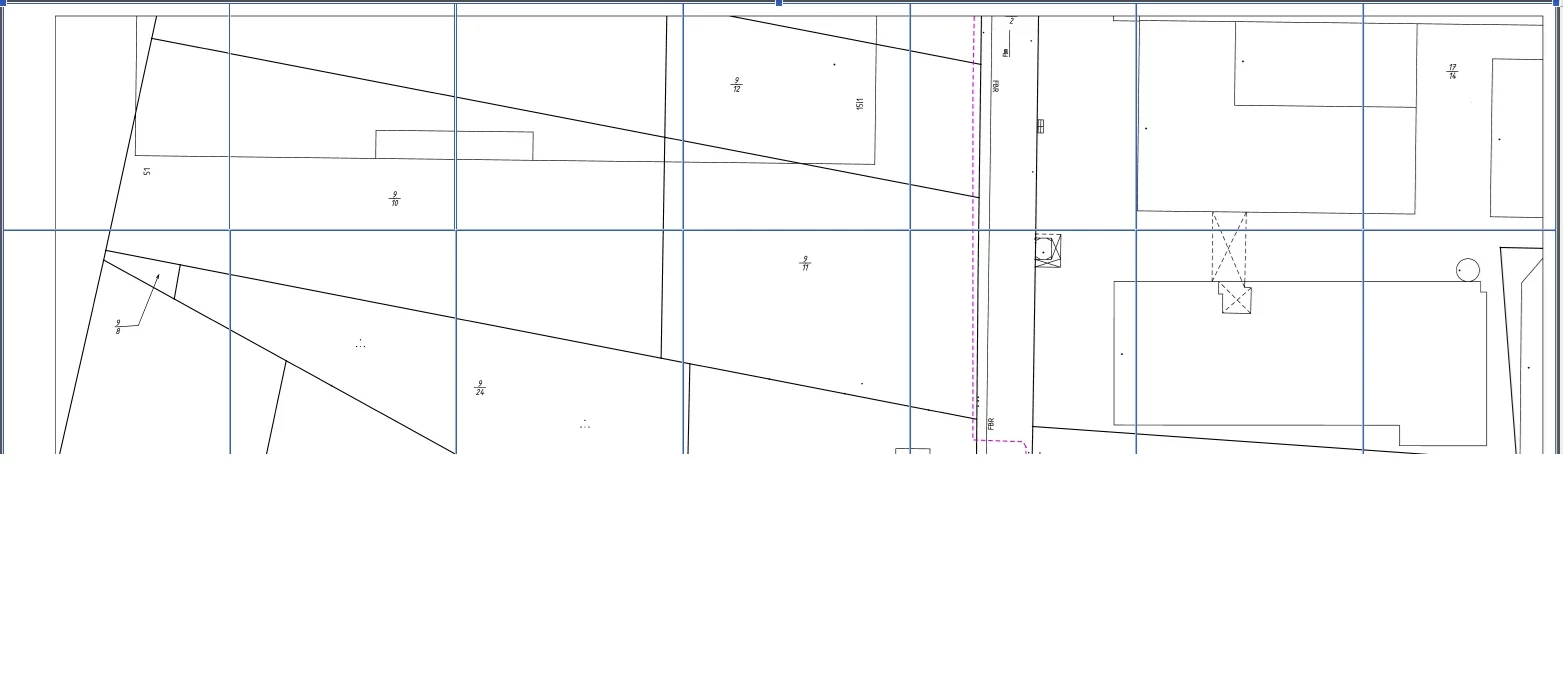
Text + Image Editing blue Squares

  • October 21, 2024
  • 2 replies
  • 306 views

Hello,


Im using XI Pro for several years now and never had issues. Last week i received a pdf and wanted to edit it for my work purposes. After clicking on text+images edit i got some separate blue squares (picture). Is it somehow possible to merge them into one? Like now my file is seperated in like 100+ unique squares and i cant work like that. Maybe someone has a solution for that?


Best regards
This topic has been closed for replies.

2 replies

Adobe Employee
October 22, 2024

Hi @justin_6464 ,


Thank you for reporting the issue and apologies for inconvenience caused. Can you share the OS details , Acrobat version and a snapshot of the content stream of this page (content stream example snapshot attached for reference). Also would it be possible to share any issue file for investigation ? 


Regards,

Divya Kumar Singh

Participant
October 21, 2024

Similar issue here. Blue boxes are acting differently than before and its incredibly frustrating. Commenting so any updates/recommendations send me an alert. Hope they can fix it cause I had to disable the new acrobat and the old acrobat has it's own idiosincracies that contribute even more woe into my workflow.