Participant
October 6, 2021
Question

Text Randomly Deleted in Large Adobe File

  • October 6, 2021
  • 1 reply
  • 1004 views

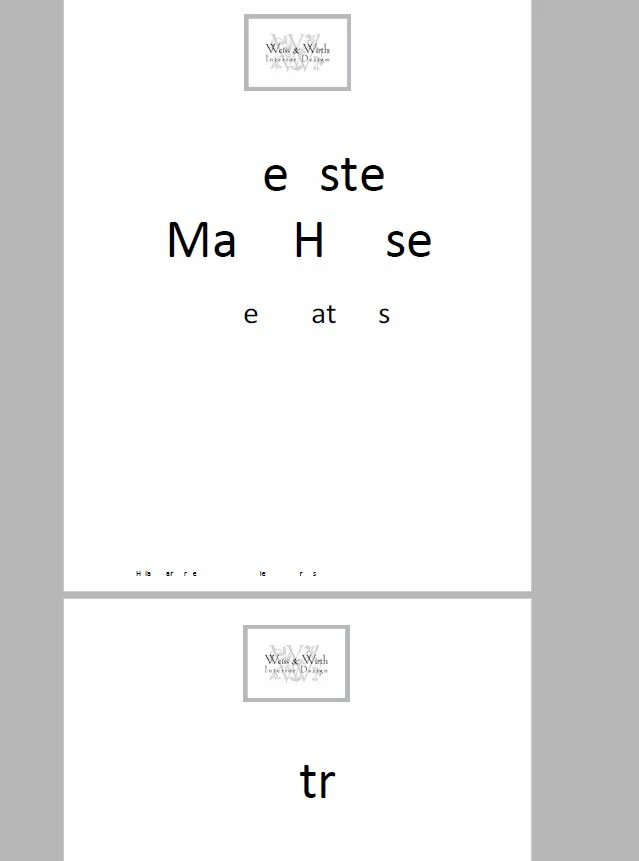
Can someone help with this? I am working on a very large file size in Adobe in my work office (~300 pages). I am deleting pages, adding pages, adding text on every single page as each page must be labeled. Everytime I am wokring on this document suddenly all the text will become corrupted/ randonmly delete some letter, leaving the text unreadable. This is becoming very time consuming/ frustrating to change each for everyone time this happens. Any thoughts on troubleshooting this issue?
This topic has been closed for replies.

1 reply

Brad @ Roaring Mouse
Community Expert
Community Expert
October 6, 2021

This tends to indicate font issues, especially with embedded subset fonts and even more so with those that are not available when you are doing edits.

Considering the sheer size of this, it would have been more prudent to address the changes in the origianl program that created it, but here we are.

First thing I would check is the Document Properties > Fonts. Look for any font that does not say embedded/embdeed subset after it. You could try to reembed fonts using a Preflight Fixup (under Tools > Print Production) and hopefully it will sets things right.

Hard to give advice when we can't see the file. If you want, upload a couple of the affected pages here and someone can look at it.