

Participant
August 5, 2025
Question

The PDF document cannot be compressed

  • August 5, 2025
  • 1 reply
  • 120 views

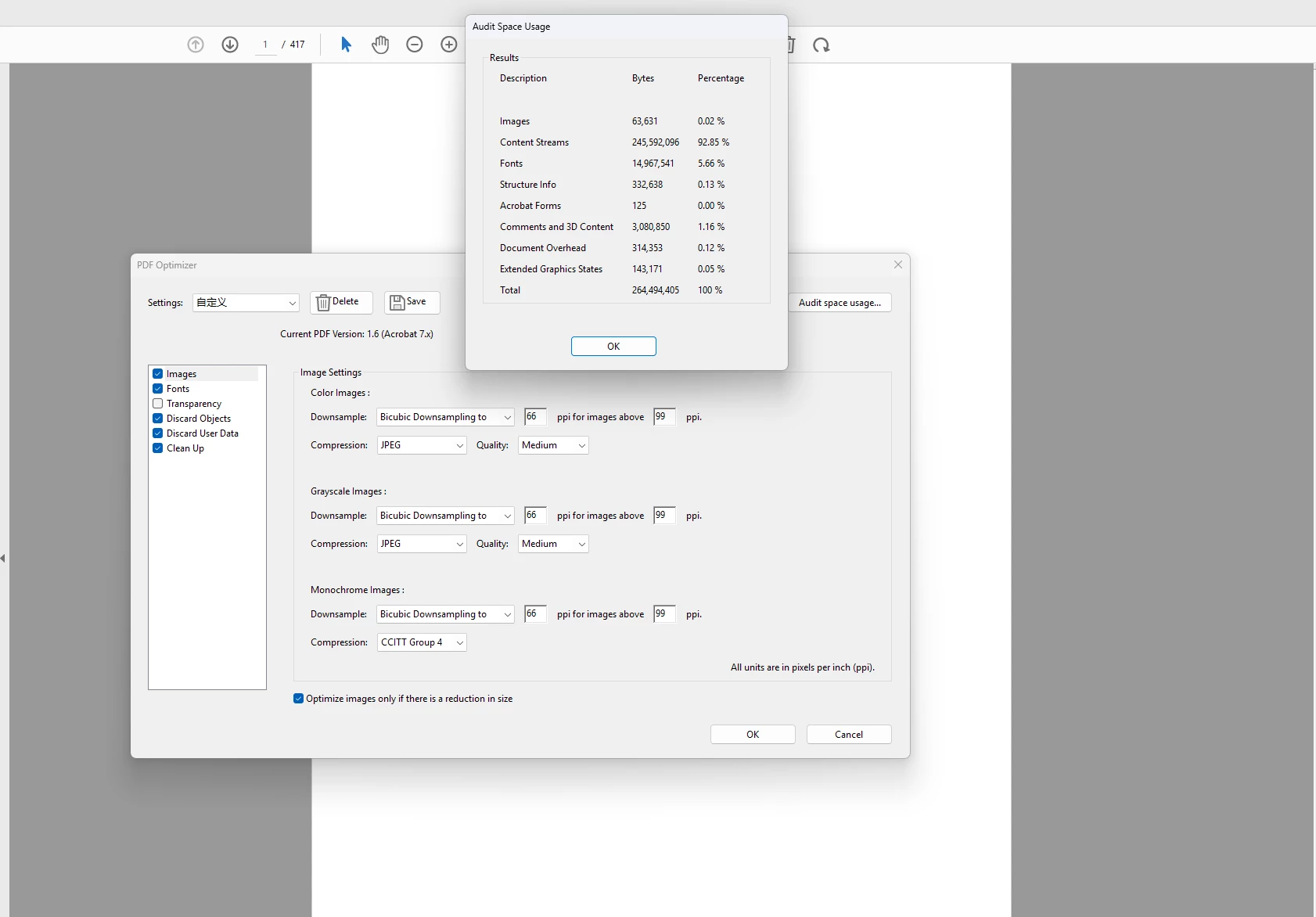
When the content flow in a document accounts for more than 90%, compressing the document can only compress a little. How can a large proportion of compression be achieved

1 reply

Amal.
Legend
August 5, 2025

Hi there,

Hope you are doing well and thanks for reaching out.

If your document has mostly text and layout (more than 90%), it can be hard to make the file much smaller — because there's not much that can be compressed. But here are some ways you can still try to reduce the file size:

1. Shrink the Images:

If your file has pictures, you can make them smaller or lower the quality a bit. This helps a lot.

2. Reduce Font Size or Remove Extra Fonts:

Some PDFs have fonts saved inside them. You can remove the ones not being used or only keep the letters that appear in the file.

3. Flatten Layers:

If your file has layers (like from design software), flattening them into one layer can help make the file smaller.

4. Remove Extra Stuff:

Use File > Save as Other > Optimized PDF in Acrobat, and remove things like:

  • Hidden layers
  • Comments or notes (if not needed)
  • Extra data or bookmarks

5. Print to PDF (only if needed):

You can “Print to PDF” to make a simple version of your file. Just remember, this will remove clickable links and form fields.


Hope this information will help


~Amal