
Participating Frequently
April 12, 2024
Answered

Timesheet

  • April 12, 2024
  • 1 reply
  • 2407 views

I've been going through everything I can about how to create a script for timesheets but they are  all so confusing.

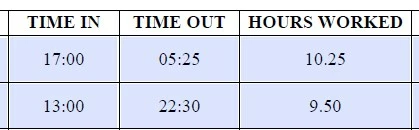
I need a script to show the hours worked (see below) where I used HH:MM for the time in/time out.
I really appreciate any help provided!
This topic has been closed for replies.
Correct answer Nesa Nurani

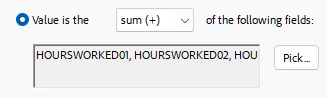
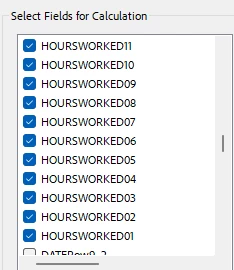
I thought of this too but it doesn't fix the issue:


That photo doesn't show fields calculation order.

To set field calculation order, select 'Prepare form' tool, click on 'More' and then click on 'Set field calculation order',

fields that calculate first should be on top.

1 reply

try67
Community Expert
Community Expert
April 12, 2024

There are a LOT of code examples in this forum for this task, but first you need to clearly define it. In the first row, for example, the time span goes over midnight. So does that mean the working period can span multiple days? Can it be longer than 24 hours?

Valerie03Author
Participating Frequently
April 12, 2024

17:00 to 05:25 would be from 5:00 PM to 5:15 AM (say Friday night to Saturday morning) so that would be 12 hours.  Individual could work up to 16-18 hours but nothing over 24 hours.

try67
Community Expert
Community Expert
April 12, 2024

Try searching for "time calculation" or "worksheet calculation" and you'll find many threads. Here's one example: https://community.adobe.com/t5/acrobat-discussions/timesheet-difference-time-calculation-timein-timeout-breaktime/m-p/13786914#M411656