

Answered
To email a PDF as an an attachment and NOT a cloud link
I came across this setting in case anyone has the same problem.
Problem:
Not sure how this setting even changed, but all of a sudden if I clicked the email icon in Acrobat, it opens my Outlook and just shows a cloud link with the following text
You can view "test template.pdf" at:
________________
Sent with Adobe's cloud storage. Click on the link above to access the file online. No sign up or installation of Acrobat is required to access.
Solution
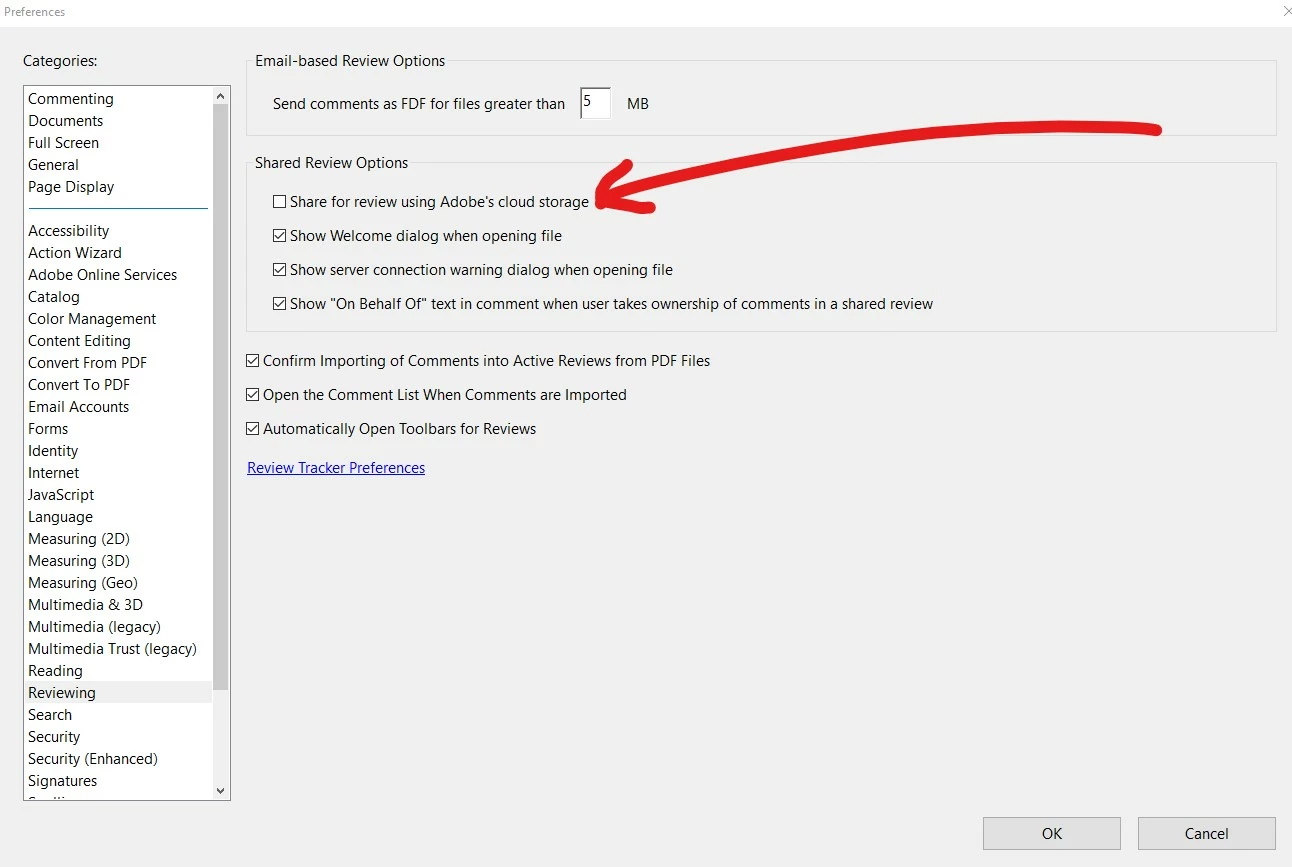
I was able to revert back to sending an attachment and NOT a link by going to
Edit>Preferences>Reviewing and then UNCHECK "Share for review using Adobe's cloud storage"
 AdChoices