Participant
August 17, 2025
Question

Tools panel missing on the left side in Acrobat PRO (macOS)

  • August 17, 2025
  • 4 replies
  • 614 views

When I select any tool in Acrobat (for example, Edit, Organize Pages, Prepare Form, etc.), the left panel appears but it is completely empty. No options or tool settings are displayed. This happens in every tool, not just Edit. I already tried restarting the app, logging out and in, reinstalling Acrobat, and resetting preferences, but the issue persists.


This seems to be a very recent problem on macOS, because until last week the tools panel was working normally.

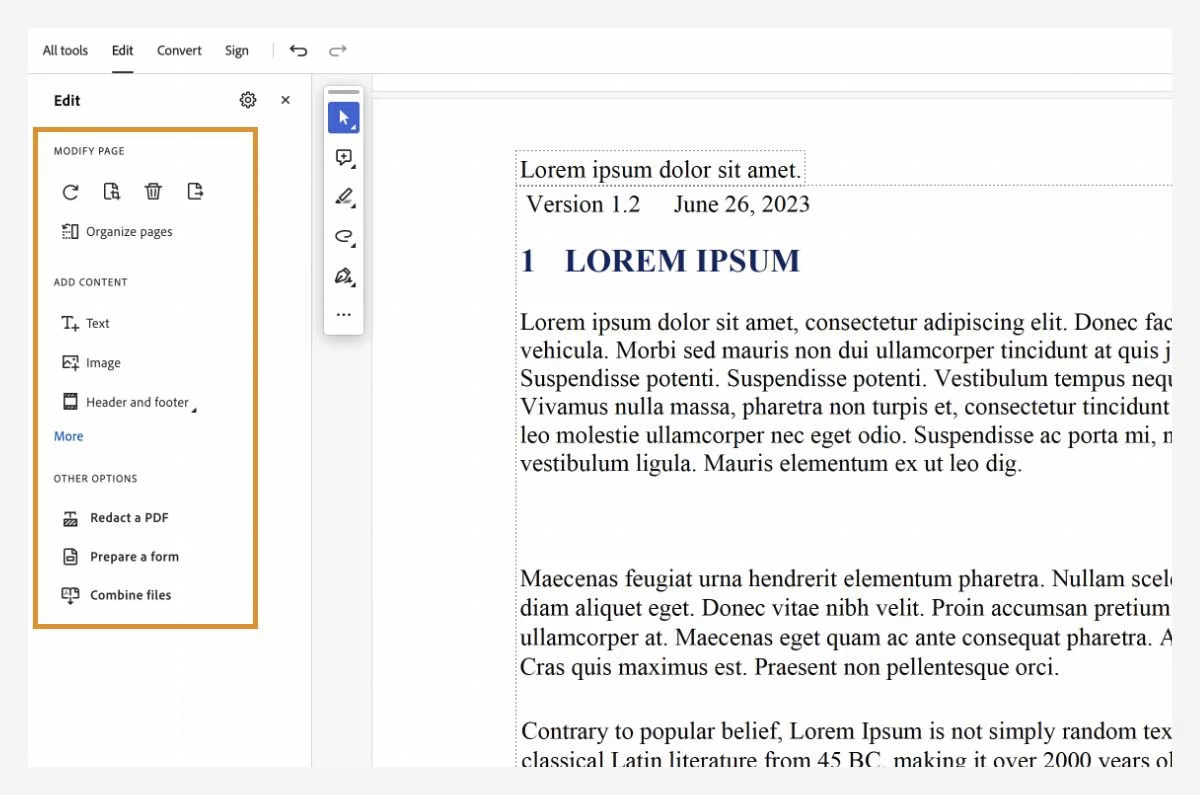
The first image is from an official Adobe tutorial, showing the Edit tool with its options correctly displayed in the left panel.


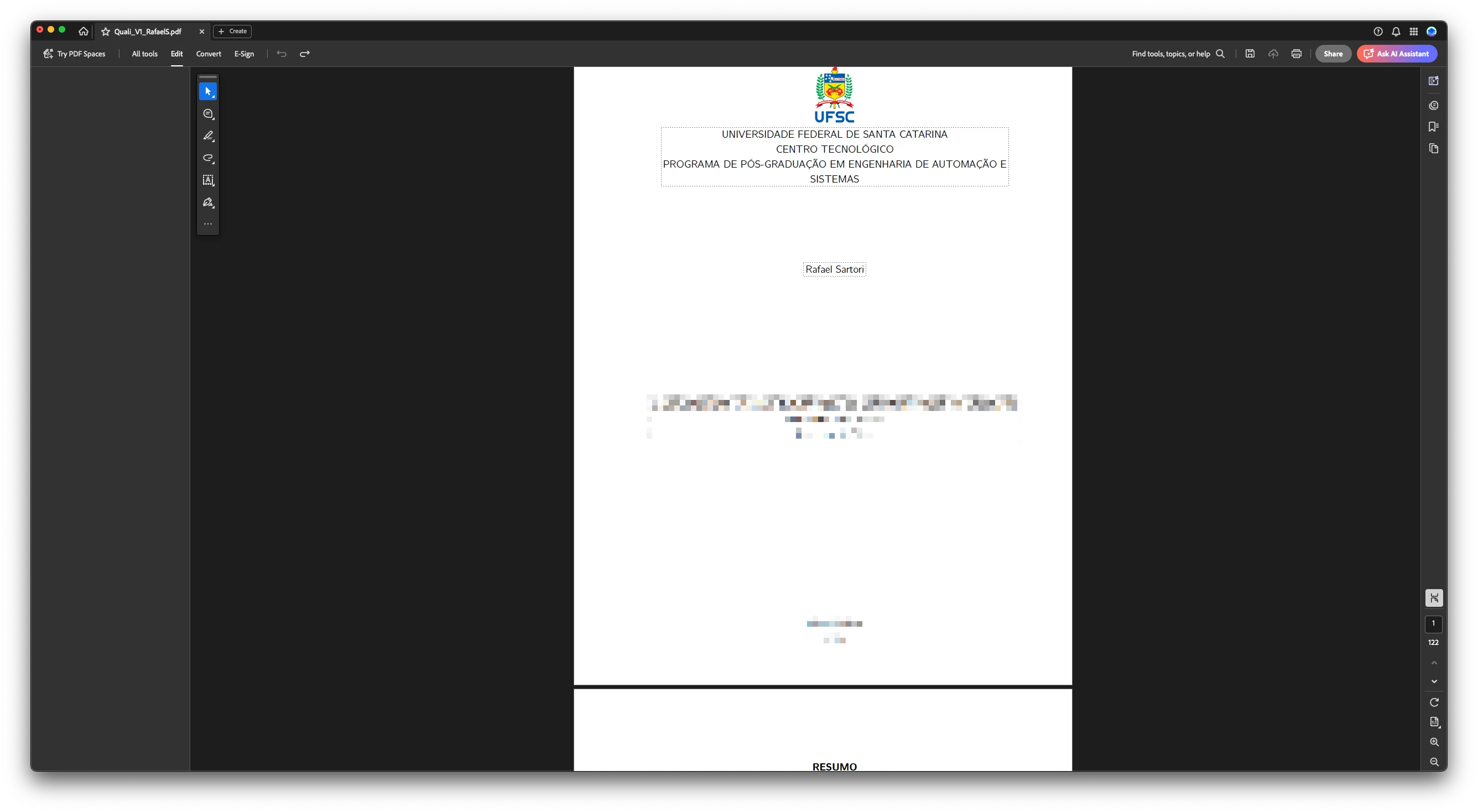
The second image shows my case: with the same tool (Edit) selected, the left panel is completely empty — no options appear.


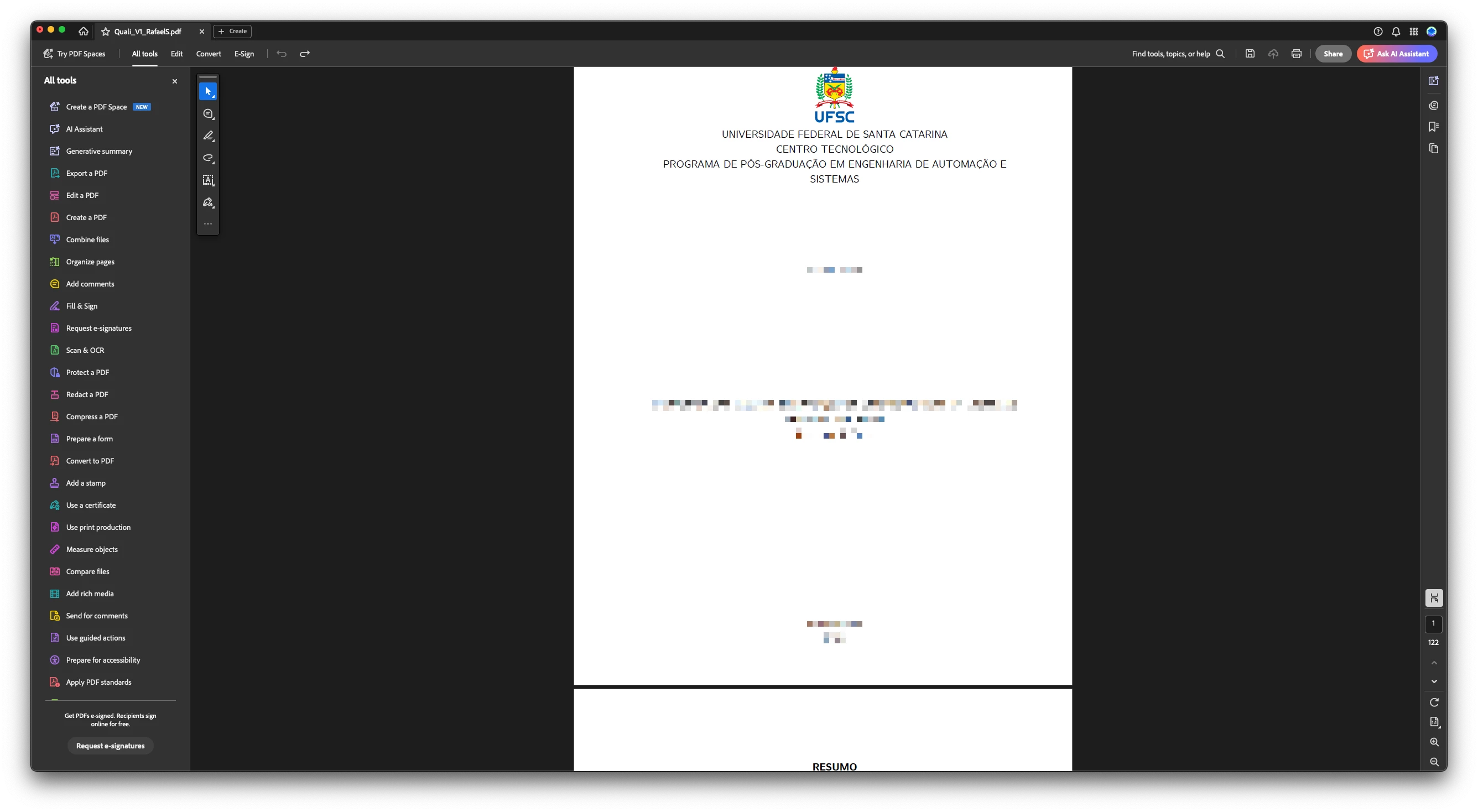
The third image is just illustrative, showing that the full list of tools does appear in the left panel, but the problem starts when any tool is actually selected.

macOS  Version 15.6 (24G84)
Adobe Acrobat Pro:

Architecture: arm64

Processor: Apple M3 Pro

Build: 25.1.20623.0

AGM: 7.1.17

CoolType: 10.0.7

JP2K: 4.0.2.54782


Could someone help me?

4 replies

MDNaidu99
Participant
March 17, 2026

This problem still exists for me. I have uninstalled and re installed the pro. But no use. CAN ADOBE HELP please? We pay for your product and we can’t use it.

MDNaidu99
Participant
March 17, 2026

I use MacBook that runs Tahoe OS. Same issues..with Acrobat Pro. The side tool bar disappears after I select a tool.

Meenakshi_Negi
Legend
March 17, 2026

Hi MDNaidu99,


Thank you for reaching out, and sorry for the trouble you're experiencing.

Since you're encountering the same issue, could you please confirm if this started recently? Have you made any changes, such as updating the application or modifying settings? Additionally, please provide the version number of Acrobat that you are currently using.

In the meantime, please try reinstalling the application by following these steps:

1. Remove the application and run the cleaner tool using the following link: [Cleaner Tool](https://www.adobe.com/devnet-docs/acrobatetk/tools/Labs/cleaner.html).
2. Reboot your machine.
3. Install Adobe Acrobat from this page: [Download Adobe Acrobat](https://abcde.ghijk.mno/qrstuvw/yz/bcdefgh-jk-mnopqrstu.wxya).

Please let us know how it goes.


Thanks,  
Meenakshi


Boom_Dorka
Participant
February 20, 2026

Hey,
Have you tried to disable new acrobat in view settings? 

Jasmine36515086bjjp
Participant
April 22, 2026

This fixed the issue for me. Thank you.

stacye98674025
Participant
September 2, 2025

I am having the same problem. I've seen it in old posts on PCs but I need help for a Mac.

Participant
August 17, 2025

"because until last week the tools panel was working normally."

Not exactly in the last week, but a few weeks ago it was working normally. I am not sure how many weeks ago.