
Answered
top half of adobe stamp missing when printed
Make a dynamic stamp "Approved and my name". Place stamp on PDF and print. Entire top half of the stamp is missing. Cuts right in half and just prints the bottom half.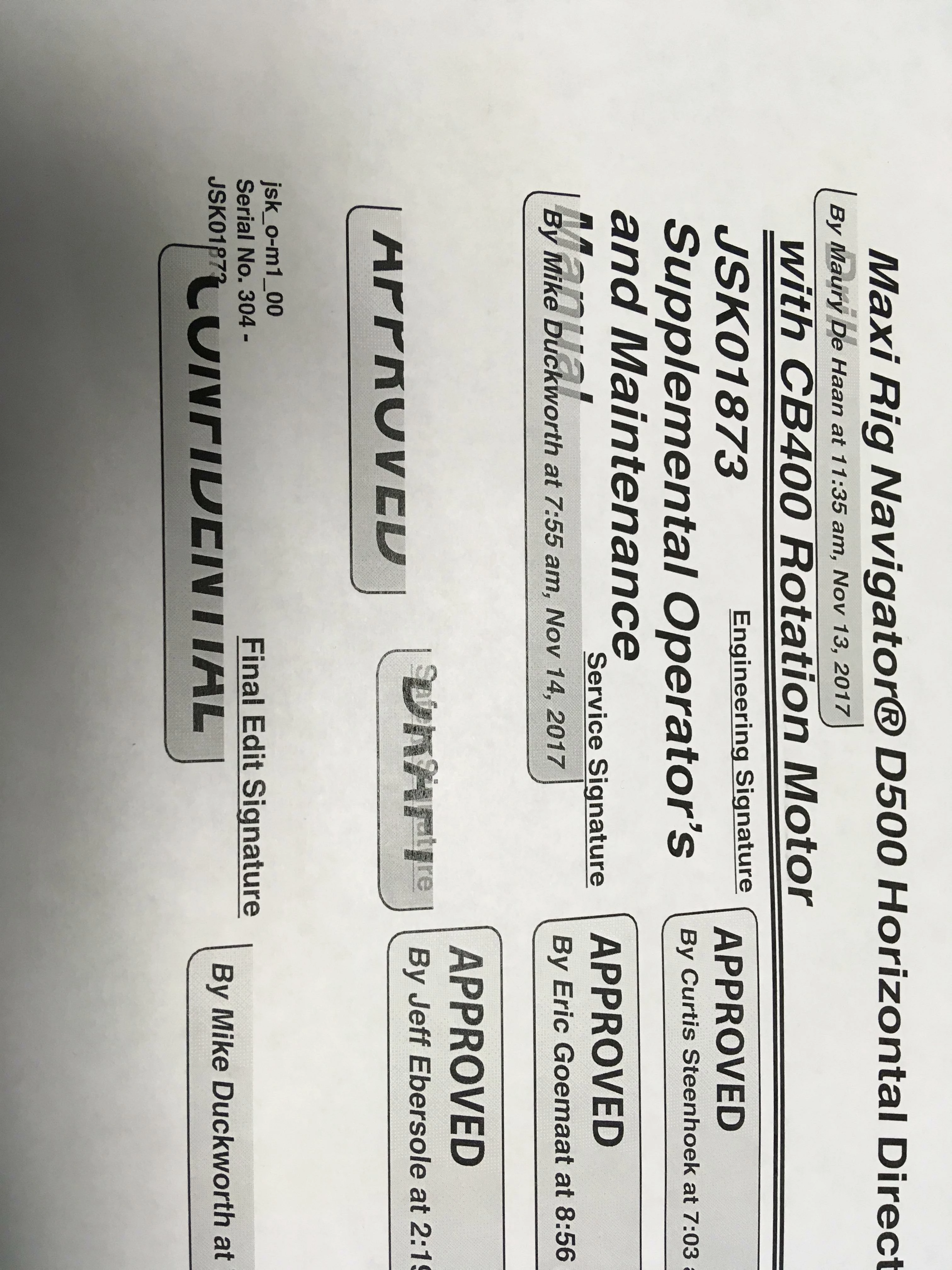
Make a dynamic stamp "Approved and my name". Place stamp on PDF and print. Entire top half of the stamp is missing. Cuts right in half and just prints the bottom half.
I cant update my software. Its controlled by our IT department. I have tried printing "Documents and Stamps". I have eliminated printing issues as I have said. Can you test on DC Pro to see if you are having the issue rather than guessing what it might be?
I just printed a document with the "Approved" stamp without any problems. This was using the latest version of Acrobat. The screenshot from Reader you've posted shows that it is up to date with yesterday's update. The Acrobat Pro screenshot shows that it's not yet updated. The first thing I would do is have IT update my version of Acrobat to see if that fixes the problem (your experience with Reader suggests that it will).
Already have an account? Login
Enter your E-mail address. We'll send you an e-mail with instructions to reset your password.
 AdChoices