



Top new features and changes in October 2019 release of Acrobat DC
With the latest release of Acrobat DC, we have some amazing new features available which enable you to do more.
- Create a Form from scratch
-
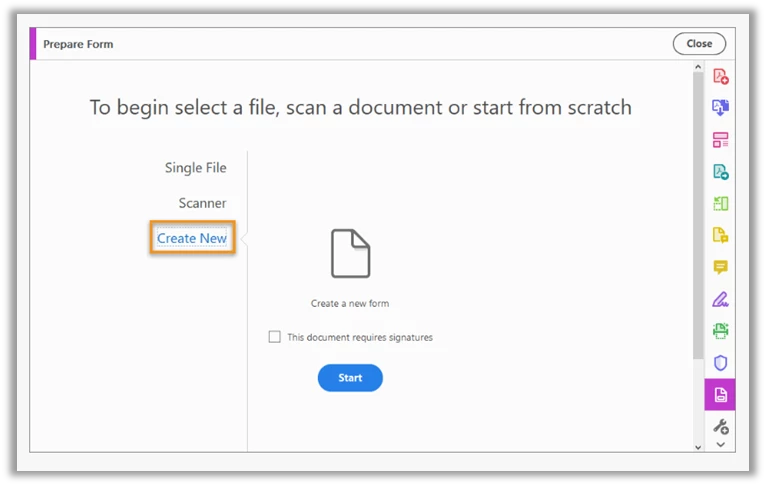
Acrobat now provides an option to create a form from scratch by using a blank page.
Go to Tools > Prepare Form, and then choose to Create New and click Start.
- For more information, see Create a Form from scratch in Acrobat
Acrobat forms now have a new tool – Add Text

Click Add Text in the toolbar, and type wherever you want to add as text or any other information in your form.
- New simplified Fill & Sign experience and interface
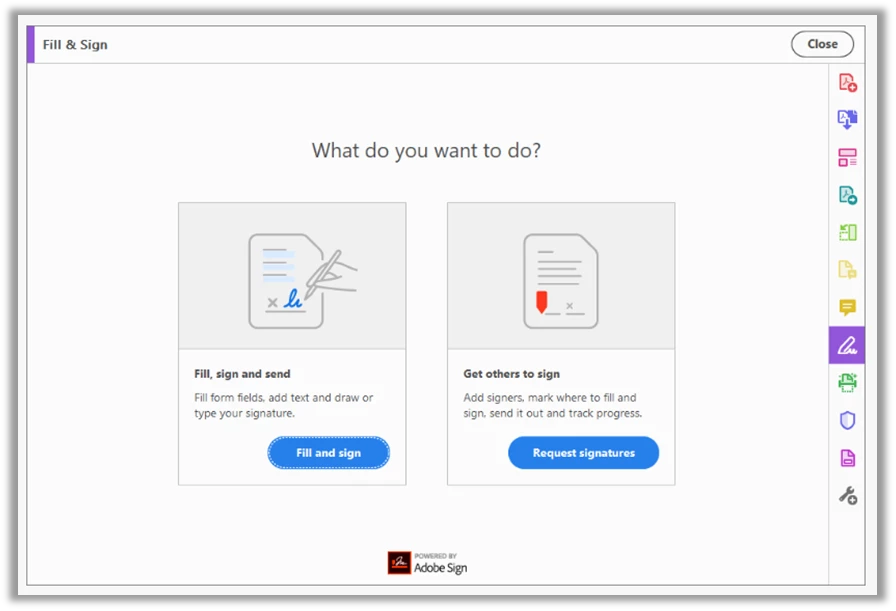
The new visual and descriptive Fill & Sign interface makes it easy for you to decide what you want to do – Fill and Sign or Request for Signatures.
- Color customization of Fill & Sign tools
Now choose your desired color to fill the PDF form and sign it using the Fill and Sign tool in Acrobat. To change the color, click the Color button in the Fill & Sign toolbar.
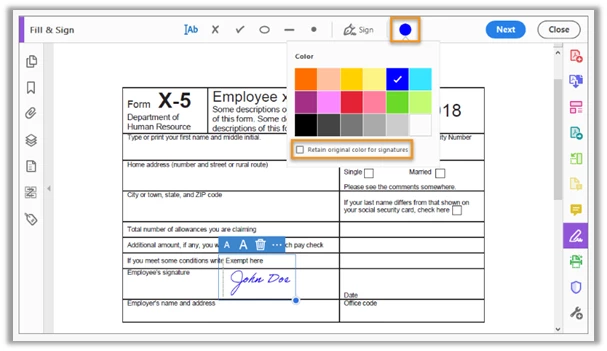
The default color for the signature is black. To retain the default color, deselect the ‘Retain Original Color for Signatures checkbox’.

For more information, see Fill out your PDF form
- Simplified protect PDF experience
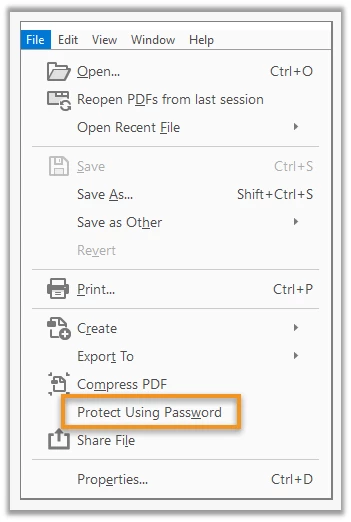
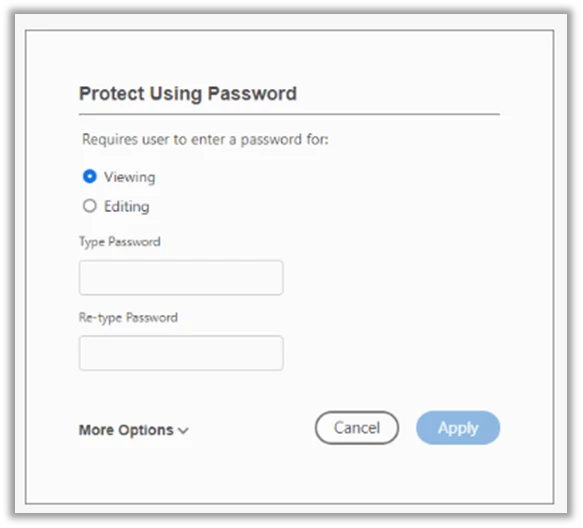
You can now protect your PDFs with a single click using the new ‘Protect Using Password’ option in the File menu.
This is a brand-new experience that allows you to decide whether the password will restrict viewing or editing once you specify and confirm a password.
In the File menu, choose Protect Using Password.
In the ‘Protect Using Password’ dialog box, choose whether you want to set a password for Viewing or Editing the PDF. Enter the password and click Apply.
For more information, see Securing PFDs with passwords.
Tell us if these helped you use Adobe Acrobat better. Join the conversation here. We are listening!
To discover a host of other great features – Go straight to: Star your important files and access them across devices| Simplified 1-click compress PDF experience | Compress multiple PDFs at once | Unified edit text and form fields experience| Attach a link of your filled form to an email and share| Easily create forms that require multiple signers | Unified view and review experience in Home view | Simplified 1-click access to share files | Start a review using @mention in personal commenting | Acrobat and OneDrive business integration update | New in-app onboarding experience for Acrobat Reader DC
 AdChoices