
Answered
TROUBLE TO PRINT
HI! I HAVE TROUBLE TO PRINT AN DOCUMENT, TO CLOSE THE APP AND WITH DE ZOOM IN ANY
DOCUMENT PDF AND ALWAYS SEND THIS MESSAGE.
I HAVE A MAC WITH macOS High Sierra, ver. 10.13.6
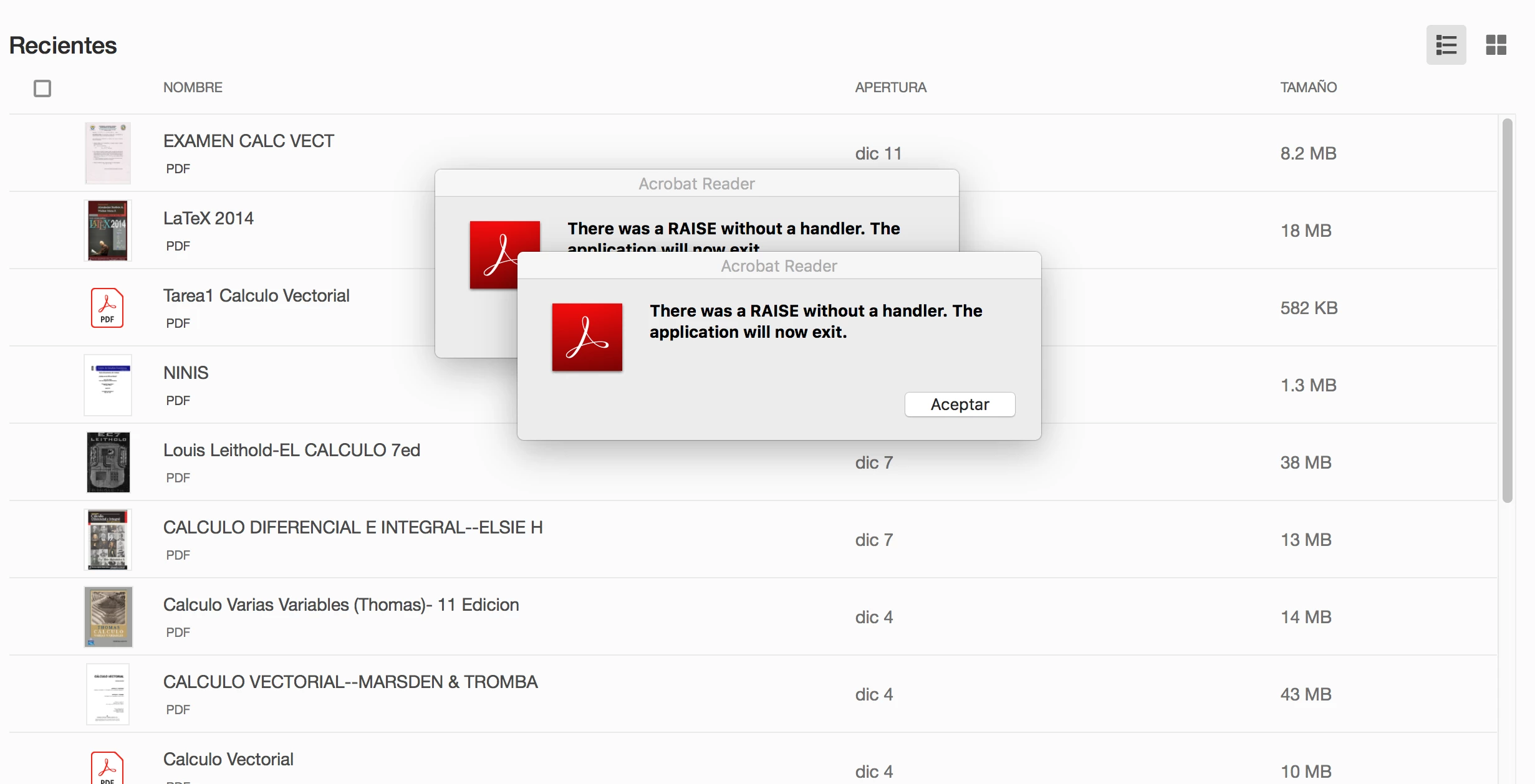

HI! I HAVE TROUBLE TO PRINT AN DOCUMENT, TO CLOSE THE APP AND WITH DE ZOOM IN ANY
DOCUMENT PDF AND ALWAYS SEND THIS MESSAGE.
I HAVE A MAC WITH macOS High Sierra, ver. 10.13.6
Hi ALTREDMX,
It seems that you are using the Adobe Acrobat Reader DC
As you have mentioned, you get an error when you try to either print, close the app or zoom in the PDF.
Did you check if it is an issue with all PDFs that you access or with some particular PDFs?
What is the current version of the application? Identify the product and its version for Acrobat and Reader DC
Is this issue started occurring after any recent update or changes on the machine?
Please make sure that you have accepted the EULA for the application.
Also, check if there is an update pending.
Regards,
Meenakshi
Already have an account? Login
Enter your E-mail address. We'll send you an e-mail with instructions to reset your password.
 AdChoices