Trouble with non-square button appearances
I have check boxes with unusual shapes, such as hexagons, that should fill when selected and clear when deselected. While building a PDF in InDesign, the Buttons and Forms panel appears to allow me to do this, and toggling the states works as expected.
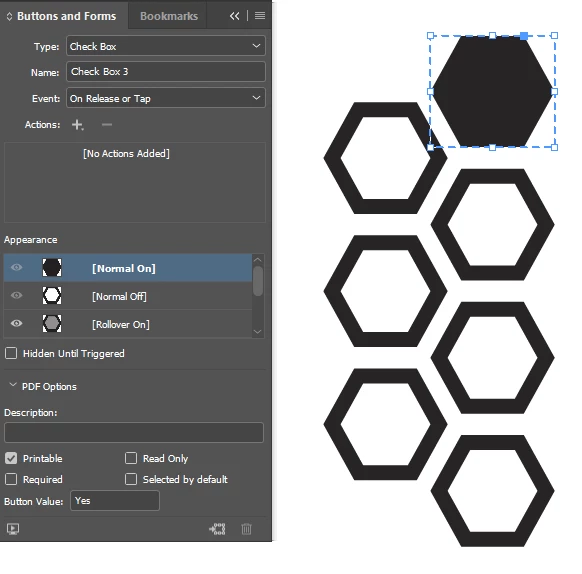
The hex shape appears to hold when viewing the EPUB Interactivity Preview, though it doesn't appear to be actually interactive; I assume I'm misunderstanding the preview feature.

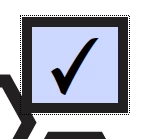
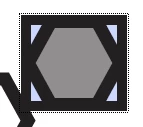
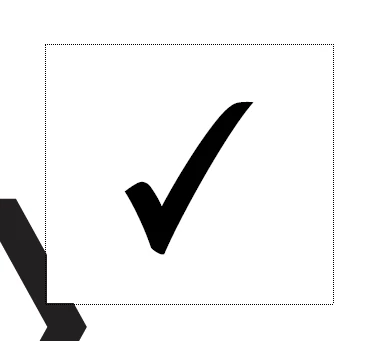
However, upon exporting an interactive PDF and viewing it with Acrobat, the hexagonal check box is overlaid with an ugly square check box with a literal check, which I specifically deleted when it was automatically created in InDesign. Interacting with the check box shows that the hexagon is still in use, it's just incorrectly encapsulated by the box. It only appears "correctly", as shown in the third image below, after clicking but before rolling off. As soon as the mouse leaves the bounding square, it returns to the normal square check box. The second image shows rollover without clicking.
I thought maybe I could fix this with the Prepare Form tool by removing the check box's border in the Appearance tab, but doing so somehow removes the border of the check box and both the border and fills of the hexagon, leaving me only with an annoying check mark that I didn't ask for. (I'm aware I can change the style of the check box, but I want it to conform to the style I already created in InDesign.)

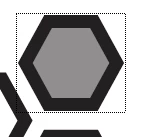
However, when I open the PDF in a browser, it creates a more appealing but still not 100% intended translucent bounding box. Interacting with the hex here correctly fills it without creating the check mark, however, and the dotted outline that appears after doing so disappears after clicking off. This is not perfect but it is acceptable to me, as the hexagonal button at least displays and fills correctly, without visual interference.


All of the help and instructional articles I've seen instruct me on how to create custom buttons with InDesign and the Prepare Form tool in Acrobat, but do not cover this issue. Is there a way I can ensure that this browser-based behavior, or preferably an improved behavior (where the bounding box is limited to the shape of the hexagon itself), is replicated by the PDF when opened in Acrobat? I can't deliver the PDF in its current state with the unwanted checkboxes.
 AdChoices