


Inspiring
April 16, 2024
Answered

Trouble with pasting form fields into a PDF that were copied from another PDF

  • April 16, 2024
  • 1 reply
  • 581 views

Hi, hi! 🙂


I'm trying to copy form fields from one PDF to another but running into some odd trouble.


The original PDF is 8 1/2 x 14 and it prints in landscape format.
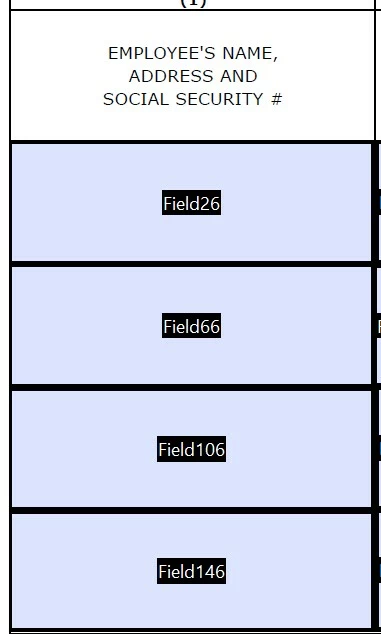


The target PDF is basically the same as the original PDF with some minor updates - I made those updates to the Word version and then converted it to the new, target PDF.


When I copy the form fields from the original PDF and paste them into the target PDF, the form fields change orientation.
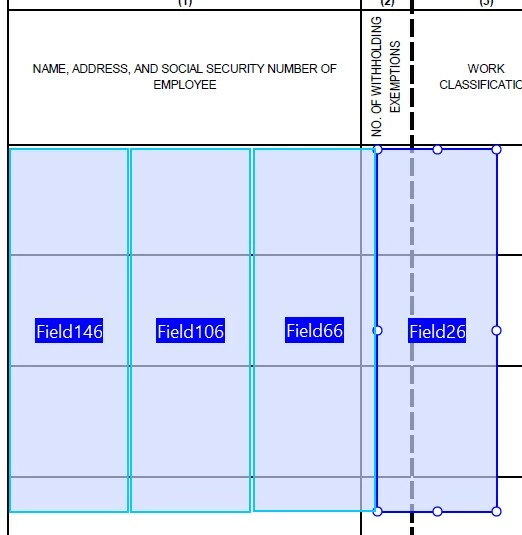


I thought maybe rotating the target PDF and then pasting in the form fields might work but, upon pasting them in, the form fields are rotated as well.



What can I do to make the form fields paste correctly into the target PDF?


Thank you so much!!


Correct answer dianed97898145

Hi!


I'm sorry you're having the same trouble. I never did get it figured out. 


What I do now instead of copying the fields themselves:


I open the original PDF and save it under a different file name.


I then select "Organize Pages" and then "Replace" and I replace the original PDF with the new (target) PDF, and save again.


Typically when I do this the fields do what they're supposed to, remain correctly aligned, etc.


I hope this helps! Good luck with it!! 🙂

1 reply

Participant
March 27, 2025

I am having the same issue as explained above. Has anyone found a solution? 

dianed97898145AuthorCorrect answer
Inspiring
March 27, 2025

Hi!


I'm sorry you're having the same trouble. I never did get it figured out. 


What I do now instead of copying the fields themselves:


I open the original PDF and save it under a different file name.


I then select "Organize Pages" and then "Replace" and I replace the original PDF with the new (target) PDF, and save again.


Typically when I do this the fields do what they're supposed to, remain correctly aligned, etc.


I hope this helps! Good luck with it!! 🙂

Souvik Sadhu
Community Manager
Community Manager
April 23, 2025

Hi @dianed97898145,


Hope you are doing well.


Thanks for sharing what worked for you.

Marking this as a correct answer for future users with the same issue to use this as a reference.


Regards,
Souvik.