Participant
October 11, 2023
Question

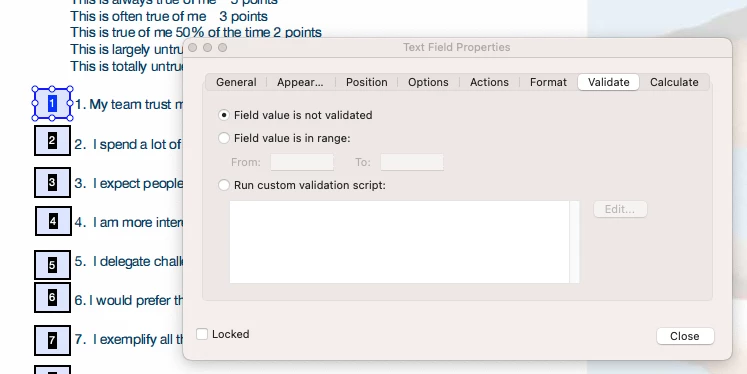
Trying to write a validation script that will only allow the values 0, 1, 2, 3, and 5

  • October 11, 2023
  • 4 replies
  • 1221 views

I m trying to write a script to validate that respondents have only entered the values: 0, 1, 2, 3, or 5 into their response field and I am stuck! 


This topic has been closed for replies.

4 replies

JR Boulay
Community Expert
Community Expert
October 12, 2023

Sorry, wrong post.


Acrobate du PDF, InDesigner et Photoshopographe
try67
Community Expert
Community Expert
October 11, 2023

Why not simply use a drop-down field with only those values?

hezaaAuthor
Participant
October 11, 2023

I wanted to play with the javascript. 🙂

Joel Geraci
Community Expert
Community Expert
October 11, 2023

This script is a bit more terse than the one you are using. It's also very portable in that you just need to change the array if the possible values change.


var possibleValues = [0,1,2,3,5]
if (possibleValues.indexOf(parseInt(event.value)) == -1) {
    app.alert("The entered value needs to be '1' or '2' or '3' or '5' or '0'!");
    event.rc = false;   
}


hezaaAuthor
Participant
October 11, 2023

Thank you! Much more tidy. I appreciate it!!

Nesa Nurani
Community Expert
Community Expert
October 11, 2023

There are few ways to achieve this, you can use custom keystroke script to allow only those numbers like this:

event.rc = /^[0-5]*$/.test(event.change);

hezaaAuthor
Participant
October 11, 2023

Thank you! I need the number "4" to be excluded. 


I ended up doing it this way:


event.rc = true; if (event.value != "" && event.value != "1" && event.value != "2" && event.value != "0" && event.value != "3" && event.value != "5") { app.alert("The entered value needs to be '1' or '2' or '3' or '5' or '0'!"); event.rc = false; }

Nesa Nurani
Community Expert
Community Expert
October 11, 2023

Sorry, didn't see you want number 4 excluded, in that case you can use this:

event.rc = /^[0-35]*$/.test(event.change);
