
Participant
February 21, 2023
Question

Turkish Characthers in Form

  • February 21, 2023
  • 1 reply
  • 885 views

Hello everyone! So, here is my problem:


I'm using a PDF form file that uses Helvetica as base font. While I'm typing inside Adobe Acrobat it correctly displays Turkish characters as seen below.
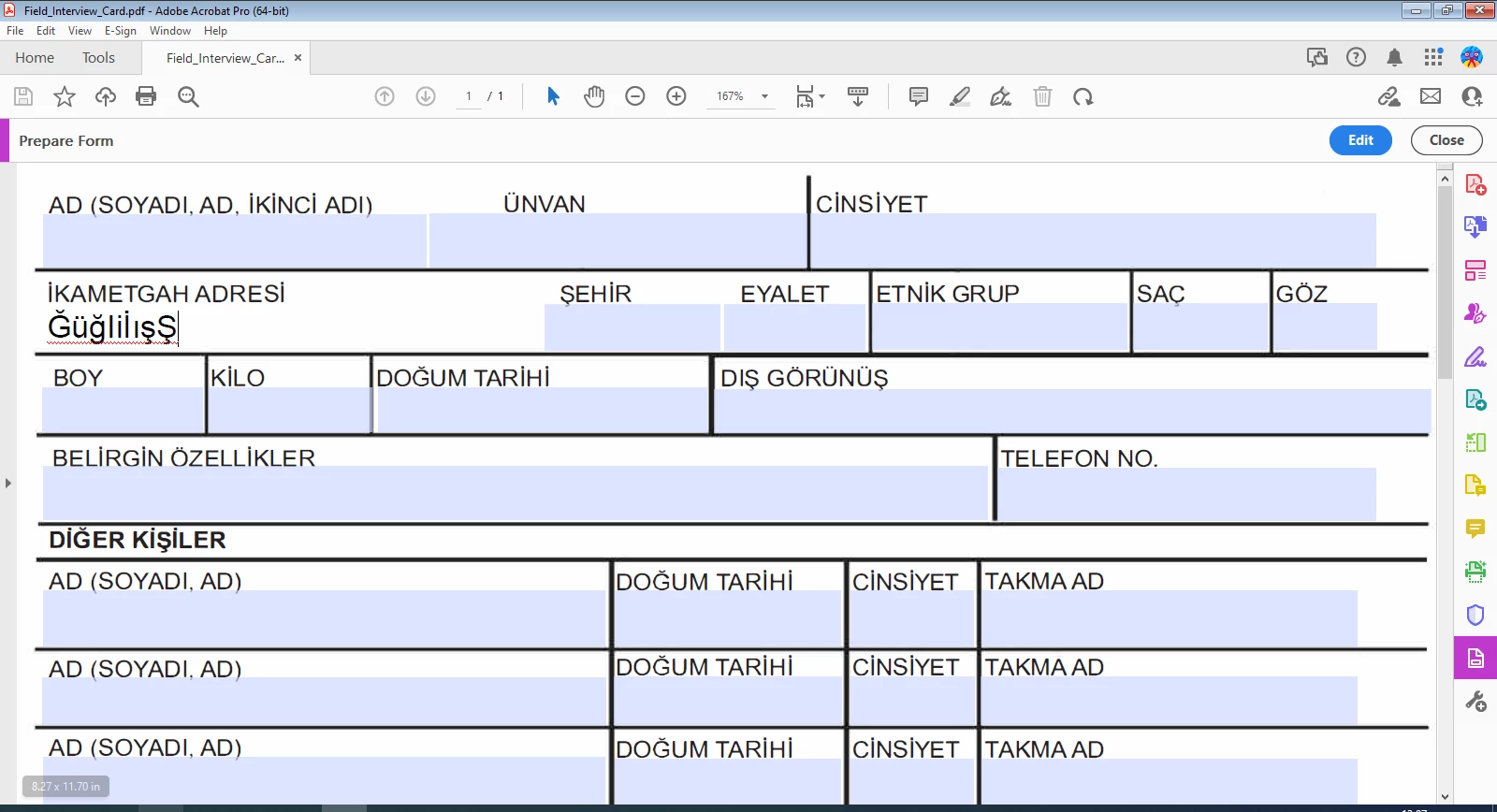
 

When I take the form to Chrome by dragging and dropping I can't use Turkish characters (expect Şş but it prints out weird as seen below), it's not even typing it in the field.
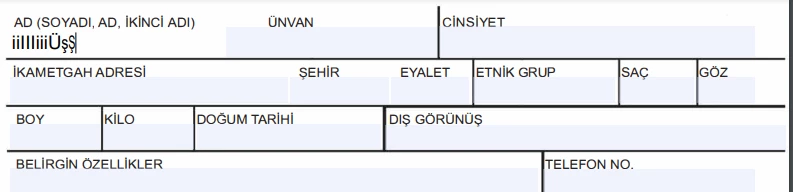
 

Is there anyone knows how to fix this? Thanks in advance!

This topic has been closed for replies.

1 reply

try67
Community Expert
Community Expert
February 21, 2023

Report the issue to the developers of the Chrome PDF plugin. It's not the only issue with it, by far...

There's nothing we can do to help you with this problem, though. If you want to make sure the text appears correctly you can flatten the fields in Acrobat before opening the file in Chrome.

Participant
February 21, 2023

Opera and Chrome PDF plugin makers are the same? Because it's not working on both.