

Question
Turn Off Content Preparation message in Acrobat & Reader
Turn Off Content Preparation message in Acrobat & Reader on Windows OS.
When opening a multi-page PDF with Acrobat or Reader, the message
"Content Preparation Progress. Please wait while the document is being prepared for reading." Status: Processing page ___ of ____. " appears before the PDF opens.
Solution
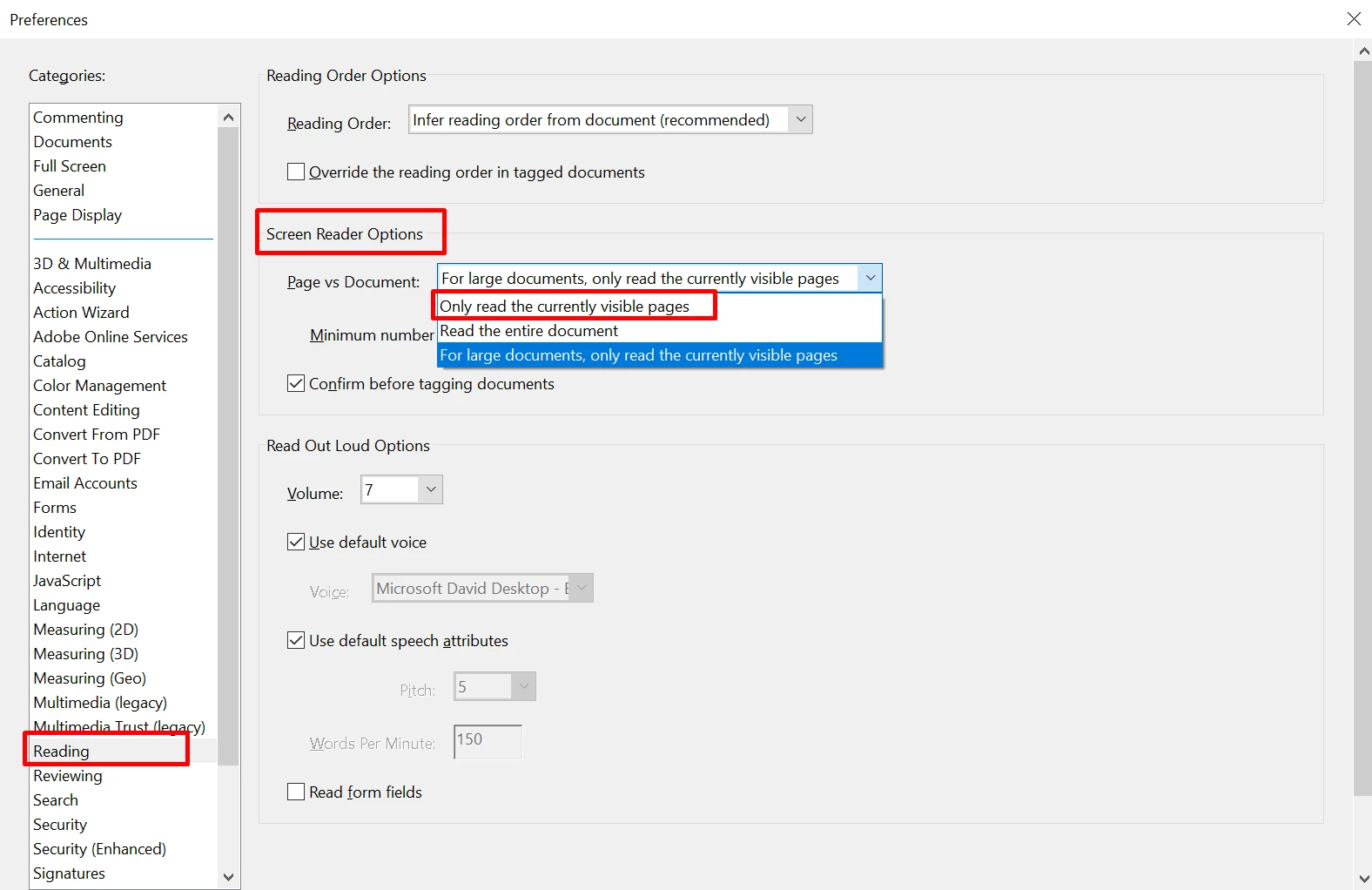
1. Go to Edit > Preferences > Reading.
2. Under "Screen Reader Options" select "Only read the currently visible pages".
3. Restart the application.
Did you find it helpful? If yes, share your experience with us: Join the conversation here. We are listening!
To discover a host of other great features added, Go straight to: What's new in Acrobat DC


 AdChoices