Participant
October 19, 2021
Answered

Two-page view starting with even pages

  • October 19, 2021
  • 2 replies
  • 16116 views

I've just got the free app on my MacBook.  I want to view two pages of a pdf, but even page on the left and odd on the right.  Any ideas?


This topic has been closed for replies.
Correct answer Luke Jennings3

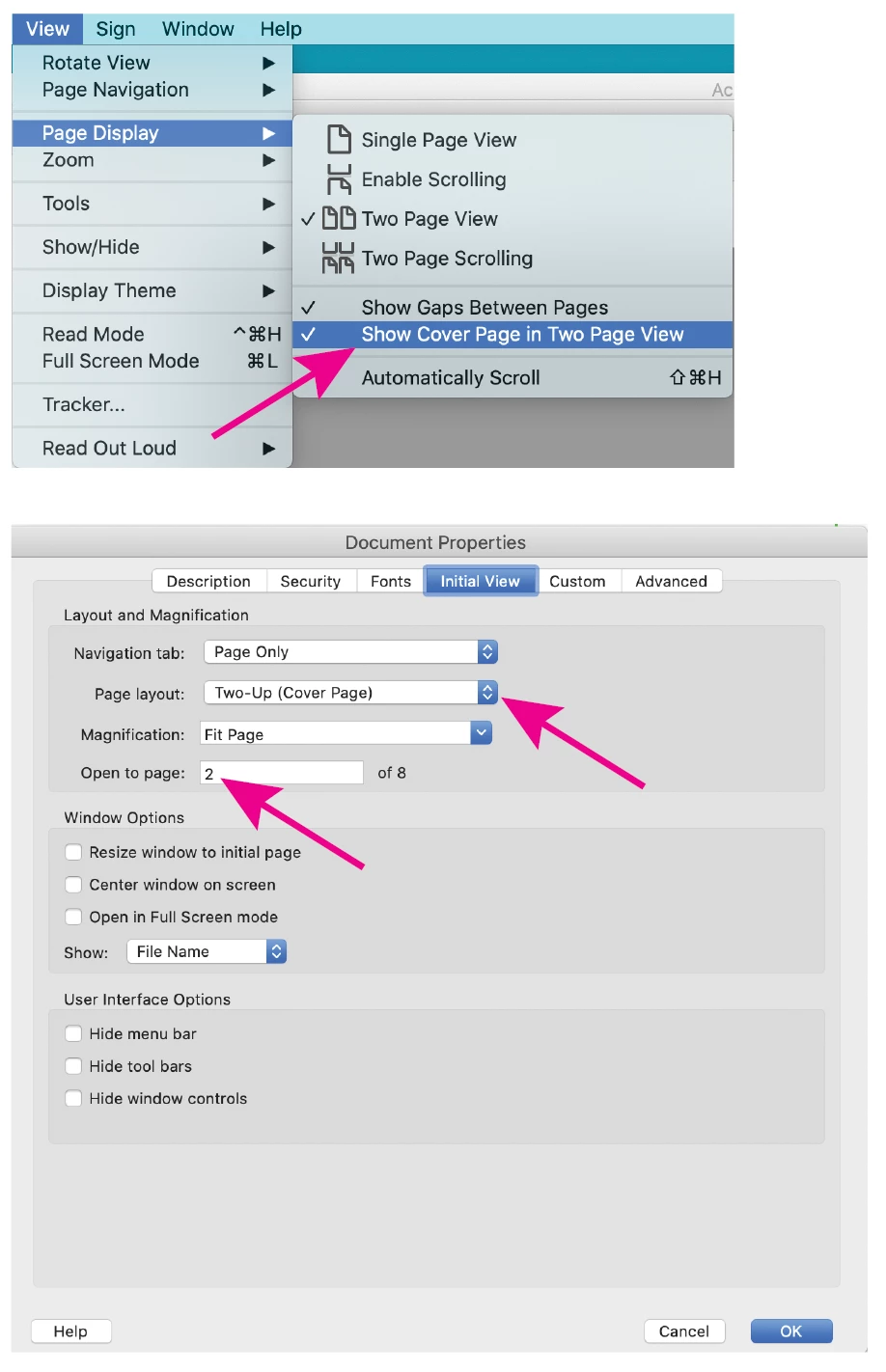
You should have those display settings, see attached screen shot.

With Acrobat, you can set initial view settings, which will override your Acrobat and Reader preferences.
2 replies

Luke Jennings3
Community Expert
Community Expert
October 20, 2021

View> Page Display> Two Page View.

And

View> Page Display> Show Cover Page in Two Page View.

This will show page 1 (the front cover) as a single page and subsequent pages as spread pages, with even pages on the left.

If you want to view the back cover & front cover as a spread, you have a few options; you can create spread pages outside of acrobat by exporting as spread pages (i.e from InDesign), or you could move the last page (the back cover) to the first page position using the Acrobat Organize Pages tool (not available in the free Reader).

Participant
October 20, 2021
As far as I can tell, all I can do on my pdf is choose “Two-page view” or not. I have no other options, no “View, Page Display, etc.”

Thanks,

Adam
Luke Jennings3
Community Expert
Luke Jennings3Community ExpertCorrect answer
Community Expert
October 20, 2021

You should have those display settings, see attached screen shot.

With Acrobat, you can set initial view settings, which will override your Acrobat and Reader preferences.

Amal.
Community Manager
Community Manager
October 20, 2021

Hi there


Hope you are doing well and thanks for reaching out. As described, you want to view two pages of a pdf, but even page on the left and odd on the right.


The option to view even pages on left and odd pages on right is not yet available. You may submit your request with the engineering team using the link - https://www.adobe.com/products/wishform.html


Regards

Amal