
Participating Frequently
July 14, 2025
Question

Unable to Combine Modification Applications into One PDF

  • July 14, 2025
  • 2 replies
  • 257 views

I'm trying to combine several modification applications into a single PDF. However, when I use the Combine or Organize tools to add the files, I get the following error message: 
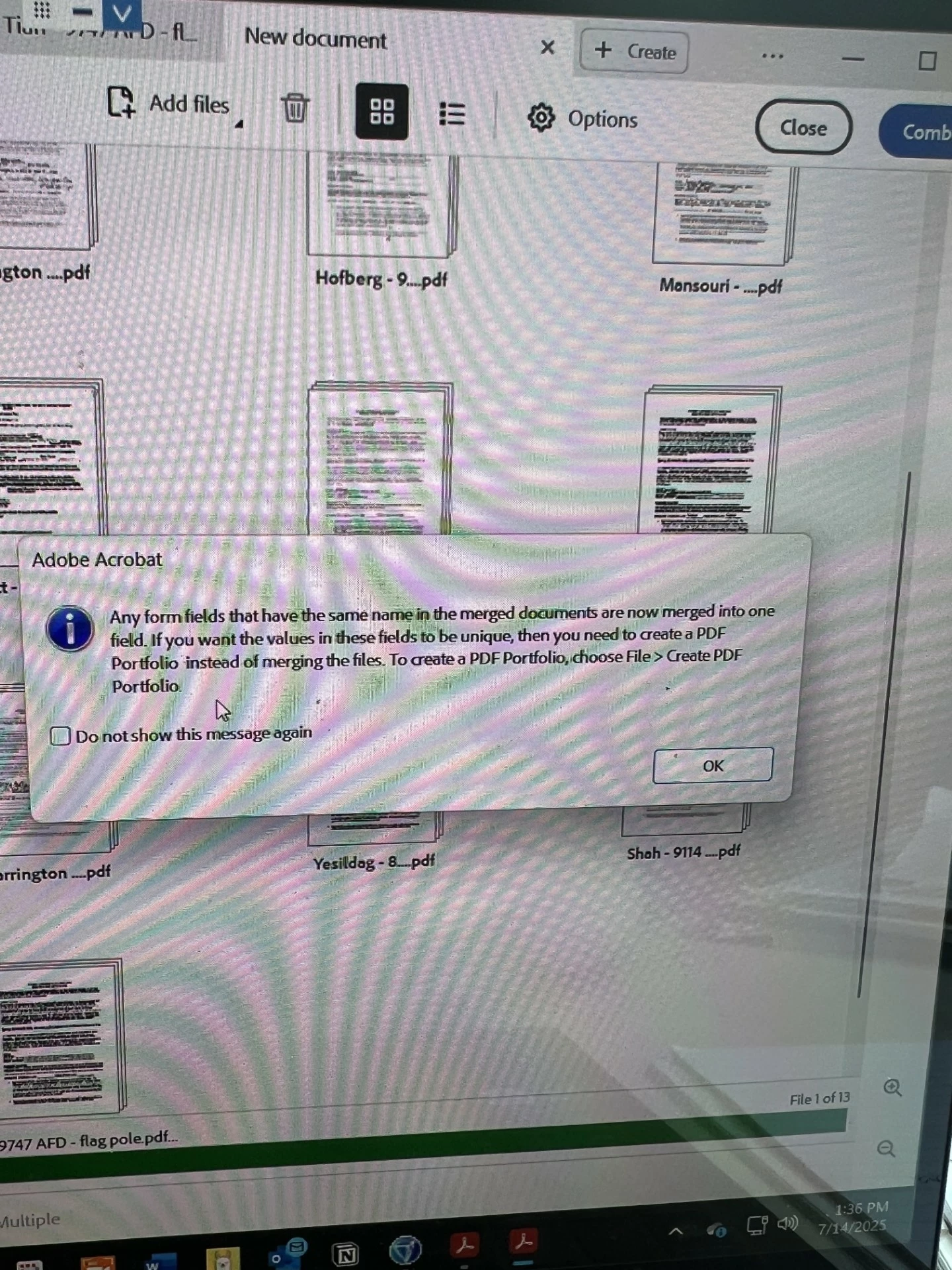
I’ve been able to combine PDFs without any issues in the past. Has something changed recently? Is there a workaround or updated method I should be using?

TIA for your help!

Jenna

P.S. Some of the Modification Applications are fillable forms - they all contain the same form fields. 

2 replies

Bernd Alheit
Community Expert
Community Expert
July 14, 2025

You can combine the files as portfolio.

PDF Automation Station
Community Expert
Community Expert
July 14, 2025

That's not an error message, it's a friendly warning that if form fields have the same name than can't have different values.

JmhnathAuthor
Participating Frequently
July 14, 2025

The end result is that several application cover sheets are either deleted or moved to a different section of the file.

[Private info removed]

Thom Parker
Community Expert
Community Expert
July 14, 2025

There are three possible solutions.

#1  Flatten all the PDFs before combining. Flattening removes the fields, and puts the text in the fields into the document content. So it's still there, but not accessible or modifiable.

Here's a link to a free flattener:https://www.pdfscripting.com/public/Free_Acrobat_Automation_Tools.cfm


#2  Rename the offending fields on each form.    A script can be made for this. The reason you'd do it this way is if you needed the field data to be accessible programatically. 


#3  Combine files as a portfolio. This method uses the PDF as a kind of zip file. Each of the combined PFS are still separate documents.


Thom Parker - Software Developer at PDFScriptingUse the Acrobat JavaScript Reference early and often