January 7, 2026
Answered

Unable to customize toolbar when reduced mode enabled

  • January 7, 2026
  • 1 reply
  • 149 views

Hello,

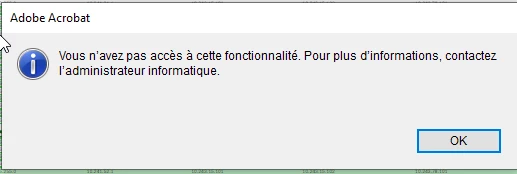
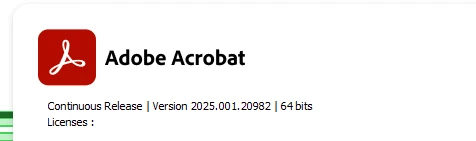
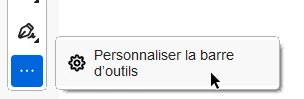
In Adove Acrobat 64 unified version, when you are in reader mode, you cannot customize the toolbar. As soon as you login with a user that have either standard or pro account, it can be done. User in reduced mode aren't logged in any account. We do use the key bIsSCReducedModeEnforcedEx.


(sorry screenshot in French)
jeansebastien_1855_0-1767807966181.png


jeansebastien_1855_1-1767807975111.png


jeansebastien_1855_2-1767808045237.png


Is there a way to fix this?


Thank you

 

Correct answer Meenakshi_Negi

Seems like there's no edit button. The link you provide only tell me how to modify the toolbar. It doesn't say anything about requiring a paid licence.


Hi jean-sebastien_1855,


The link shared above is the help document for the steps on customizing the Quick Action toolbar in Adobe Acrobat.

The feature was not available in Reader. You may be referring to a different toolbar. In the current version, the feature you mentioned in the screenshot above is not available for the Reader version.


Thanks,

Meenakshi

1 reply

creative explorer
Community Expert
Community Expert
January 8, 2026

@45881855 it sounds right. If you are logging in, you would have the ability to change the toolbar and allowing you to saved to the user's cloud profile. Without, logging in, you won't have this ability. It kinda forces you to log-in I guess?

m
Meenakshi_Negi
Legend
January 9, 2026

Hi jean-sebastien_1855,


Thank you for reaching out.


As Creative Explorer mentioned, the feature to customise the tools available with the paid version. It is not possible to customise the toolbar in Acrobat Reader. Please refer to the information in the following help document: https://adobe.ly/49vm6mY


Let us know if you have any questions.


Thanks,

Meenakshi


January 9, 2026

Why make it a paid feature? It is possible to do it in Adobe Reader 32-bits.