Unable to edit page in Illustrator (edit - select all - edit in Illustrator)
Hello everyone,
I know the process of editing .pdf in illustrator is far from ideal, but that is basically the only option I have at this point other than re-working 100+page file in inDesign which I would like to avoid.
The thing is what used to work which is going to edit - selecting all on a page right clicking going edit in and selecting illustrator, does not work due to an error popup about verifying illustrator exe location. I tripple checked the location even manually went and edited it so it is in the correct place but it was of no help.
I believe it has something to do with me "moving" install folder (uninstalling everything including adobe suite from one drive and re-installing on a different drive) but I have no clue how to solve it. I tried uninstalling Acrobat completely and re-installing it again, which did not change anything and the error is still active.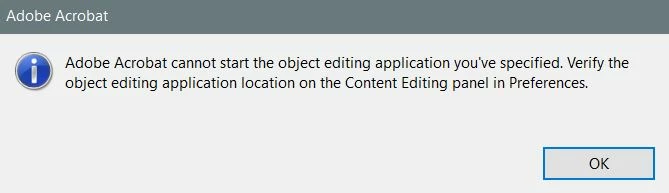
Any advice is very welcome.
 AdChoices