
Unable to edit PDF
I have three users with the same license, and all are assigned Adobe Acrobat Standard DC.
Two of the users can open and edit PDF files without any issues. However, one user is unable to edit the same PDF and receives the error message shown below. For this user, none of the fields within the PDF are editable.
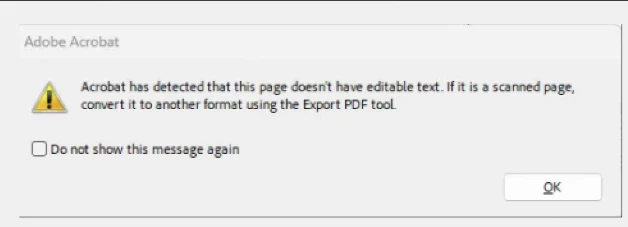
I also confirmed with the other two users that they can open the same file and edit its contents successfully. They do not receive the error message, and all fields remain editable for them.
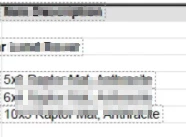
Could you please advise what may be preventing this user from editing the PDF?
Troubleshooting done:
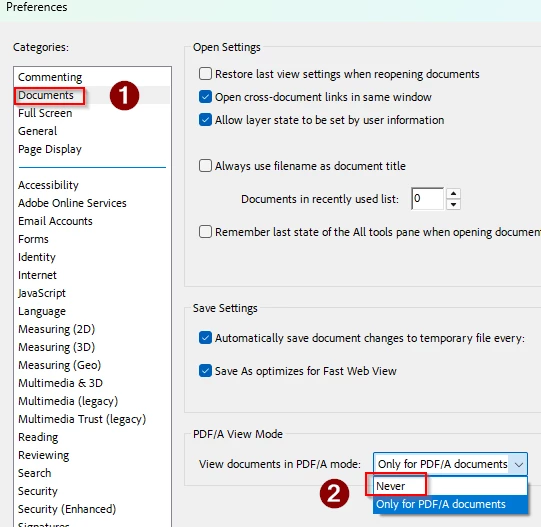
1.) Set View documents in PDF/A mode: Never
2.) Scan and OCR’d the file, but remains un-editable
3.) Reinstalled Adobe from Creative Cloud
4.) After reinstallation, it still didn’t work, so I uninstalled it again.
5.) Ran (Adobe Cleaner tool) https://www.adobe.com/devnet-docs/acrobatetk/tools/Labs/cleaner.html?linkId=100000430807222
6.) Restarted the computer
7.) Install the application again via Creative Cloud (user with license signed in)
The issue still persists, the user is still unable to edit any PDF file with her license.
Please advise.


 AdChoices