
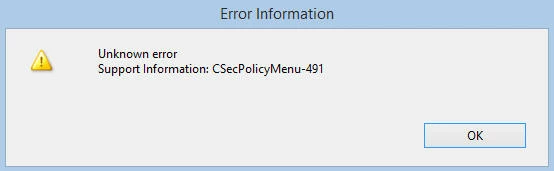
Unable to encrypt with password - error CSecPolicyMenu-491
Adobe Acrobat Pro DC Version: 2018.009.20050
Computer OS version: Windows 8
Other computer specs: Intel Core i7, 3.10Ghz, 16GB (plenty of space left), 64-Bit
Before anyone asks: this is NOT an issue happening on Adobe Reader.
While trying to encrypt a PDF file with a password (an act I have done one hundred times prior on this same computer) I get an error message (see attachment) OR the system says something along the lines of "this task cannot be completed right now, Acrobat DC needs to shut down."
The PDF I am trying to encrypt has files from several other computers in office that have Adobe Acrobat Pro XI and a Windows 10 OS (excluding one computer that has Adobe Acrobat Pro XI and Windows 8).
I am wondering if maybe PDF's from other computers are causing the issue? Am I missing a compatibility issue on my own system? Although this has literally never been a problem before. I don't recall any updates to Adobe or any OS since the last time this project of putting together pages needed to be completed.
 AdChoices