
Participant
September 30, 2024
Question

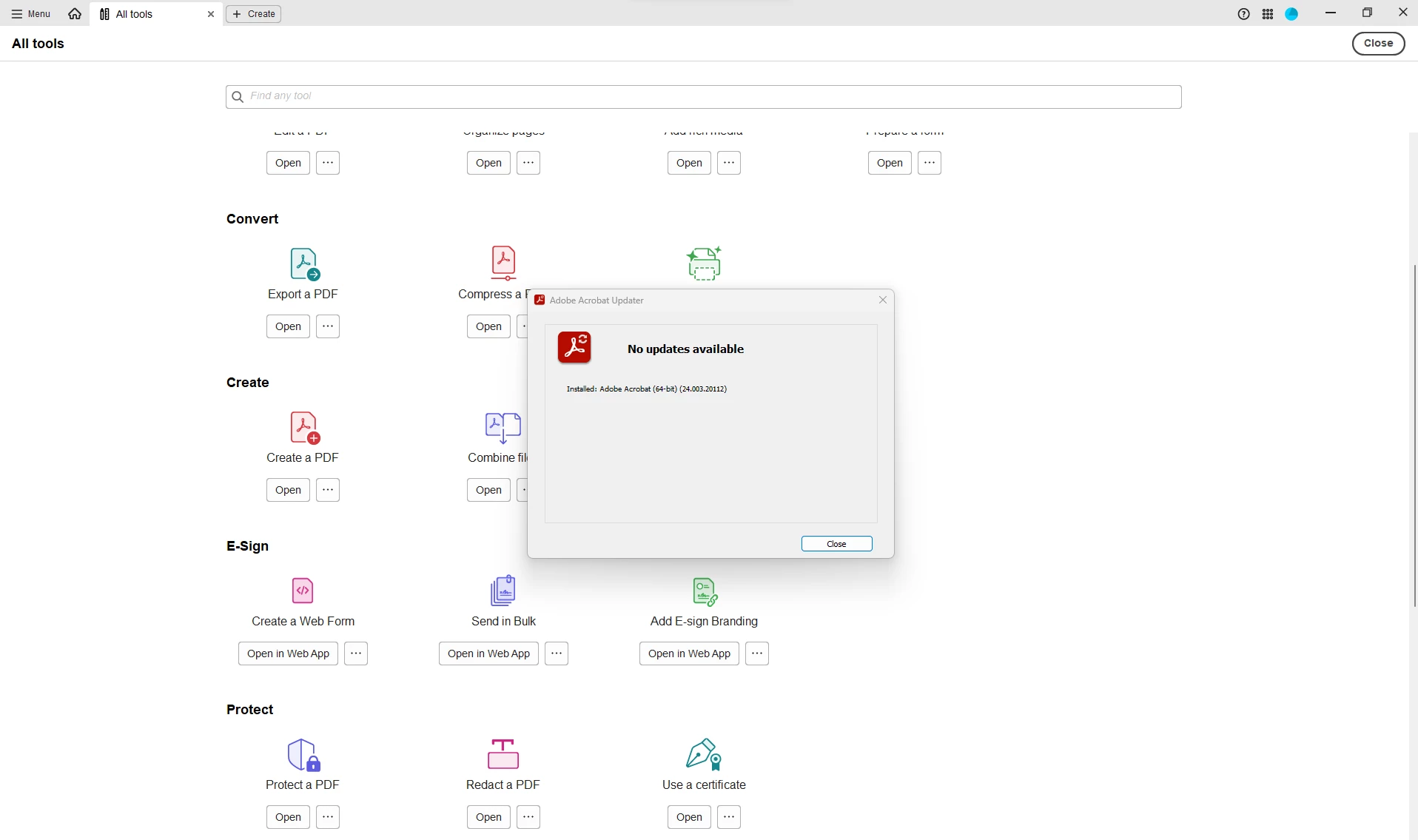
Unable to Esign via Desktop Application (Directed to Web App)

  • September 30, 2024
  • 1 reply
  • 719 views

Hi,


My Adobe Acrobat recently updated to version "Adobe Acrobat (64-bit) (24.003.20112) and the e-sign feature has disappeared. When I select all tools it directs me to the Web App to e-sign which is incredibly inconvenient. My laptop uses the same version of Acrobat and still has the feature natively.


Please can anyone assist in restoring this? Thanks


1 reply

S_S
Community Manager
Community Manager
September 30, 2024

Hi @Josh26536783ujvk,


Hope you are doing well. Sorry for your experience with Acrobat!


I checked your account, and the entitlement seems to be active. Also, since you mentioned you are able to use it on your laptop, I would suggest checking the registry if the key "cServices" is available in the given location:

Computer\HKEY_LOCAL_MACHINE\SOFTWARE\Policies\Adobe\Adobe Acrobat\DC\FeatureLockDown\


If not, please right-click the FeatureLockDown-> create-> key-> name the key "cServices."

Once done, create the below D-words:

bToggleManageSign

bToggleAdobeSign

bToggleFSSSignatureSaving


Change the value for each of them to "0"


For more info, refer to this article: Lockable Settings (https://adobe.ly/3NrXH7f)


Let me know if this helps.


-Souvik

Participant
October 8, 2024

Hi Souvik,


Thank you for the assistance. I have just tried the steps this morning however there is no change. I have tried restarting the PC also.


Is there anything else we could try?


Thanks,

Josh

S_S
Community Manager
Community Manager
October 10, 2024

Hi @Josh26536783ujvk


Thanks for the response!


Please run the Acrobat cleaner tool https://www.adobe.com/devnet-docs/acrobatetk/tools/Labs/cleaner.html, reboot the computer once, and install the application using the direct link https://helpx.adobe.com/acrobat/kb/acrobat-dc-downloads.html and see if that works for you.


-Souvik