Participant
September 23, 2025
Answered

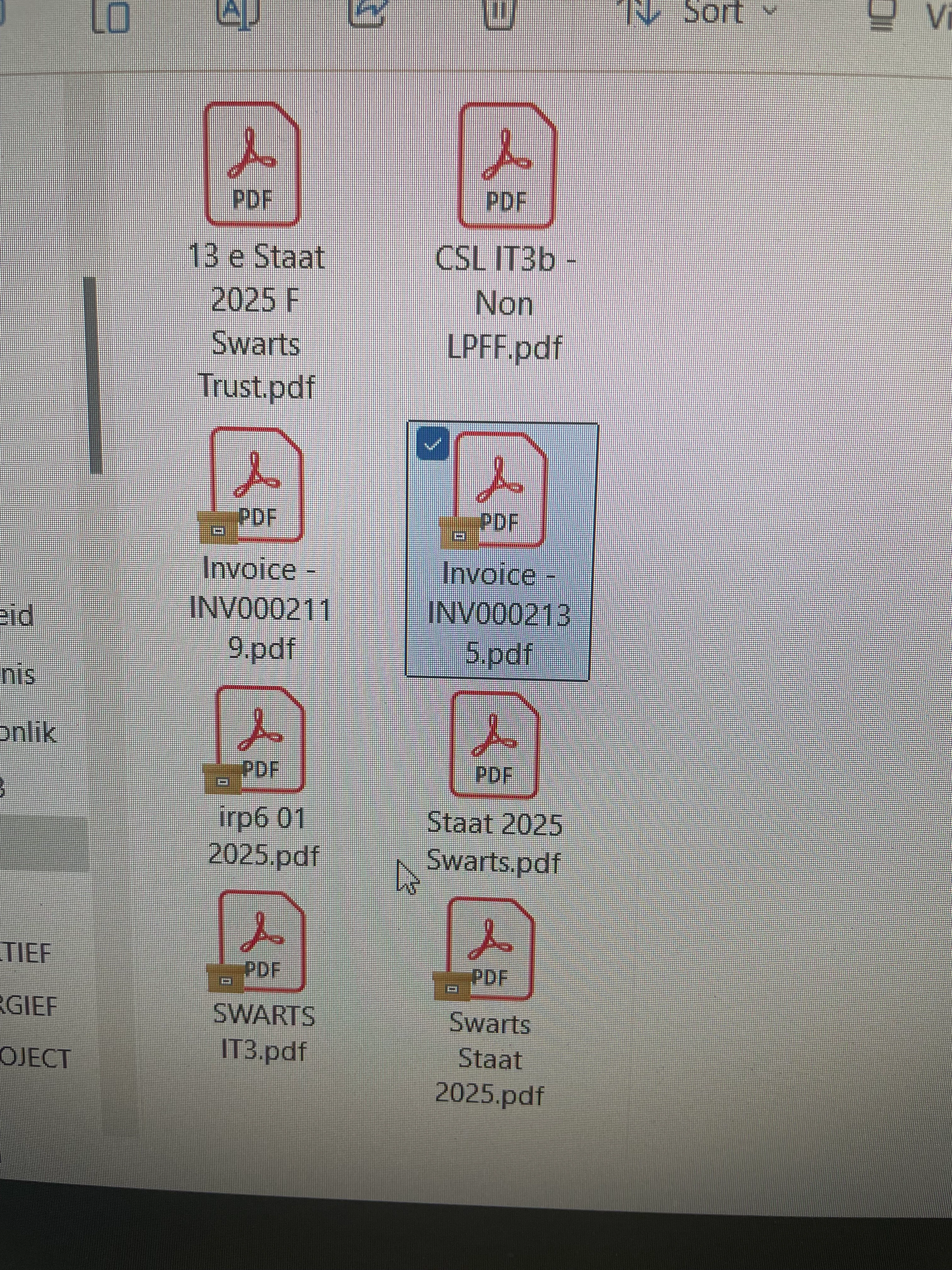
Unable to open a pdf

  • September 23, 2025
  • 3 replies
  • 206 views

Correct answer Amal.

Hi there,


Hope you’re doing well, and sorry for the trouble.


Please try the steps below and see if they help:


  • Press Windows key + E to open File Explorer.
  • On the left side, look for OneDrive – Personal.
  • Right-click on it to open the menu.
  • Select Always keep on this device.
  • Go back and check your desktop again.

You may also check the correct answer marked in the similar discussion here https://adobe.ly/46ynvHT;
 

Let us know how it goes. 


~Amal

3 replies

Brad @ Roaring Mouse
Community Expert
Community Expert
September 23, 2025

This looks like a OneDrive file sync issue.

Luke Jennings3
Community Expert
Community Expert
September 23, 2025

Are you unable to open any pdfs, or just one? are you getting an error message?

Amal.
Amal.Correct answer
Legend
September 23, 2025

Hi there,


Hope you’re doing well, and sorry for the trouble.


Please try the steps below and see if they help:


  • Press Windows key + E to open File Explorer.
  • On the left side, look for OneDrive – Personal.
  • Right-click on it to open the menu.
  • Select Always keep on this device.
  • Go back and check your desktop again.

You may also check the correct answer marked in the similar discussion here https://adobe.ly/46ynvHT;
 

Let us know how it goes. 


~Amal

Participant
September 24, 2025

Thanks, it seem to work, brown box still sitting on the PDF


*Andrè S Krüger*