



sebastien lambourde
Participant
April 12, 2026
Answered

Unable to open a PDF

  • April 12, 2026
  • 4 replies
  • 87 views

Bonjour,


J'aimerais savoir pourquoi je n’arrive pas à utiliser la version payante avec mon abonnement ?

Mon problème est que quand j’ouvre un PDF, c'est parfait, mais dès que je veux utiliser des outils qui nécessitent un abonnement, il ouvre le pop-up qui me demande de m'abonner, mais sans rien afficher dessus, puis je dois fermer l'application avec le gestionnaire des tâches.
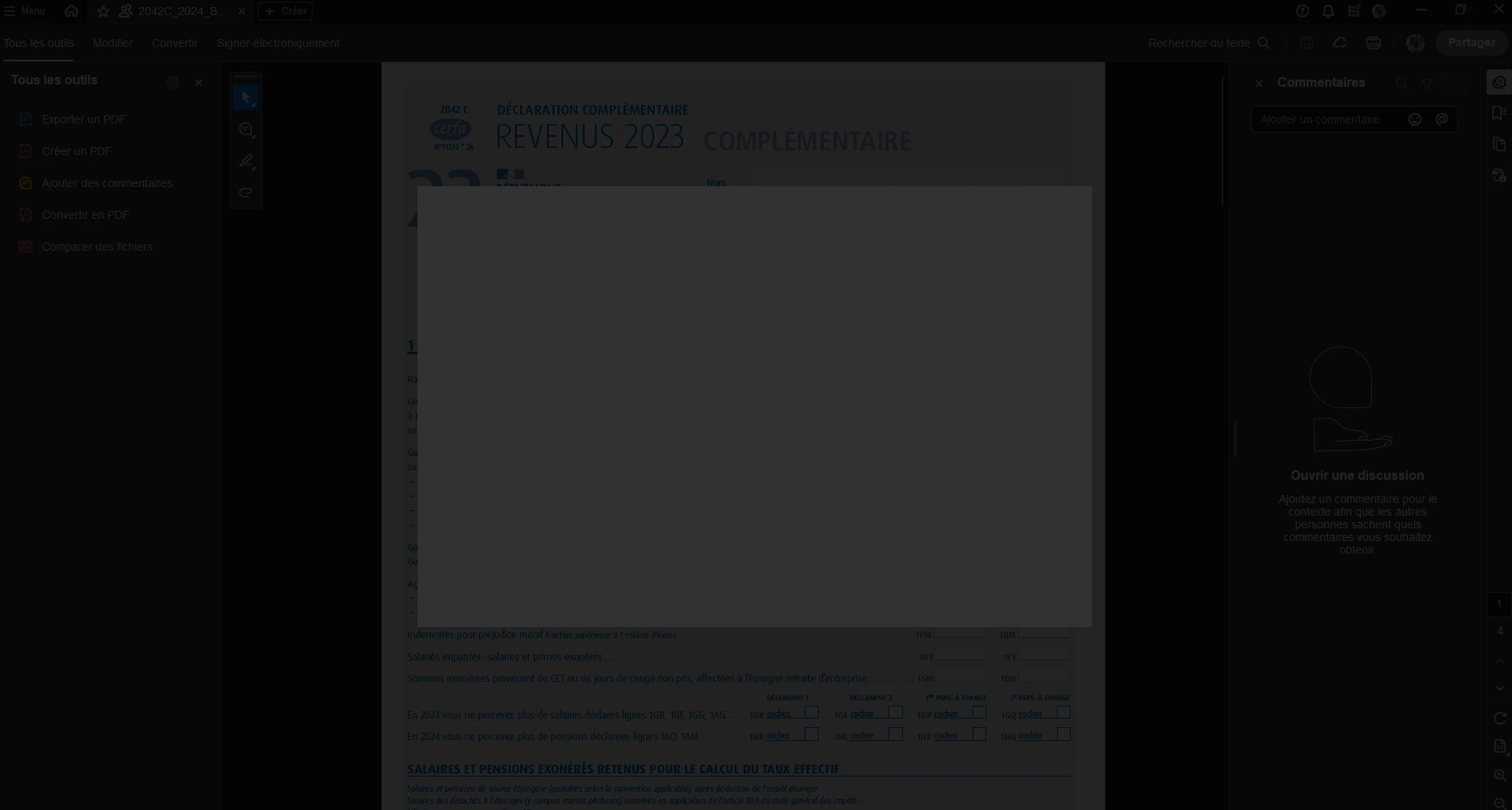
 

pop up


Correct answer Meenakshi0101

Hi InèsL,


Thank you for reaching out, and sorry for the trouble.


We have checked that you have just purchased the subscription. If you were using the trial version before, we suggest trying it again after reinstalling the application. Please use the steps suggested below to reinstall the application:

  • Remove the application and run the cleaner tool (https://www.adobe.com/devnet-docs/acrobatetk/tools/Labs/cleaner.html).
  • Reboot the machine. 
  • Install Adobe Acrobat from the following page: https://helpx.adobe.com/acrobat/kb/acrobat-dc-downloads.html. 

Once the application is reinstalled, try signing in with your Adobe credentials to check if you experience the same behaviour.


Let us know how it goes.


Thanks,

Meenakshi

4 replies

InèsL
Participant
April 27, 2026

Bonjour,
j’ai exactement le même problème, dès que j’ouvre acrobat cela reste 3 seconde et ensuite j’ai ce carré gris qui apparaît et je ne peux rien faire.

Meenakshi0101
Community Manager
Meenakshi0101Community ManagerCorrect answer
Community Manager
April 28, 2026

Hi InèsL,


Thank you for reaching out, and sorry for the trouble.


We have checked that you have just purchased the subscription. If you were using the trial version before, we suggest trying it again after reinstalling the application. Please use the steps suggested below to reinstall the application:

  • Remove the application and run the cleaner tool (https://www.adobe.com/devnet-docs/acrobatetk/tools/Labs/cleaner.html).
  • Reboot the machine. 
  • Install Adobe Acrobat from the following page: https://helpx.adobe.com/acrobat/kb/acrobat-dc-downloads.html. 

Once the application is reinstalled, try signing in with your Adobe credentials to check if you experience the same behaviour.


Let us know how it goes.


Thanks,

Meenakshi

sebastien lambourde
Participant
April 29, 2026

Bonjour,

Ça a bien marché, merci beaucoup

 
Community Expert
April 13, 2026

Check if you are logged in via the correct Adobe ID using which you subscribed for the app. The link given by ​@kglad lets you see what plan are you subscribed to. Also, try logging out and then logging back in

-Manan
sebastien lambourde
Participant
April 15, 2026

Déjà fait et refait

 
Community Expert
April 16, 2026
-Manan
sebastien lambourde
Participant
April 12, 2026

Je comprends pas votre réponse.

kglad
Community Expert
Community Expert
April 12, 2026

check your account to confirm it shows what you expect, https://account.adobe.com

kglad
Community Expert
Community Expert
April 14, 2026

@sebastien lambourde 


click https://account.adobe.com 


does it show the subscription you expect?

sebastien lambourde
Participant
April 15, 2026

oui mais rien ne change
