


Participant
July 28, 2024
Answered

Unable to poster (tile) print large PDFs in Mac Sonoma 14.5

  • July 28, 2024
  • 2 replies
  • 2160 views

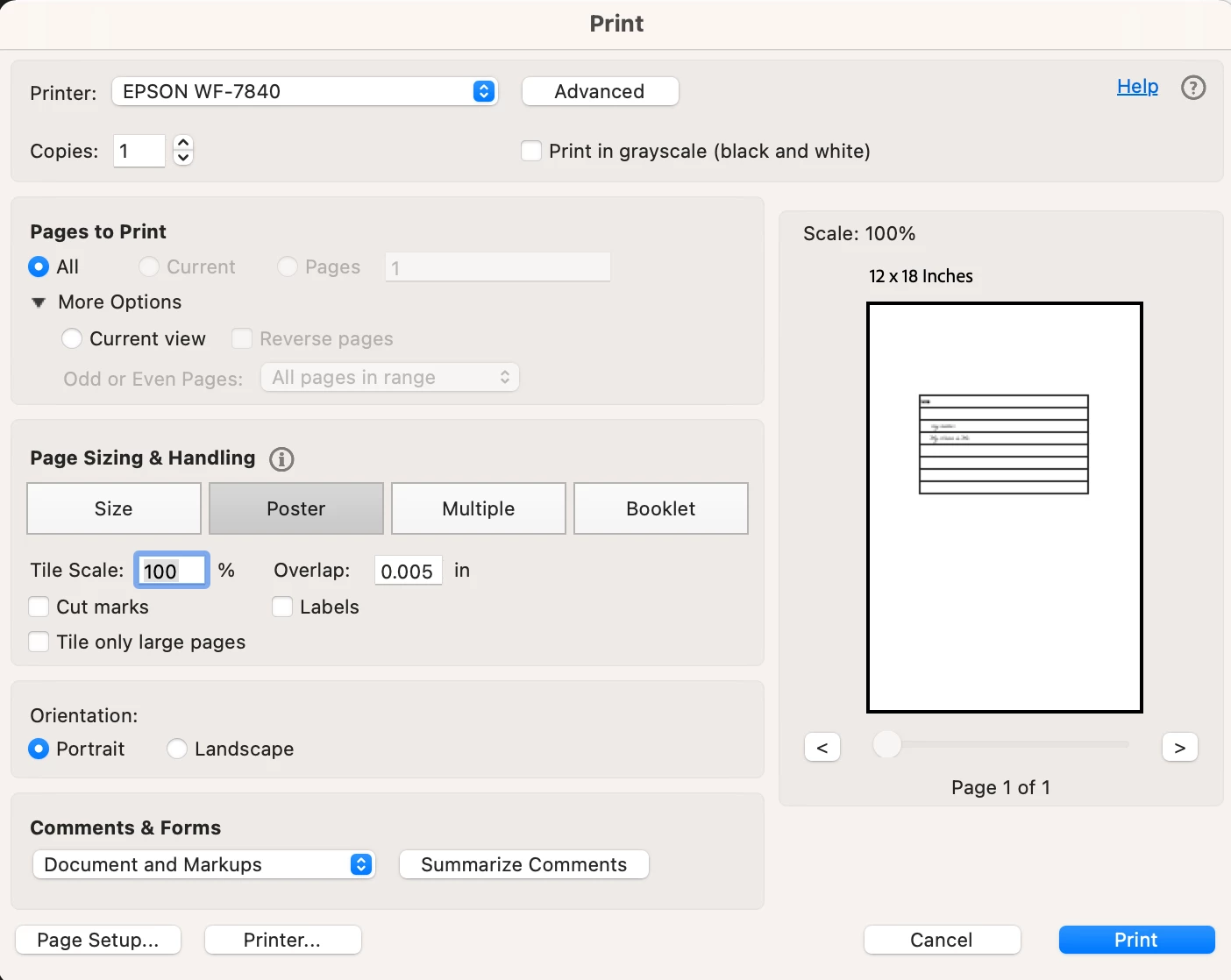
I was using Acrobat on an older Mac system (10.4) and was able to print large or enlarged PDFs in Poster (tile) mode to several pages that I then taped together. Once I upgraded to Sonoma 14.5 and the latest acrobat reader version, I was no longer able to do so. The poster tab is greyed out and when I go to advanced, I am unable to uncheck the box to print as image and it says that that is the only way to print in OS14. Is there a work around or update that will allow this in the near future? I am really hurting as I need this feature to print patterns for my job.

Correct answer creative explorer

@Slavtino when I got my new MacBook M3, I had to install the printer drivers, and restarted my MacBook for it to show up...hopefully you did that?


2 replies

Participant
March 2, 2025

did any of these things work because im having this same issue with my MAC   i dont want to purchase this program if it doesnt work

Participant
July 9, 2025

Does it happen now with the latest Acrobat?

Meenakshi Negi
Community Manager
Community Manager
July 25, 2025

Hi hitesh_7828,


Thank you for reaching out.


Please let us know if you are experiencing this issue. It would be helpful if you could share more information on what happens.

Feel free to let us know if you have any questions or need help.


Thanks,

Meenakshi

creative explorer
Community Expert
Community Expert
July 28, 2024

@Slavtino did you install the printer driver to your new Mac OS.

m
SlavtinoAuthor
Participant
July 28, 2024

Yes, I did but with no resolution to thte problem.

creative explorer
Community Expert
creative explorerCommunity ExpertCorrect answer
Community Expert
July 29, 2024

@Slavtino when I got my new MacBook M3, I had to install the printer drivers, and restarted my MacBook for it to show up...hopefully you did that?


m