
Participant
August 23, 2018
Question

Unable to print Smart Source .FDF file Febrezeinwash.com coupon

  • August 23, 2018
  • 1 reply
  • 4425 views

When I download THIS file [SmartSource_Coupon_August22.fdf]
which I am attaching [opps can't attach on this app]

which you will find HERE

I get this error

my default printer IS correctly set
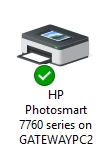
HOW do I print this coupon?

Thanks,  JimH

Windoze 10 pro

HP Pavilion laptop

Message was edited by: Jim Holstein Added "Smart Source .FDF file" to SUBJECT/TITLE of this case. - I have also private messaged three ADOBE employees who answered similar forum postings.

This topic has been closed for replies.

1 reply

Adorobat
Participating Frequently
September 4, 2018

Hi JimH,

As per the issue description mentioned above, you are facing issue when trying to print in Reader, is that correct?

Could you try following troubleshooting steps:

Go to Control Panel.

Select Printers.

Right-click your printer.

Select properties and then Advanced.

Select the “Print Directly to Printer” option.

Click apply.

Let us know if you need any help

Shivam

Jimh213MoAuthor
Participant
September 4, 2018

Thanks Shivam for taking the time to reply.

There is NO ADVANCED button on Properties - General nor on Properties - Hardware.

I did this on my Win10 laptop and my Win7Pro desktop.

QUESTION - the coupon is a FDF file.  I read that a FDF needs a companion PDF file.

Could that be the problem - the coupon file is incomplete ?

--- continue reading ---

                                            did what you said then clicked

Printing Preferences HAS an advanced tab but nothing about printing directly ...

Ok I think I found what you wanted me to find

Now let's try the FDF file ...  I'll save, try then be back with the answer

__________________

______________________________

,,, notice that there is NO IMAGE in the background of the printing form.

pressed Yes

NO LUCK -- just printed a blank page with a very tiny "Page 1 of 1" at the center bottom.

QUESTION - the coupon is a FDF file.  I read that a FDF needs a companion PDF file.

Could that be the problem - that the coupon file is incomplete ?

PLEASE RESPOND.

Jim H

Adorobat
Participating Frequently
September 5, 2018

Hi Jim,

Could you try printing other pdf files using Reader and check if you are getting the blank pages?

Also, try printing in other applications and see if this behavior continues.

I tried printing another coupon from the website in Acrobat Reader( the one you shared showed it needed to be downloaded again), it printed fine. Please find below the screenshot for the same.

You may also refer to the following links which discuss more on the issue:

[SOLVED] How do I open anAdobe FDF file - Spiceworks

.fdf (Acrobat Reader)

You may also try the troubleshooting steps given in this link: SmartSource | Set Up Adobe Reader for Printing

-Shivam