


Participant
October 14, 2025
Question

Unable to save to SharePoint

  • October 14, 2025
  • 2 replies
  • 191 views

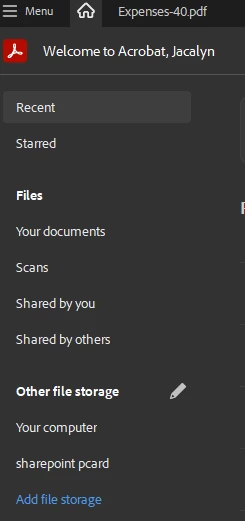
I just upgraded from the 2020 version and was able to link Acrobat to my SharePoint file location. I can open files from SharePoint in Acrobat, but cannot save files to SharePoint. From the Home menu, I can see my SharePoint folder and access files: 
But from the save screen, SharePoint isn't an option:
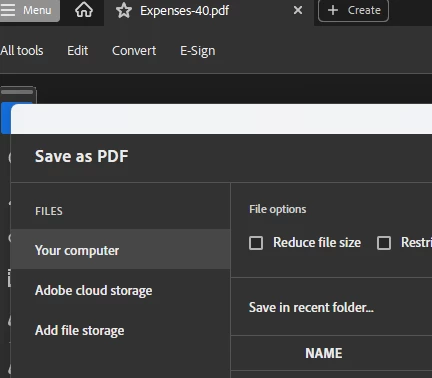
If I choose 'Add file storage' there, it says my SharePoint folder already exists. How can I make it show up as a location to save to?

2 replies

Participant
October 21, 2025

I got the exact same problem. On the home screen I can see that it is connected to our Sharepoint and I can browse files and open them.


But in the save dialog the connected Sharepoint site is missing. And if I click the 'Add file storage' option and add a new Sharepoint connection, it says that the connection already exists.


Since I am the admin of our MS365 tenant, I also tried to remove the Adobe application in Microsoft Entra Id and set it up again. This resulted in the same problem. 

creative explorer
Community Expert
Community Expert
October 15, 2025

@JacalynB It could very well be a server-side or permissions-related problem, especially if the upgrade changed how Acrobat interacts with SharePoint’s save protocols. One workaround you might try is saving the file locally first, then uploading it manually to SharePoint through your browser or syncing folder. Also, double-check that you have write permissions for the SharePoint location and that your Acrobat app is signed in with the same credentials linked to your SharePoint access. If the issue persists, clearing Acrobat’s cached credentials or re-adding the SharePoint location might help re-establish a clean connection

m