
December 28, 2018
Question

Unable to see Windows 10 Quick Access folders in the Adobe Save window

  • December 28, 2018
  • 1 reply
  • 1106 views

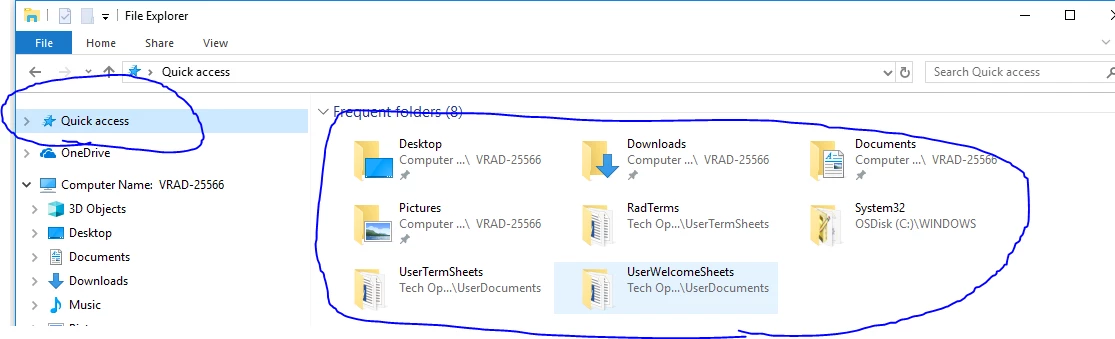
As the title suggests, I'm unable to see any of my Windows 10 Quick Access folders that I've created on my Windows side when I try to save / open files from Adobe Reader.  All I see are random files.  Has anyone else noticed this?  I've included an image of the quick access tool i'm referring to on the Windows side
This topic has been closed for replies.

1 reply

Dave__M
Community Expert
Community Expert
January 1, 2019

That is very peculiar, indeed!  Do you have this issue in other applications as well, or is it exclusive to Reader?  I assume you have clicked on the Quick Access on the left, and what you see is that of your screenshot?  I just tried it, and see the same entries from within MS Word's Save as... dialog as I do in Acrobat, leading me to believe that it is an OS event.

My best,

Dave