Participant
September 8, 2025
Answered

Unable to use an installed font while editing a PDF

  • September 8, 2025
  • 1 reply
  • 295 views

Hi,


I've encountered a problem where I have a font provided to me which has been installed successfully, I can see it as a selectable font within microsoft word, but when editing a PDF within acrobat adobe I am unable to select it from the list of available fonts when I am editing a document.


To make it a little more odd, this PDF I am editing was created using this font, but whenever I make changes to it it will not use the original font despite being installed on my laptop.


Any adivce would be helpful.


Thanks

D5741

Correct answer try67

Its windows 11 ver 24H2


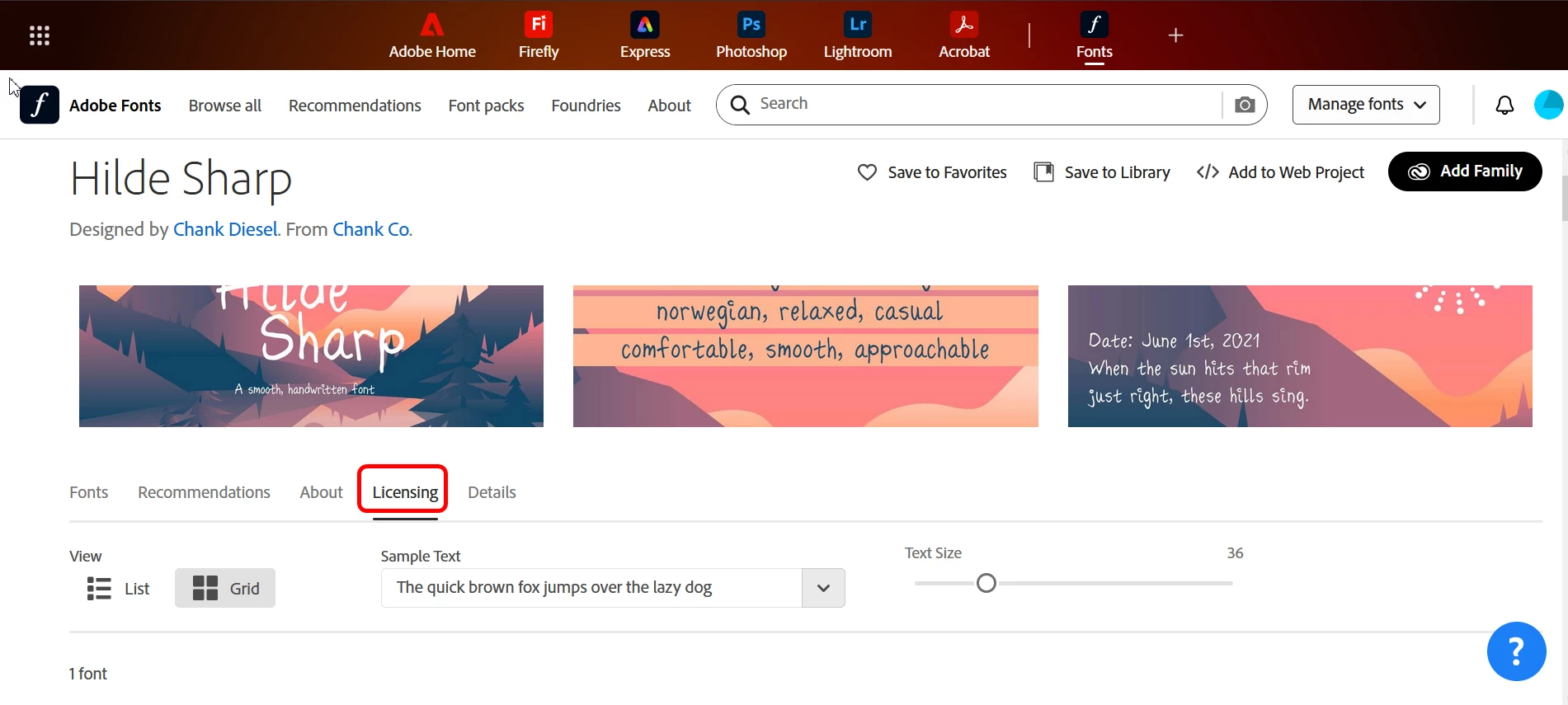
If you got the font from Adobe, or if it's available under Adobe Fonts then look for it here (https://fonts.adobe.com/) and then click it and select the Licensing tab to see what can be done with it:


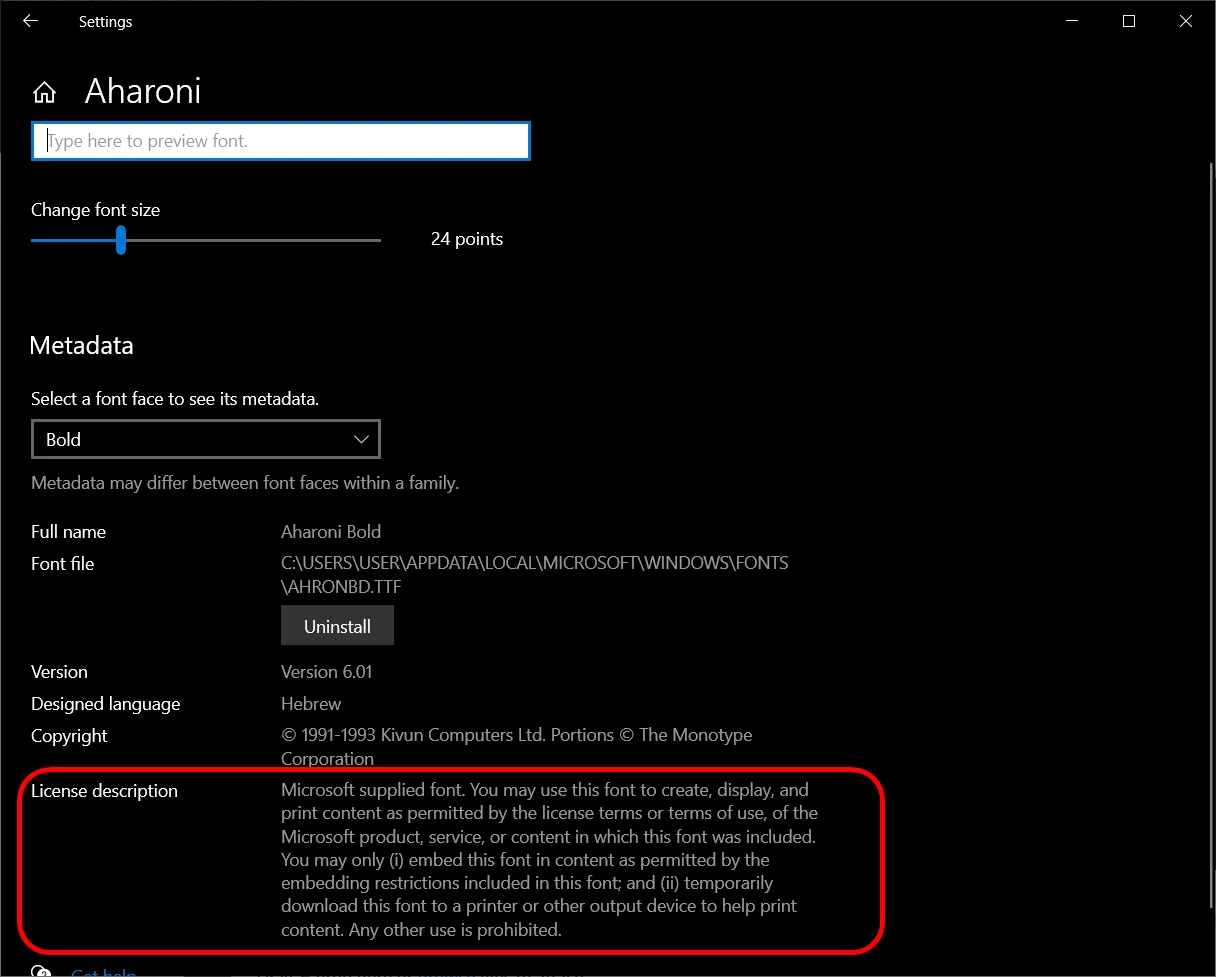
On Windows you can open "Font Settings" (just type "font" into the start menu and you'll see it), then find your font, click it and look for the "License Description" section:


It doesn't always appear, though.

1 reply

try67
Community Expert
Community Expert
September 8, 2025

There might be a permissions issue. Does the font allow to be embedded (fully or as a subset)?

d5741Author
Participant
September 8, 2025

Hi Try67


Thanks for the quick response! 


Sorry to be a pain, but could you inform me on how to check that like I'm 5?

I'm using a company provided laptop and the font we use has been licensed by us too.


Kind Regards


D5741

try67
Community Expert
Community Expert
September 8, 2025

What's your OS version?