
janetl40259004
Participant
March 28, 2019
Question

Uneditable scanned document

  • March 28, 2019
  • 1 reply
  • 527 views

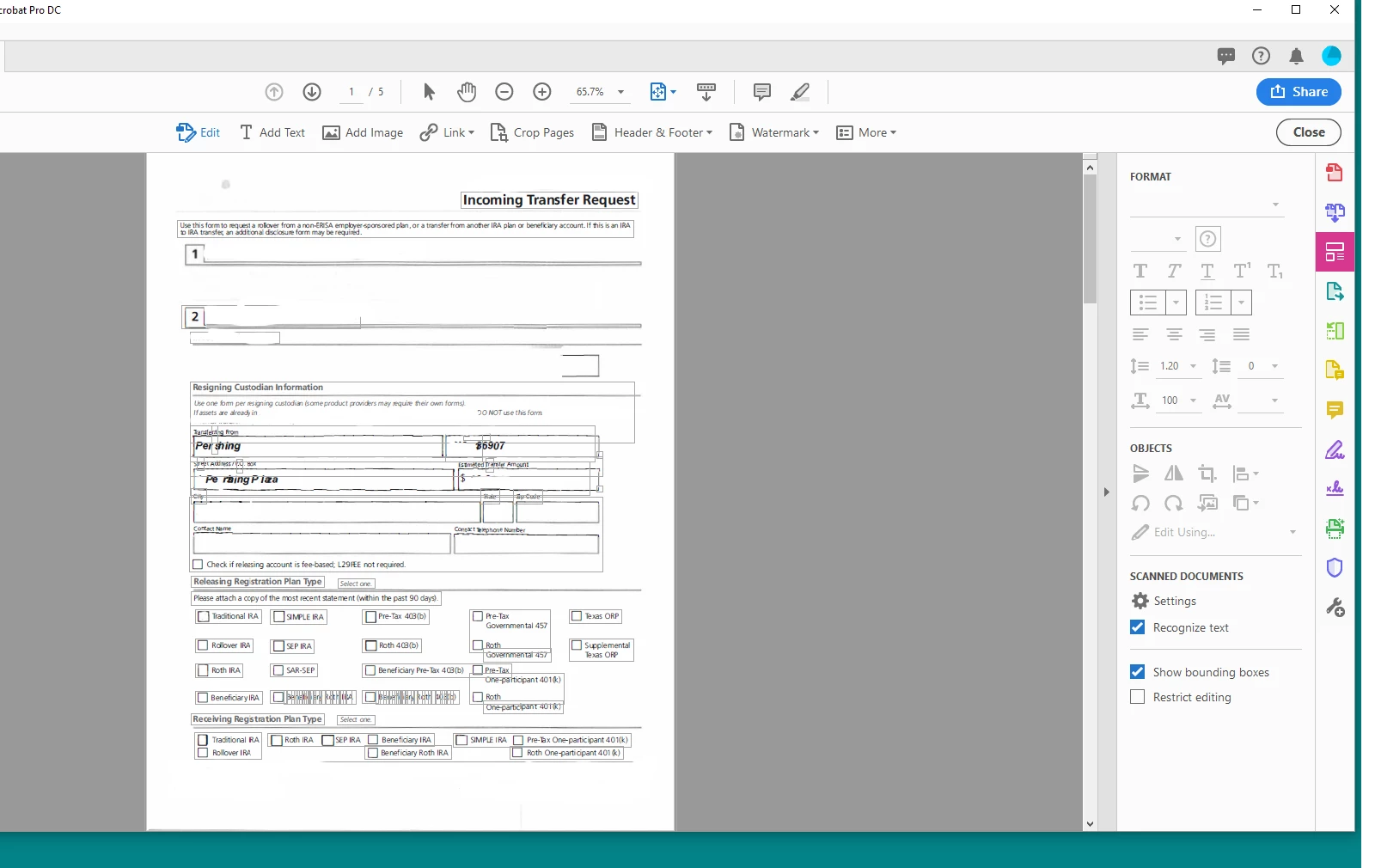
I used to get clean editable documents from my scanned documents.  Now I get a document that has bounding boxes all over it and when I click on a particular box to edit or delete, the font becomes skewed and sometimes replaced with hieroglyphic characters.  I am unable to delete any text or select and replace any text in any of the bounding boxes because the font is unreadable. 
This topic has been closed for replies.

1 reply

gary_sc
Community Expert
Community Expert
March 28, 2019

Hi Janet,

The boxes you are describing is what happens when you go into Edit mode: each text block has its own text region, similar to marqueing out a text region in Illustrator so added text will wrap within the confines of the text block you created. So do not be concerned about them.

What's taking place with your text is that for whatever reason the font that is being used is not being recognized. If you look in the upper right region of the Edit controls, you'll notice that no font is identified. See this screenshot to see what I'm talking about. Here, Acrobat has properly recognized that the font in the selected text is Adobe Jenson Pro.

So either Acrobat is not recognizing the font in the text OR it can't even figure out what would be "close enough."

You might try going into Properties (Command/Control-d) and see what fonts show up when you are in the Fonts tab. If a font is identified, see if you have that font and/or see what you might find in your font collection that is close enough.

Let us know if any of this helps.