This option seems to exist only when you're creating multpile children fields from one parent field.
When you right-click on the parentfield, and select "Create Multiple Copies" from the context menu, you'll see the following:
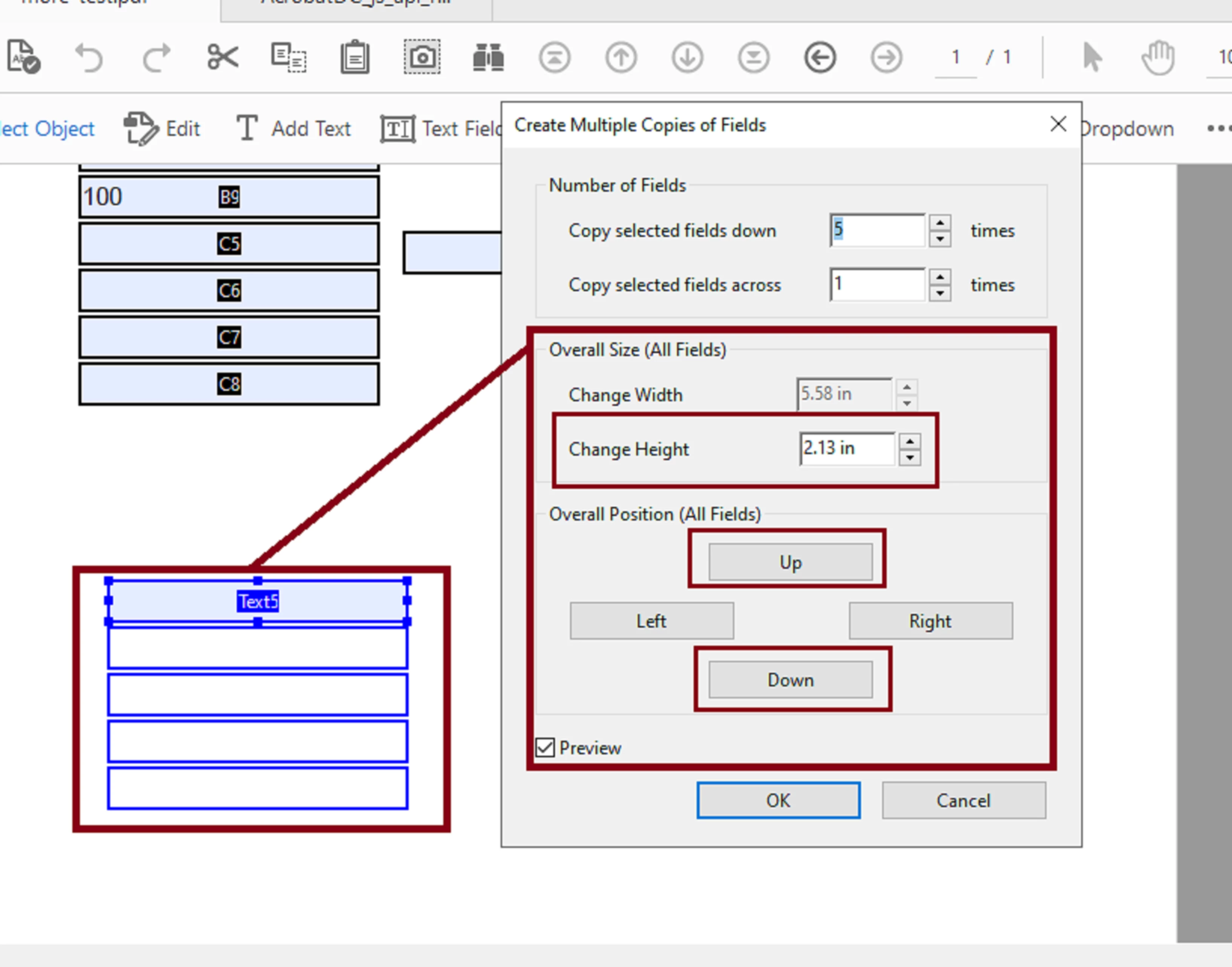
I work with very large PDFs all the time, so as long as my fields have no complicated custom scrips that involve other dependent field objects, is just becomes easier to delete what you have and recreate the fields using this method.
According to some of the Adobe Acrobat video tutorials, your best bet is to plan ahead instead of adding field objects to a form in a disorganized fashion.
Like for example, literally sketch by hand how do you want your PDF to look and feel for the users before you add them. Then you'll be able to employ a more logical workflow when designing your forms.
Also, in "Edit"--->>> "Preferences" --->>>" Forms" --->>> you may want to disable "Automatically detect Form fields".
This gives me complete manual control of how I want my fields in a PDF; I don't let Acrobat detect and add fields randomly when I work with large PDFs.
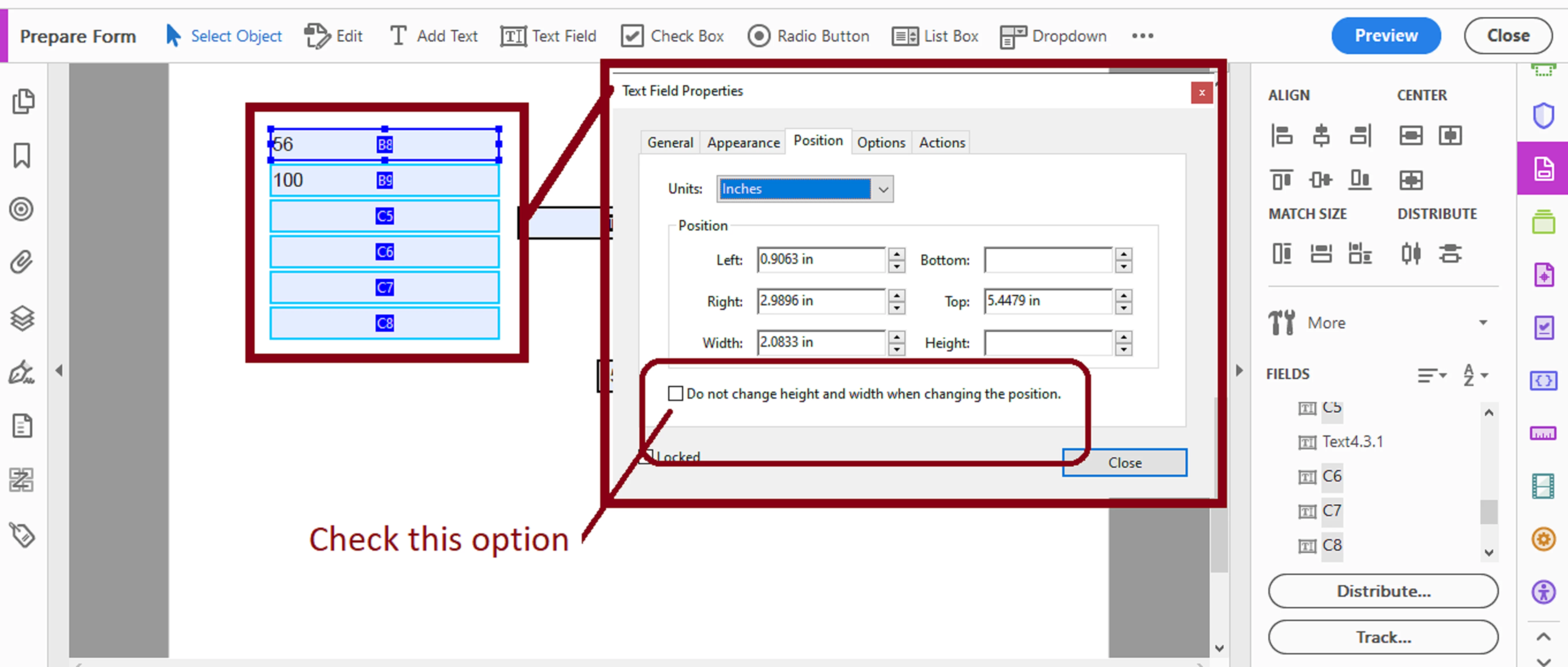
Last, you'll also want to protect the dimesnions of your field objects from loosing them as you dragg a group of selected field objects around in a work space.
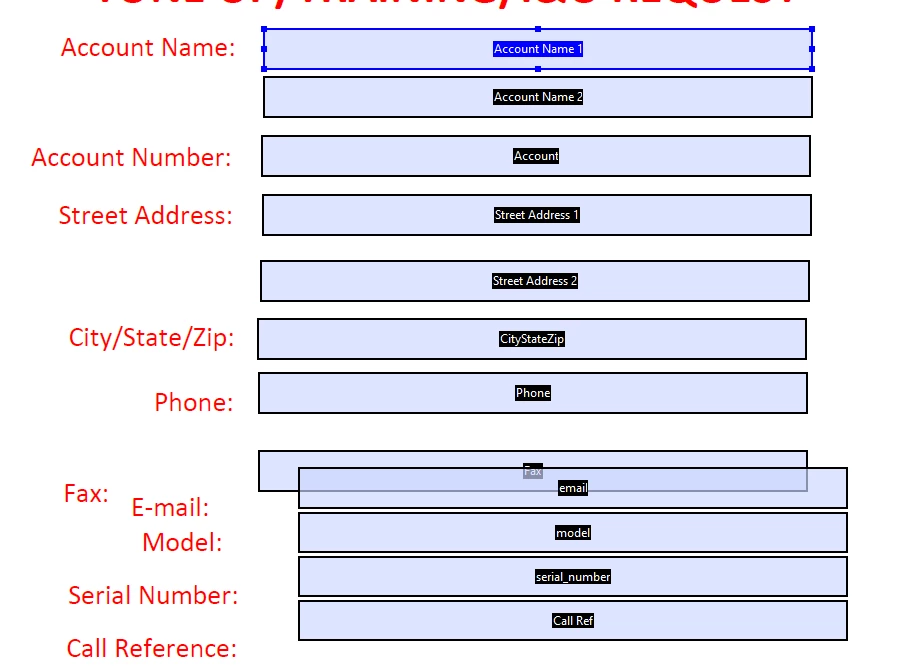
It seems that some of the height and width settings change when this action is performed.
See next slide:
 AdChoices