
Answered
update Adobe Acrobat XI on Windows 10 failed. Reinstalling fails too
I have a licence for Adobe Acrobat XI which i used till today.
Acrobat told me there was a update so i tried to install it.
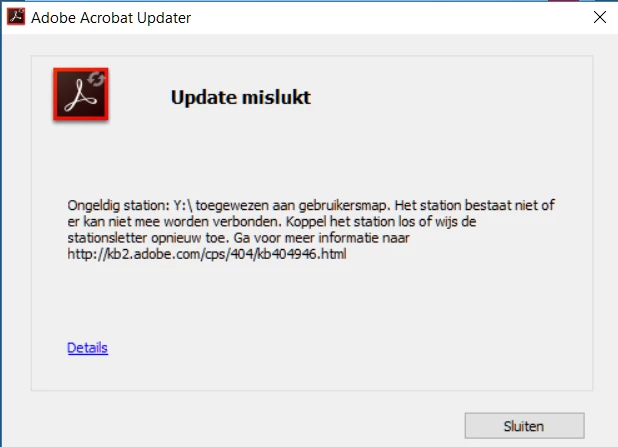
Unfortunately this failed with a errormessage (without error code) telling me my drive y:\ does not excist.
When clicking on the link in the errormessage, i am directed to Fix Windows errors that occur during Acrobat Reader update
When folowing those steps It still doesnt work.
Ik removed Acrobat in System-Apps but reinstalling still fails for same reason.
In the past I had the workaround to temporary move Y:\My Documents to C:\My Documents and after the update move C:\My Documents back to Y:\My Documents but this didnt work.
What do I have to do to make installing Acrobat Possible?
 AdChoices