This topic is closed to new replies. Start a new post to keep the conversation going.
lupesmilesCorrect answer
Participant
February 19, 2024

Mine seems to have been fixed when I went to Help > Repair installation. To date, this has been the ONLY thing that has worked outside of having to put my PC in airplane mode. 

71 replies

Participant
July 11, 2023

Also expereincing similar problem, which ocnstantly interferes with the work with the Adobe Pro application.

The "generic" solutions or uninstall-reboot-reinstall doesn't work.

NOR DOES SWITCHING THE CORPORATE NETWORK CONNECTION !!!!

Kindly escalate this issue to proper personnel who can assist with a proper resolution.

Translate
Participant
June 13, 2023

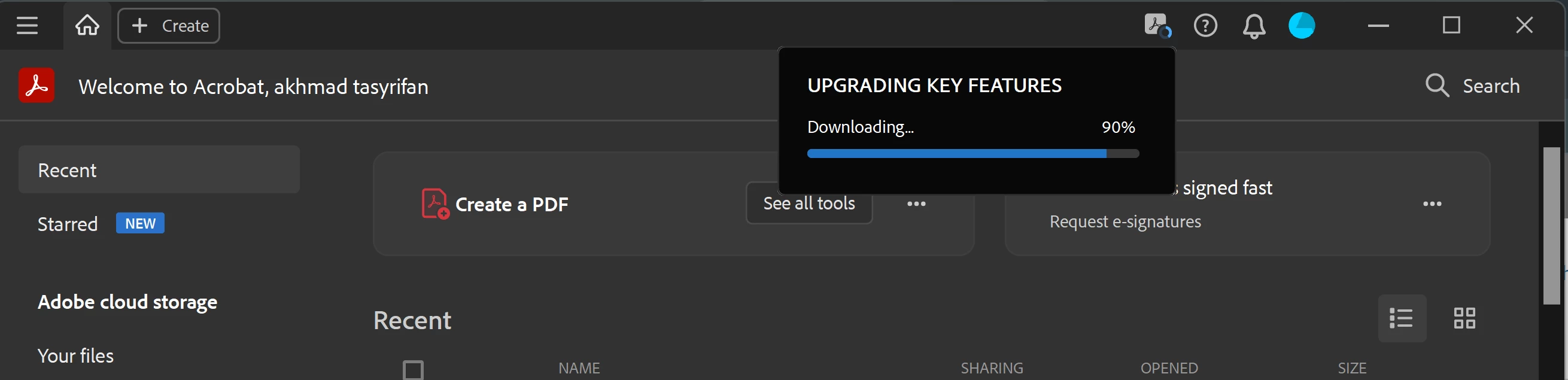
I also have this problem. Please advise since I cannot use tools when this is stuck.

Translate
Amal.
Legend
March 16, 2023

Hi @akhmad tasyrifar29417444 


Hope you are doing well and sorry to hear that.


Please remove the application using the acrobat cleaner tool https://www.adobe.com/devnet-docs/acrobatetk/tools/Labs/cleaner.html, reboot the computer once, and install the Acrobat Pro DC application using the direct link https://helpx.adobe.com/acrobat/kb/acrobat-dc-downloads.html and see if that helps.


Regards

Amal


Marking a reply or response “Correct” will help future users with the same issue quickly identify the correct answer.

Translate
Participant
May 20, 2023

Didn't work.  Please provide different solution.

Translate
Amal.
Legend
May 24, 2023

Hi there


Hope you are doing well.


Please check If the download is interrupted, as it may result in a corrupt or incomplete file, preventing the installation from completing.


Also check for the Antivirus software as Some antivirus software can block the installation, try disabling it temporarily for testing purposes an see if that works.


Regards

Amal

Translate