** URGENT ** Can't print long PDF pages at Actual Size
Hi,
I have produced a PDF document using Acrobat which is based on a website for a client - an interactive PDF version of the website.
There are 9 pages to the document, corresponding to the 9 pages of the website. They are an A4 width and range from 13" to 85" long.
The client wants people to be able to download and print the document. However, the printer either scales the pages to fit 1 A4 sheet (making it too small to read) or if you select "Actual Size" it only prints 1 A4 page for each of the 9 pages (the top section).
Is there a way to set the document so that it will print the document at actual size across multiple A4 pages, per page of the PDF. So that all of the content is printed?
I was under the impression this is not possible, however the client informs me that someone fixed an old document so that this was possible before (at quite a high expense).
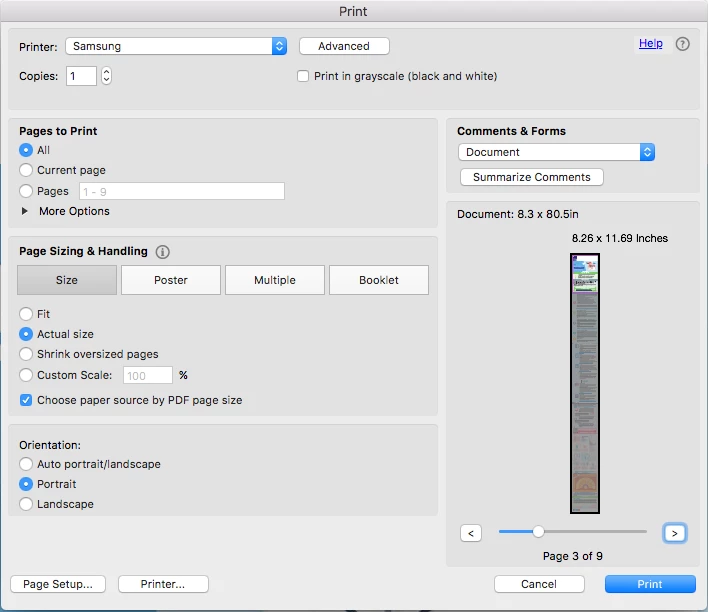
Here is an image of the print options to show you; As you can see, the page is long, but it only prints the first section. I need it to print all of it.
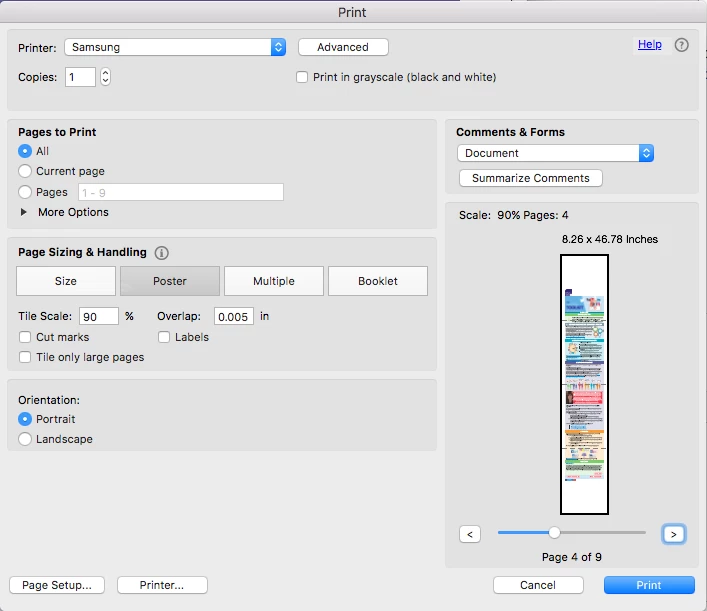
Another option is to print as a poster, using tiles, however, this only prints with the page centered vertically. Is there a way to change this so that the pages are aligned to the top? Then, ideally embed these options into the document so that it automatically uses these settings for users? Image showing this follows;
They need this to go live on there website ASAP - so all help greatly appreciated.
Many thanks,
Stefan
 AdChoices