
Participant
February 16, 2018
Answered

Urgent Help Please. How to select all pages of document to edit

  • February 16, 2018
  • 1 reply
  • 6979 views

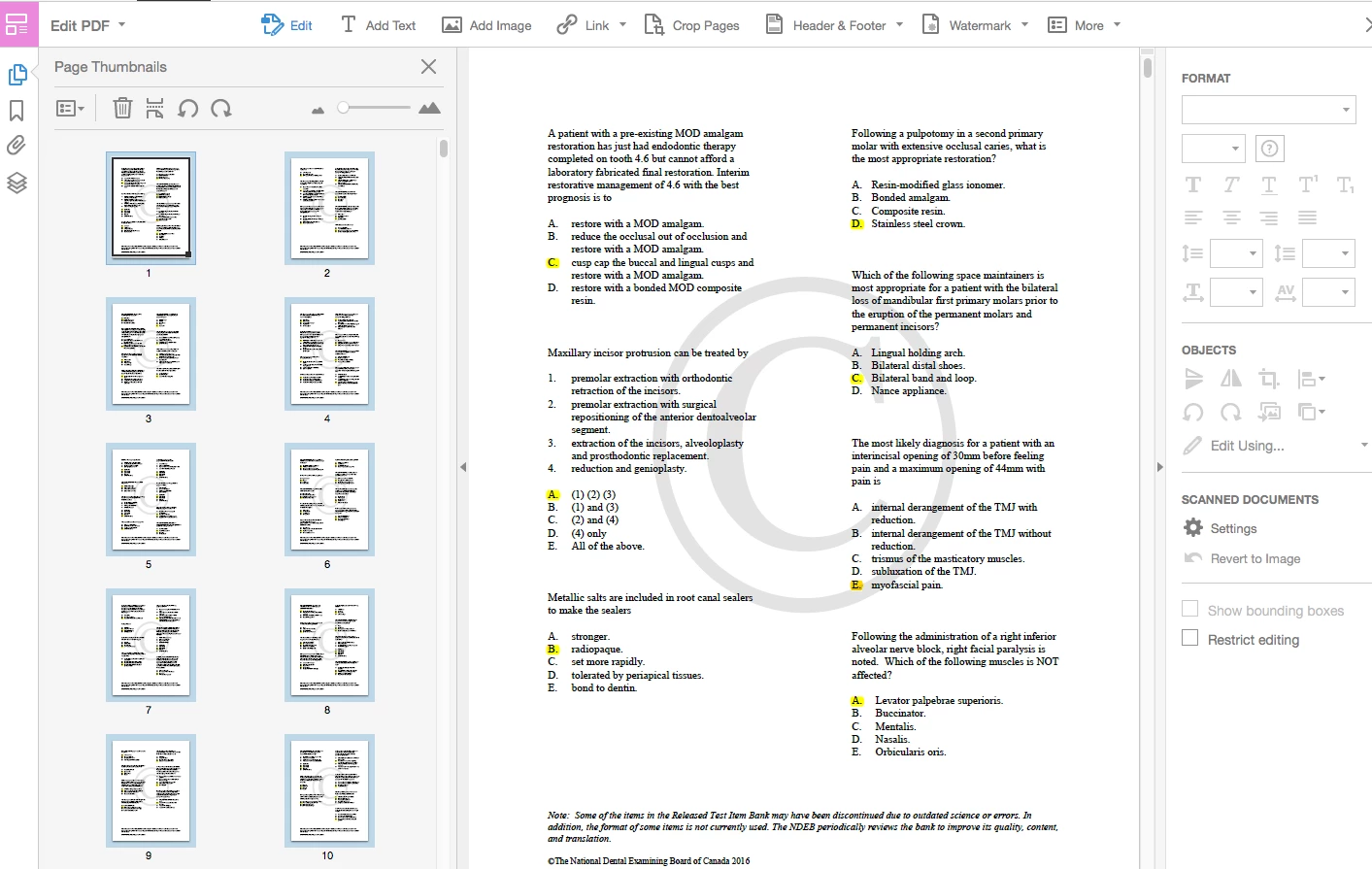
Hello, I am trying to select all pages of a pdf document (in Adobe Acrobat Pro DC) in order to change the fond color and font style. I am able to select all pages from the "page thumbnails" from the left of the screen, but when I navigate to the right side of the screen in "edit PDF" tools mode, the available options (such as page color or font style) are not selectable/greyed out as shown in the screen shot below. However, I am able to accomplish this if only one page is selected at a time. I have a project that I'm working on with the due date soon approaching and would appreciate any help. Thank you in advance!
This topic has been closed for replies.
Correct answer try67

Not possible. PDF files were never meant to be edited in such a way, so be happy you can do it at all.

The real solution is to go back to the original file used to create the PDF, edit it and then generate a new PDF file from it.

If the original is not available you can export the PDF to a more editable format and then do it there.

Editing the PDF file itself should only be done as a last, desperate measure, and is very risky.

1 reply

try67
Community Expert
try67Community ExpertCorrect answer
Community Expert
February 16, 2018

Not possible. PDF files were never meant to be edited in such a way, so be happy you can do it at all.

The real solution is to go back to the original file used to create the PDF, edit it and then generate a new PDF file from it.

If the original is not available you can export the PDF to a more editable format and then do it there.

Editing the PDF file itself should only be done as a last, desperate measure, and is very risky.

Participant
February 16, 2018

Thanks for the reply. The only file that I have to work with is a PDF file, therefore I cannot edit the original as suggested. Also, when I do export it in a more editable format ie Word document, the formatting of the document changes greatly.

If editing one page at a time the way I explained is possible, I would think it should be possible for multiple pages at a time. One of the main purposes of the acrobat pro is to be able to edit PDFs.

Any other replies would be greatly appreciated.

Legend
February 16, 2018

It would Be useful for some people but it doesn’t do it.