Participant
November 2, 2020
Answered

Using if Conditions in Acrobat PRO DC ( I have no previous experience with JavaScript)

  • November 2, 2020
  • 1 reply
  • 511 views

If the answer is Yes, move to the next question.

If the answer is NO, Select one of the options A, B, C or D.
Could you please help code the above?

Thanking you for your cooperation and support!

This topic has been closed for replies.
Correct answer ls_rbls

Well, if I understood your intent correctly, and taking into account that you provided very little information about your workflow, this is what I came up with:


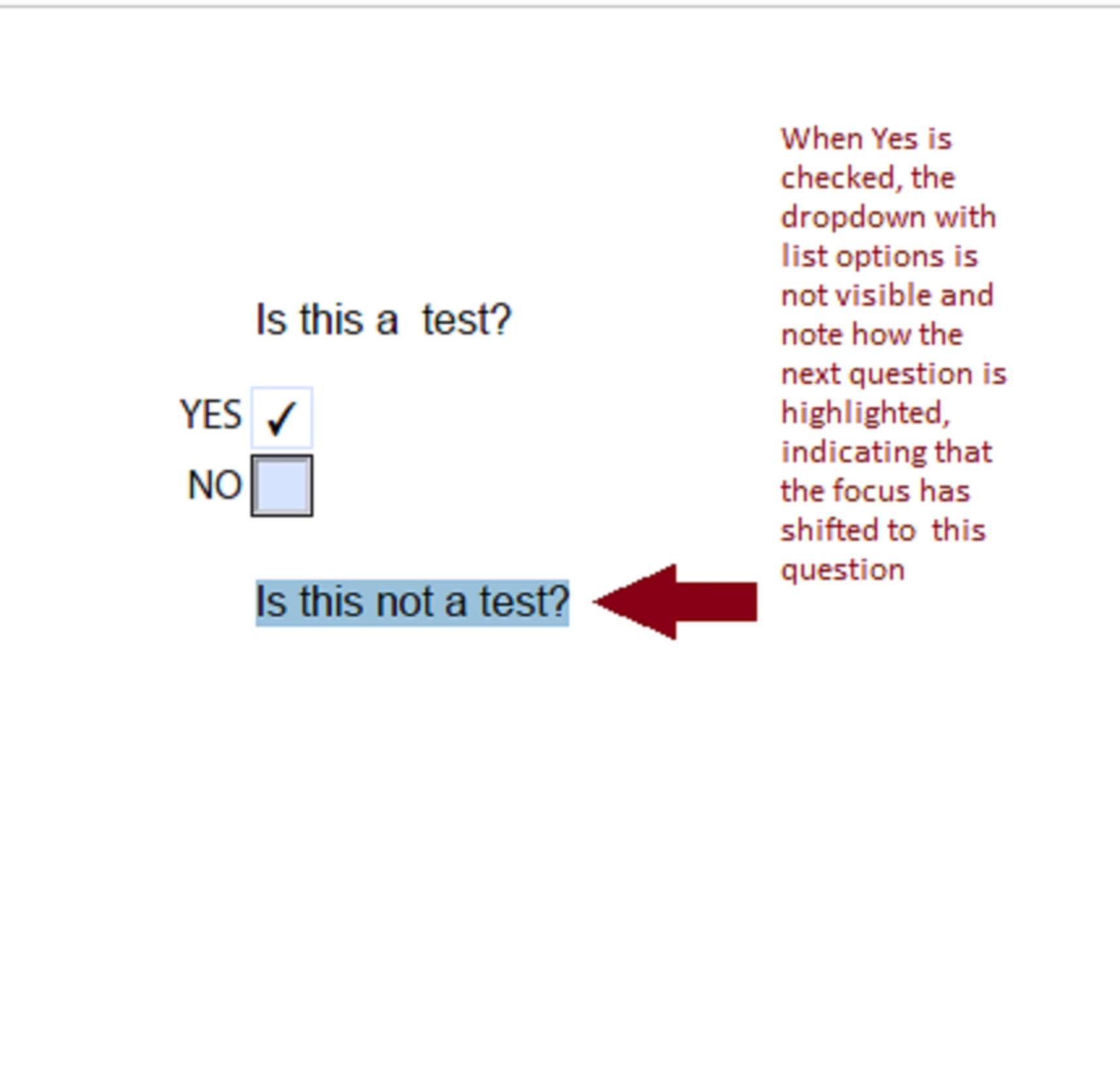
  • Just add the following script as mouse-up action of the "Yes" radio button
this.getField("myChoices").display = display.hidden;
this.getField("QUESTION2").setFocus();
this.resetForm(["myChoices"]);


  • The slide below illustrates  how the "Yes" radio button works with this script:
 

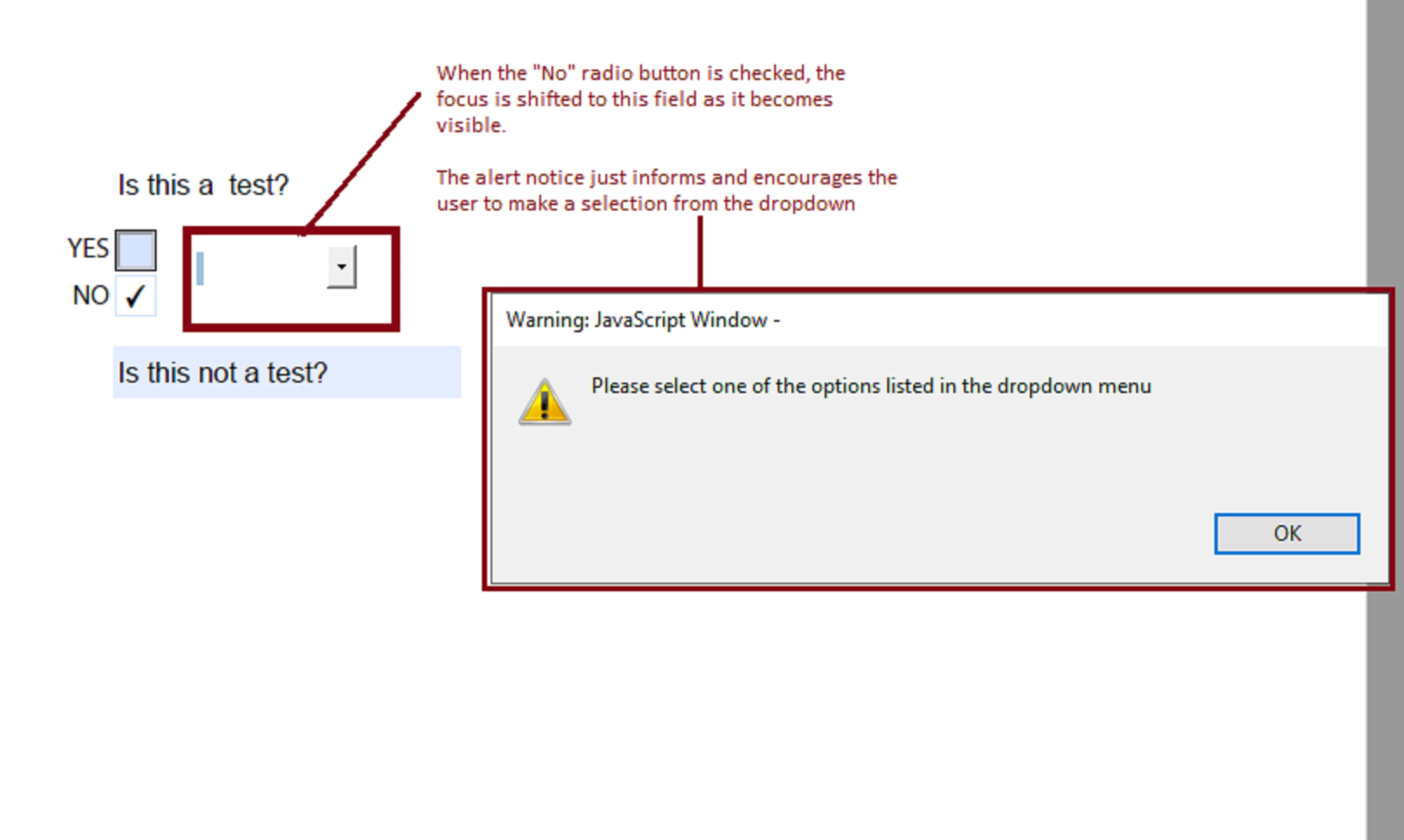
  • and add this line to the "No" radio button
this.getField("myChoices").display = display.visible;
this.getField("myChoices").setFocus();
app.alert("Please select one of the options listed in the dropdown menu", 1);


  • The slide below illustrates  how the "No" radio button works with this script:


1 reply

ls_rbls
Community Expert
Community Expert
November 3, 2020

Please be more specific about your workflow.


Where is the yes or no answer retrieved from? a dropdown menu? a value from a checkbox checked or unchecked state? or from a typed-in answer in a text field?

Technical Generalist
S5C84Author
Participant
November 3, 2020
The yes or no is a radio button
ls_rbls
Community Expert
ls_rblsCommunity ExpertCorrect answer
Community Expert
November 3, 2020

Well, if I understood your intent correctly, and taking into account that you provided very little information about your workflow, this is what I came up with:


  • Just add the following script as mouse-up action of the "Yes" radio button
this.getField("myChoices").display = display.hidden;
this.getField("QUESTION2").setFocus();
this.resetForm(["myChoices"]);


  • The slide below illustrates  how the "Yes" radio button works with this script:

 

  • and add this line to the "No" radio button
this.getField("myChoices").display = display.visible;
this.getField("myChoices").setFocus();
app.alert("Please select one of the options listed in the dropdown menu", 1);


  • The slide below illustrates  how the "No" radio button works with this script:


Technical Generalist